Opal: From AI Chat to Business Execution
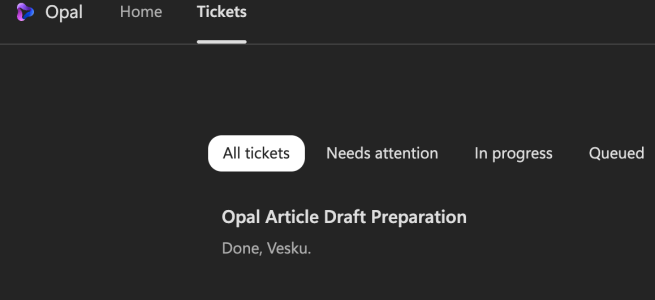
What happens when a computer-using agent is asked to research itself, prepare a business brief, and deliver the result? I gave Microsoft Project Opal a practical assignment: research what Opal is, explain its business value and technical foundations, identify requirements and pricing information, propose useful scenarios, and email me the result. The first attempt did … Continue reading Opal: From AI Chat to Business Execution

Claude in Copilot is coming into the EU Data Boundary

European organizations have had to make a trade-off with Claude models in Microsoft Copilot. They could use Claude, or they could keep the Microsoft regional data-processing commitments they rely on. Many chose the commitments and kept Claude switched off. That trade-off is going away. That trade-off is going away. Microsoft has announced that Claude models … Continue reading Claude in Copilot is coming into the EU Data Boundary

When the meeting room starts helping you – Logitech’s new Rally devices and AI in meetings

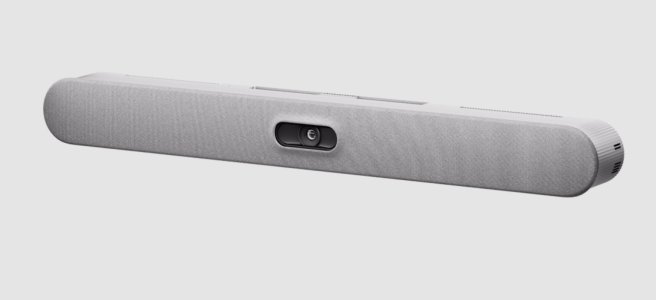
Have you ever sat at the far end of a meeting room table and wondered if anyone on the call can actually hear you? Or joined remotely and seen just the side of five heads around a table? Hybrid meetings have improved a lot in the past few years. The room is still often the … Continue reading When the meeting room starts helping you – Logitech’s new Rally devices and AI in meetings

Microsoft Copilot harness across Foundry and Copilot Studio

The model gets the headlines. The harness does the work. For the last couple of years, most AI conversations have been about which model is the smartest this month. A model can reason, but it can't finish a long task by itself. To get real work done, an agent also needs instructions, context, tools, a … Continue reading Microsoft Copilot harness across Foundry and Copilot Studio

AI FinOps for Microsoft Copilot – a guide to Cost Management and the Cost Management API

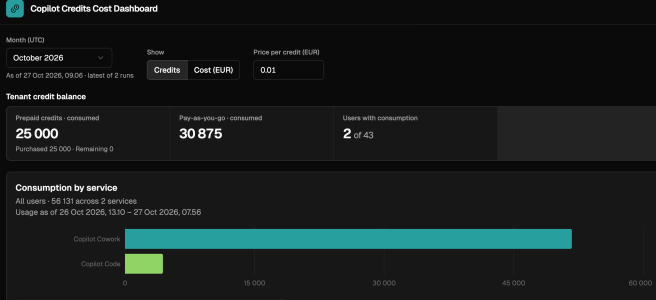
The financial question about Microsoft 365 used to be simple: how many people need a license? That question isn't going away, but it's no longer enough. Copilot is moving from answering questions to doing work: planning steps, retrieving context, calling tools and running multi-step jobs. A new question sits next to the old one: how … Continue reading AI FinOps for Microsoft Copilot – a guide to Cost Management and the Cost Management API

New in Frontier: Delegate Business Processes to Copilot Studio Agents

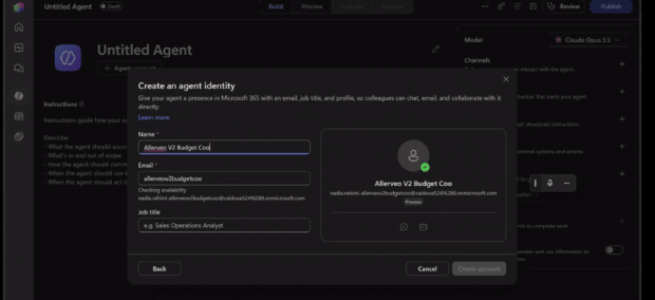
No prompt needed – agents in Frontier get their own account, memory and triggers to take on shared work by themselves. Most AI at work still starts the same way: a person opens a chat and types a prompt. No prompt, no work. With Copilot Studio, that is changing. On October 15, Microsoft announced new … Continue reading New in Frontier: Delegate Business Processes to Copilot Studio Agents

SharePoint Knowledge Base – Team Memory, Curated by AI

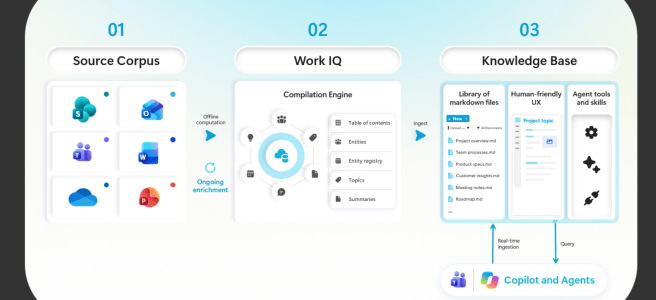
Every team has one. The person who knows. They know why the customer contract has that odd clause, which version of the spec is the real one, and what was decided in the meeting nobody wrote minutes for. When they are on holiday, work slows down. When they leave, part of the team's memory leaves … Continue reading SharePoint Knowledge Base – Team Memory, Curated by AI

From Answers to Actions with Work IQ

Picture a Monday morning. A sales director opens Copilot and asks: "Which of our opportunities need attention this week?" A few seconds later she has a clear list. There are three deals with stalled conversations, two with open support cases and one where the customer's champion just changed jobs. That's useful and fast, and nothing … Continue reading From Answers to Actions with Work IQ

What’s new in Copilot and Microsoft AI 2026-10-08

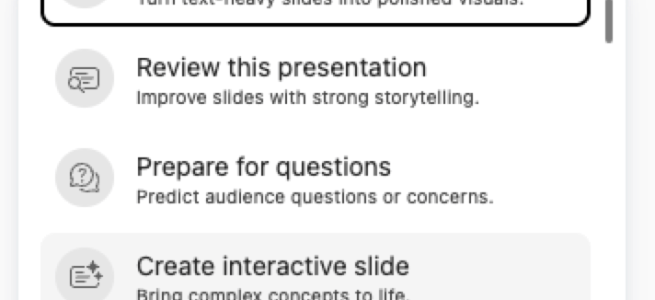
Highlights Interactive slides make presentation content explorable. The October 7 Message Center update describes independent attendee interaction in Teams PowerPoint Live; worldwide GA for the slide-creation skill and ribbon button is planned for mid–end October 2026. Early access is not completed GA. Record a Skill targets repeated PowerPoint work. The October 7 notice schedules an … Continue reading What’s new in Copilot and Microsoft AI 2026-10-08

Copilot Home, Code and Autopilot Are the Headlines. FinOps Is the Story.

Microsoft's September 25 announcement introduces Home, Code and Autopilot alongside a clearer commercial distinction between everyday Copilot use and usage-based agentic work. There is plenty to get excited about. But what caught my attention is not only what Copilot can do next. It is what organizations will need to do differently. My reading is that … Continue reading Copilot Home, Code and Autopilot Are the Headlines. FinOps Is the Story.

Copilot Cowork browser use – First Look

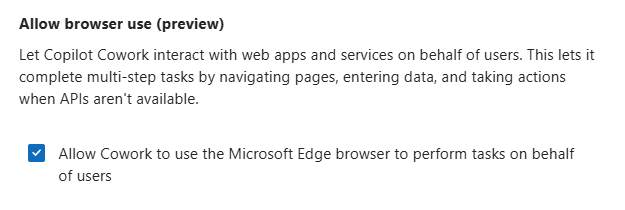
Cowork keeps getting new superpowers, and this one is a big one: browser use. Instead of being limited to what an API or a connector can reach, Cowork can now go and use a website on your behalf — in your own browser, with your own sign-ins. I of course tested it out as soon … Continue reading Copilot Cowork browser use – First Look

Microsoft Copilot app – one app, new name, new icon, new URL!

Copilot is getting simpler. Not "more features" simpler – but one app simpler. Microsoft is bringing the Microsoft 365 Copilot app and the personal Copilot experience together into a single app, with a simpler name, a new icon and a new web address: copilot.cloud.microsoft. The rollout starts mid-August 2026 (MC1454108), so this is happening right now, not "sometime later this … Continue reading Microsoft Copilot app – one app, new name, new icon, new URL!

Same prompt, different models: Cowork model outcome and cost comparison

Have you ever wondered how much the model you pick in Copilot Cowork actually changes the result — and the bill? I ran a proper little experiment. Today is July 1, 2026 — the day you need Copilot Credits available to keep using Cowork. Which makes this the perfect moment to ask the question everyone … Continue reading Same prompt, different models: Cowork model outcome and cost comparison

What’s new and coming next – June 2026

June has been very busy. A lot is happening with Microsoft 365 and Copilot and June hasn't been an exception.Claude went generally available in Microsoft Foundry, Teams new features, Copilot Notebooks opened up to a much wider audience, Planner agent hit GA, and the Learning Agent did too. And one thing you really shouldn't sleep on: from … Continue reading What’s new and coming next – June 2026

New in Cowork – the UI refresh and the cost question everyone’s asking

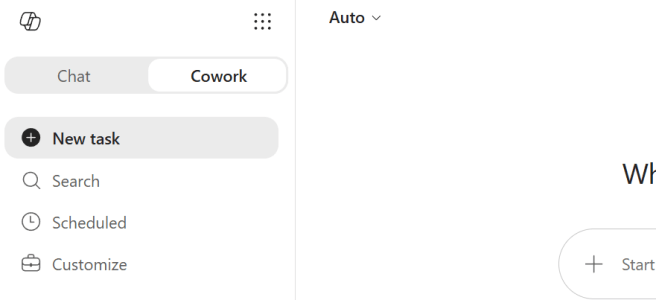
Have you noticed the new Cowork UI in the Microsoft 365 Copilot app? Overnight, the experience got a proper makeover in Frontier — and with it came a small skill that I think is going to matter a lot for everyone right now: /cost. I of course tested it out first thing this morning. A few things moved … Continue reading New in Cowork – the UI refresh and the cost question everyone’s asking

Copilot Cowork is now generally available

Copilot Cowork just hit general availability worldwide, and this is genuinely great news. After three months in Frontier, the agentic experience that runs your complex, long-running, multi-tool tasks end-to-end is now open to Microsoft 365 Copilot customers everywhere. I have been testing Cowork since it landed in Frontier, and watching it go from preview to GA this … Continue reading Copilot Cowork is now generally available

How to write blog posts with Copilot Cowork

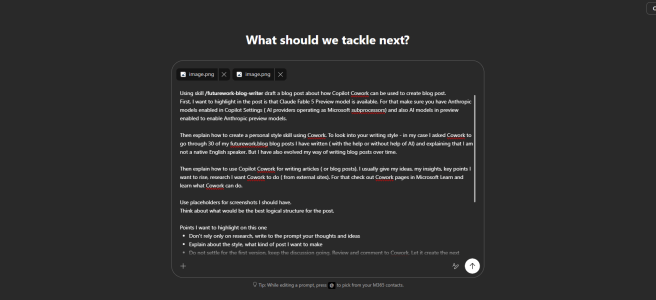
The world moves fast. New features arrive every week, and time to write about them is limited. So I did an experiment: I asked Copilot Cowork to help me write this very blog post – about how to write blog posts with Microsoft 365 Copilot Cowork. Yes, it is that meta! 🤠 I have been … Continue reading How to write blog posts with Copilot Cowork

Microsoft Build 2026 –news recap

Microsoft Build 2026 keynote Tuesday was a good one— and just like every year there is an avalanche news. I have done what I usually do: I put the hat on, read through the announcements, checked more details on those that mattered, and picked the news that will actually change how we work together and … Continue reading Microsoft Build 2026 –news recap

What’s new and coming next to Microsoft 365 Copilot and Teams

Hat on, roadmap rolling. ✨ I follow the Microsoft Admin Center (MAC) Message Center all the time — or to be precise, my AI teammate follows it for me and sends me daily news about the key updates landing there. Recently news have been packed with new and upcoming changes. And just yesterday, May 28, Microsoft also … Continue reading What’s new and coming next to Microsoft 365 Copilot and Teams

Copilot News Roundup

Microsoft keeps moving fast, and April has brought so many Copilot updates that it is worth taking a look. We have a fresh capabilities in Word for high-stakes document workflows, a strong release wave across the Copilot apps, new security, and management, and analytics controls for admins . Let's take a closer look — and … Continue reading Copilot News Roundup

Copilot Cowork — A New Way of Getting Work Done in Microsoft 365

The pace of AI innovation continues to accelerate, and Microsoft keeps moving fast. This time the leap is significant: Copilot Cowork — the new execution layer for Microsoft 365 — is now available in the Frontier program, and it takes Copilot from a helpful assistant to an AI coworker that actually does the work with … Continue reading Copilot Cowork — A New Way of Getting Work Done in Microsoft 365

What’s New and Coming Next for Copilot and Teams

Microsoft is lining up a new wave of Copilot and Teams capabilities—features that are in preview, targeted release, or scheduled rollout over the coming weeks and months. Here’s what’s on the way, when to expect it, and why it matters. Across Copilot and Teams, Microsoft is pushing from “AI assistant” toward “AI execution”—with more model … Continue reading What’s New and Coming Next for Copilot and Teams

Copilot Notebooks New Features Landing soon

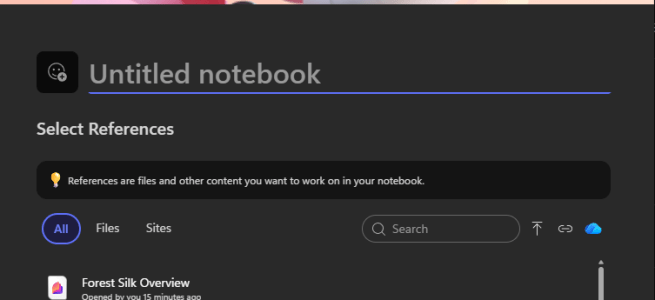
If you've been following the evolution of Microsoft 365 Copilot, you know that Copilot Notebooks has emerged as one of the most compelling features in the suite. It's the answer to what I call "the grounding problem"—how do you get AI to reason over your specific project context instead of discovering relevant sources from all … Continue reading Copilot Notebooks New Features Landing soon

Upcoming few Copilot + Teams changes I’m tracking right now 

I keep an eye on Message Center updates that will actually change how people work day-to-day (and also what admins will need to handle behind the scenes). Here are a plenty new things coming in the next weeks and months but let me pick a few to this article: first Copilot end user features, then Teams Events / Live Events … Continue reading Upcoming few Copilot + Teams changes I’m tracking right now 

GPT-5.2 in Microsoft 365 Copilot and in Microsoft Foundry

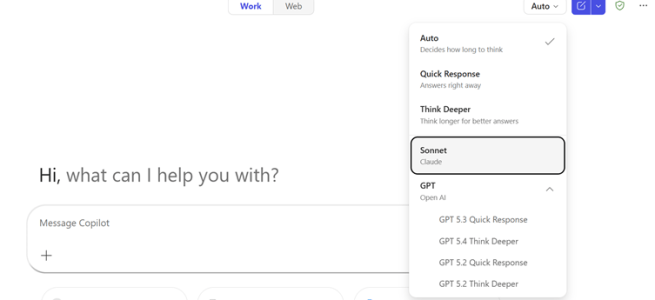
Microsoft keeps moving fast, and this time the update is significant: GPT‑5.2 is available for testing in Microsoft 365 Copilot and it is available for deployment through Microsoft Foundry. This matters more than it might first sound. It is not just a model update. It is a signal of how Microsoft is aligning Copilot experiences, … Continue reading GPT-5.2 in Microsoft 365 Copilot and in Microsoft Foundry

Ignite Spotlight: Copilot Pages Agent Mode & Notebooks

Introduction Microsoft Ignite has set the stage for the next era of AI-native work with Agent Mode in Copilot Pages. This breakthrough turns Copilot into a proactive, context-aware agent that doesn’t just respond—it manages entire workflows, keeps context across tasks, and drives collaboration without constant user input. In this post, created using Agent Mode itself, … Continue reading Ignite Spotlight: Copilot Pages Agent Mode & Notebooks

Microsoft Ignite 2025 recap

Microsoft Ignite 2025 is one of the highlights of the year for anyone interested about the future of work—and this year was no exception. I’m attending Microsoft Ignite in person in San Francisco. The conference theme centers on AI at every layer: from the cloud and security powering AI to the everyday tools where we … Continue reading Microsoft Ignite 2025 recap

Researcher Agent with Computer Use in Microsoft 365 Copilot

Microsoft 365 Copilot has already transformed how we work. Its newest step in the AI-evolution—Researcher with Computer Use—takes things to a completely new level. This capability, available now through the Frontier program, enables Copilot’s Researcher agent to go beyond reading and reasoning. It can actually use a computer. That means navigating websites, interacting with online … Continue reading Researcher Agent with Computer Use in Microsoft 365 Copilot

When Copilot Sees Your Screen: Copilot Vision

It’s been a while since my last blog post. After the summer, life accelerated — projects, travels, events, and family time have kept me fully occupied. Sometimes the best way to keep balance is to pause something you love doing for a while — in my case, writing. The autumn has been busy with events, … Continue reading When Copilot Sees Your Screen: Copilot Vision

Microsoft Build 2025 recap: Co‑Creating with AI and Agents

Microsoft Build 2025 was all about turning the vision of AI-Native workplace into reality. We’re no longer talking about AI in abstract terms – we’re seeing concrete features that make AI a true collaborator in our daily work. I have selected the most important announcements from Microsoft Build 2025 related to Microsoft 365 Copilot and … Continue reading Microsoft Build 2025 recap: Co‑Creating with AI and Agents

AI-First Future with Microsoft 365 Copilot

Work is changing. Imagine a workday where AI seamlessly integrates into every task, transforming the way we operate. This is not a distant future; it's happening now with Microsoft 365 Copilot. Recently, I’ve been to Microsoft 365 Community Conference and listened to keynotes and sessions about what’s next such as Microsoft’s new M365 Copilot app, … Continue reading AI-First Future with Microsoft 365 Copilot

Interpreter Agent in Teams is in Public Preview

The future is here, or at least a bit of the scifi-future is now be usable by Microsoft 365 Copilot licensed users who are using Microsoft Teams. The Interpreter Agent just hit Public Preview, and I of course I tested it out. I did not do a video how it works, but in this post … Continue reading Interpreter Agent in Teams is in Public Preview

Upcoming feature: Copilot Interpreter Agent in Teams Meetings

This is a fascinating topic! How does that sound - enabling nearly real-time live translations in meetings? Yes, a bit like scifi but it is today a reality. We will be able to enjoy that in Microsoft Teams meetings during early this year, as Microsoft announced during Ignite 2024 conference.. No, you don't have this … Continue reading Upcoming feature: Copilot Interpreter Agent in Teams Meetings

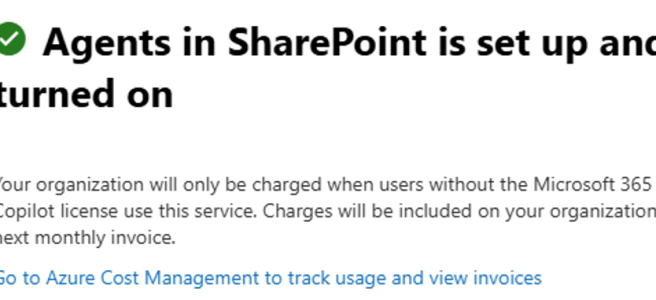
How to enable Copilot Agents in SharePoint for non-Copilot users

Welcome to 2025, the Year of AI Agents! Intelligent agents are one of the biggest buzzwords this year for good reason: they promise to make our work lives simpler in numerous ways. One starting benefit (ie: easy to create) is how well they handle information retrieval. We will see more active and actionable agents later … Continue reading How to enable Copilot Agents in SharePoint for non-Copilot users

Bye 2024, Welcome 2025!

As the year draws to a close, I find myself reflecting on what an incredibly eventful time it has been—especially in the realms of AI and Microsoft 365 Copilot. The pace of evolution in these areas is faster than ever before, and witnessing how Copilot is reshaping the way we work has been nothing short … Continue reading Bye 2024, Welcome 2025!