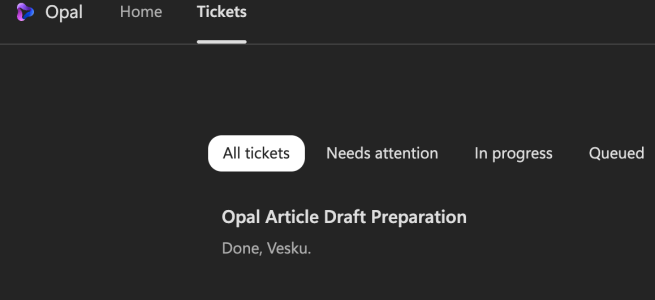
What happens when a computer-using agent is asked to research itself, prepare a business brief, and deliver the result?
I gave Microsoft Project Opal a practical assignment: research what Opal is, explain its business value and technical foundations, identify requirements and pricing information, propose useful scenarios, and email me the result.
The first attempt did not complete. My entire follow-up instruction was: “try to retry.” Opal recovered, researched Microsoft’s materials, assembled a structured briefing, prepared an Outlook email, stopped for approval, and sent it after I confirmed.
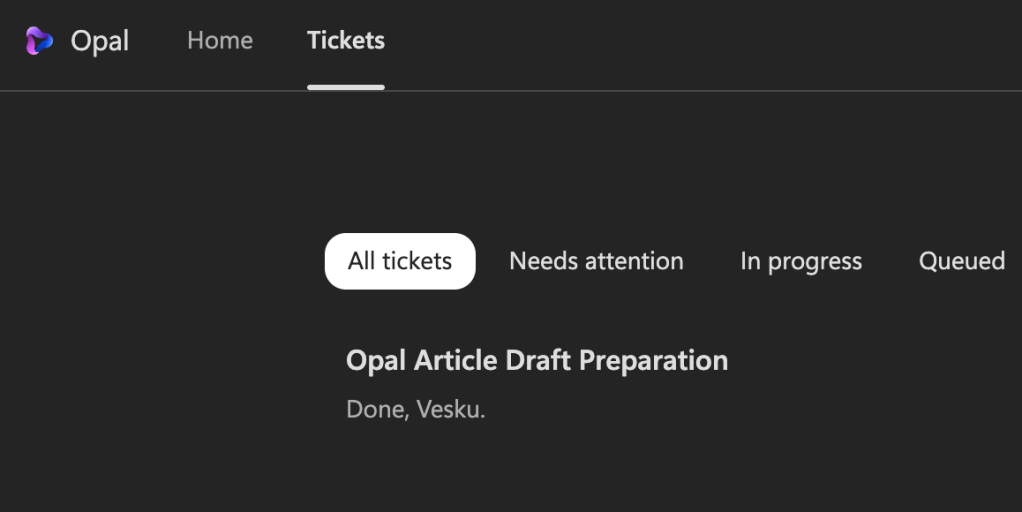
That sequence matters more than the fact that an AI produced text about itself. A language model can already summarize product documentation. Opal’s promise is different: it can participate in the work needed to produce and deliver the outcome.
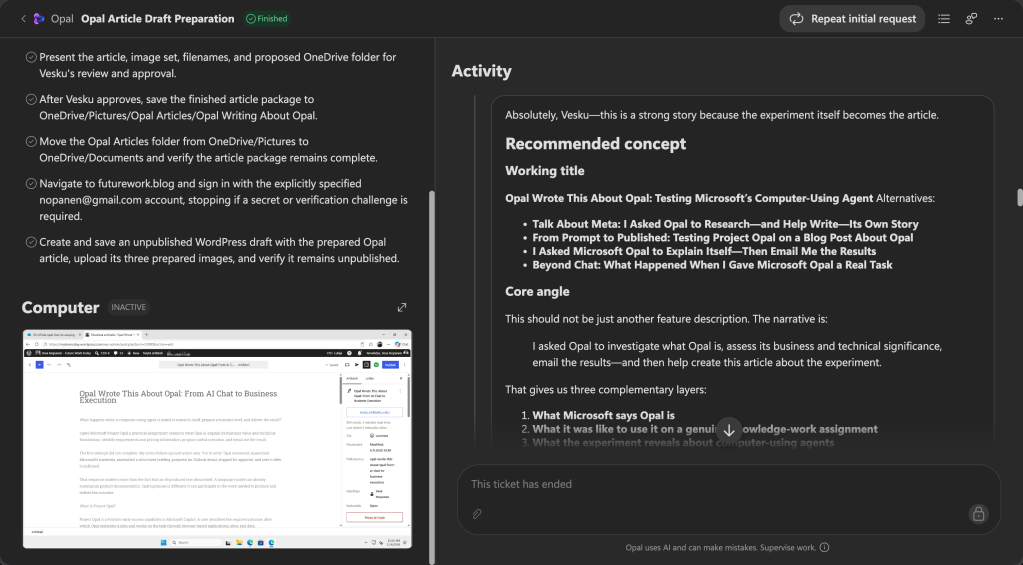
The second task I gave to Opal, was to write this article and see how it goes. Almost everything in this article has been written with Opal. I did read it through, but made only minimal changes as the ideas was to see and show how Opal could be doing this.
What is Project Opal?
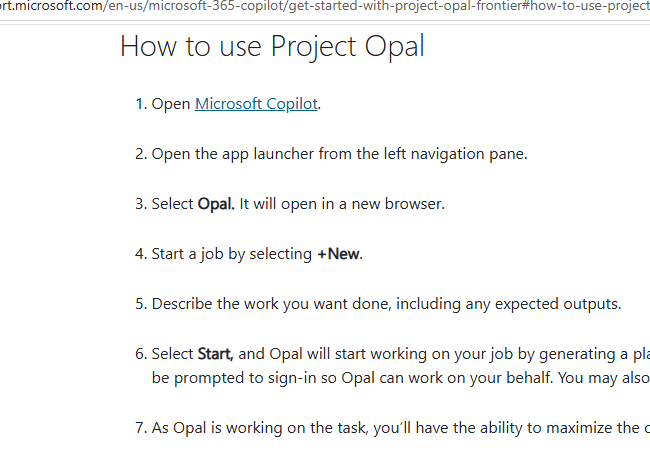
Project Opal is a Frontier early-access capability in Microsoft Copilot. A user describes the required outcome, after which Opal generates a plan and works on the task through browser-based applications, sites, and data.
Technically, the work is performed through a secure Windows 365 Cloud PC. Microsoft Edge provides the browser surface, while the user can observe progress, add instructions, pause the job, or take control. Opal can also continue asynchronously instead of requiring the user to watch every action.
A useful business description is a supervised digital worker for browser-based processes. That is my interpretation rather than Microsoft’s formal product category, but it captures the important difference from chat: Opal is designed to navigate interfaces, enter information, and progress a process—not only recommend what a person should do next.
The basic pattern is: Outcome → plan → managed Cloud PC → browser actions → human checkpoint → result.
What happened in the experiment?
Opal began by finding current Microsoft materials and separating business-level conclusions from technical details. It examined the public support and administration documentation, Windows 365 for Agents material, Frontier information, and pricing documentation.
It then condensed the findings into an email. Before sending, it presented the recipient, subject, and content for review. Only after receiving explicit approval did it press Send. It also checked that the draft had closed and that the Sent Items count had increased.
The imperfect beginning was useful. Real business automation cannot be evaluated only through ideal demonstrations. An agent must encounter unavailable resources, changed interfaces, authentication boundaries, and unclear information. In this test, a short retry instruction was enough to resume the work, but human oversight remained essential for evaluating the research and authorizing the external action.
The Message Center added an important detail. Bulletin MC1540330, published on 5 November 2026, describes Opal as a Microsoft 365 Computer Use Agent experience and says rollout begins on 9 November 2026. It states that access depends on Copilot Credits usage-based billing and spending-policy assignment. Administrators are advised to configure billing, assign spending policies to the appropriate users or groups, and review cost controls before a broad rollout.
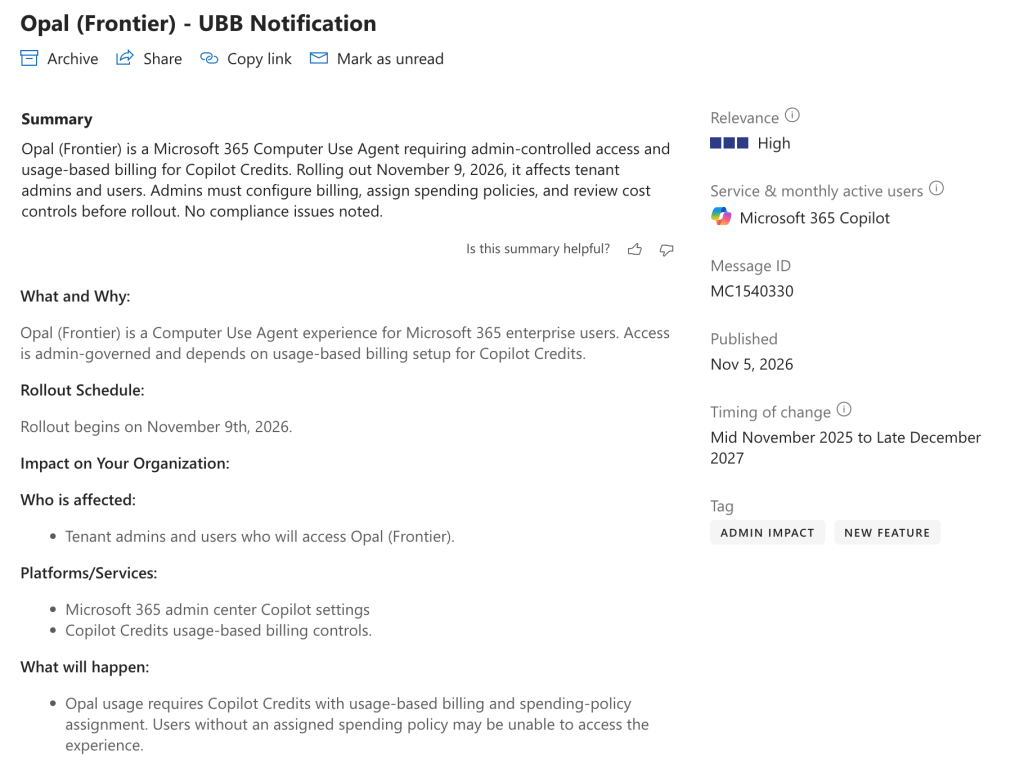
To clarify, it looks that the Opal has moved from earlier pricing model to be fully Copilot Credits based. My last week’s experiment with Opal didn’t show up in Cost Management. Probably from this day onward ( 9th of November) costs are counted.
Five business processes where Opal could be useful
Opal will be most interesting where work is repetitive and rules-driven, spans browser interfaces, and has a clear point for human approval.
- Audit and compliance evidence
An agent could navigate authorized administration portals, capture configuration evidence, compare it with a control checklist, and prepare an exception report. This reduces repetitive evidence gathering while leaving control interpretation and remediation decisions to specialists.
- IT service-desk operations
Opal could review incoming incidents, collect information from management tools, classify cases, update ticket fields, assign owners, and identify likely duplicates. Account changes, closures, and other consequential actions should remain behind approval.
- Identity and access administration
For an approved request, Opal could verify prerequisites across systems and prepare or perform routine group-membership changes. This is particularly relevant when the process crosses multiple portals and lacks a convenient end-to-end connector. Privileged access must still have strong policy and confirmation controls.
- Finance close and reporting
Microsoft lists compiling Excel data into a financial-close deck as an example. A broader process could include checking whether submissions are complete, collecting approved figures, updating working files, and preparing an exception list for the finance team.
- Sales and customer operations
An agent could check CRM records, collect missing account information from authorized sources, prepare meeting briefs, and update routine fields across CRM and customer-success applications. Commercial decisions and customer communications would remain human-owned.
These scenarios share a process shape: high-volume browser work, explicit rules, reversible steps, measurable outcomes, and human control over consequential actions.
What businesses should consider before piloting Opal
Opal is a Frontier experience, so capabilities and commercial details may change. Microsoft’s documentation describes prerequisites including Microsoft Copilot licensing, administrator setup, Intune, Microsoft Entra ID P1, and a configured Windows 365 for Agents Cloud PC pool. MC1540330 additionally introduces Copilot Credits usage-based billing and spending policies as rollout considerations. I had not configured W365 for Agents Cloud PC pool, but instead I had just the Copilot Credits spending policy in place. That’s why I think the requirements are different than what Microsoft Learn has listed for Opal ( at the time of writing). Opal didn’t get this one right, but the mistake is understandable.
There are also operational limits. User-interface automation is less deterministic than an API: page layouts change, pop-ups appear, and authentication can interrupt a job. A sensible pilot therefore starts with a reversible process, establishes a human approval point, and measures completion rate, intervention rate, elapsed time, and failure reasons.
From discussing work to doing work
The notable result was not that Opal could write about Opal. The meaningful change was that it could research across sources, recover from a problem, operate Outlook, stop for approval, and complete the requested task.
That is the emerging shift in enterprise AI: from assistants that discuss work to supervised agents that participate in business processes. Opal is still early, but it provides a tangible view of what that transition may look like.
My notes: how did Opal perform. Hits and misses
I already added some comments the the text. Generally Opal hit the target – but it wasn’t very innovative. I did use the auto/default mode. Opal fell onto the pricing pit question, as information in Microsoft Learn wasn’t up to date – and the Message Center bulletin wasn’t the most clear.
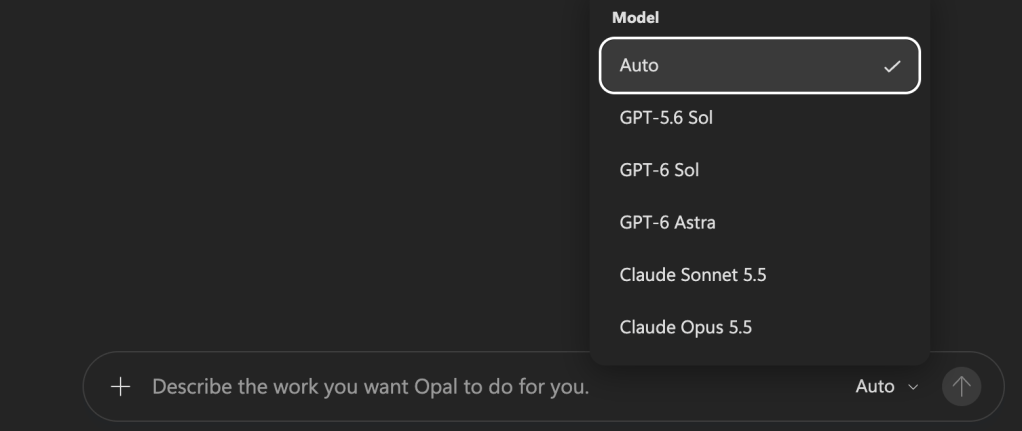
What provided to be more difficult, is to write the blog draft to WordPress. Signing in required my control and it was a bit of hassle and the result in the blog was just plain text. It did not include pictures in the draft as I instructed, nor formatted the text any way. I could get a better experience with Cowork, or just with a copy-paste. However, Opal did upload the pictures ( it chose) to WordPress) – I only ended up using one of those. Probably in time, I might figure out a better flow of work for this, but with blog posts I do want to say in more control anyway.
What Opal missed totally when writing the article, were Skills. It is possible to add Skills to Opal to help it to complete tasks better.
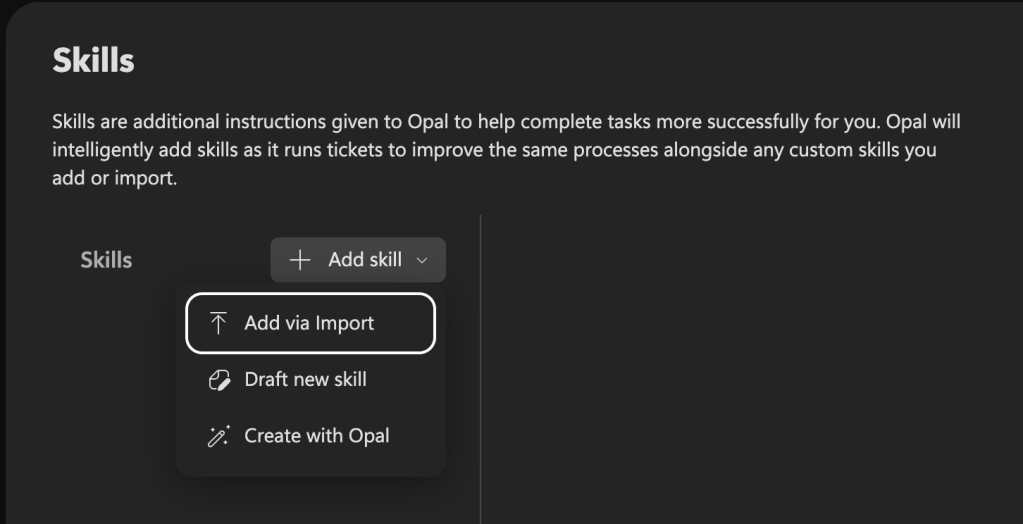
This was a fun experiment, to see if a computer using agent , Opal, could write a blog post for me. For the real work, I think of other uses for Opal. The sign-in with M365 account is a breeze, as the Windows 365 for Agents is automatically signed in with my account. That makes me think what kind of automations I could do with it. I did test it briefly with Clipchamp video creation – it was able to do it, but lacked imagination for sure. However ticket systems, HR systems, hour reportings and other systems without API or agent would be very good use cases for Opal. Going through a portal ( external system) to collect and export data and doing other mundane tasks is a clear use case. Asking Opal to collect information from internal systems that don’t have automated export functionality would be an another one. The more it gets used, the more creative users will be on how to utilize it.
The cost – Copilot Credits – remains a question mark at this point.


