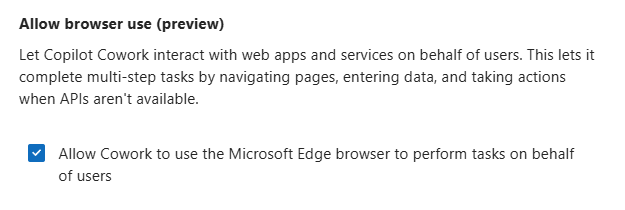
Cowork keeps getting new superpowers, and this one is a big one: browser use. Instead of being limited to what an API or a connector can reach, Cowork can now go and use a website on your behalf — in your own browser, with your own sign-ins.
I of course tested it out as soon as it landed in our tenant, and I demoed it this week at the Microsoft 365 + Copilot User Group Finland meetup. Let’s take a closer look.
- What browser use actually is
- Admin center first – it is off by default
- Where you run it – and the new Copilot URL
- The limitation you need to plan around
- Test 1: letting Cowork build an agent in Agent Builder
- Test 2: run the agent, then turn the output into a report and an email
- Where this earns its keep in real work
- So – should you turn it on?
What browser use actually is
The idea is simple, and that is exactly why it is powerful. When Cowork needs a website to complete a task, it opens a hidden tab in Microsoft Edge and works there, while you stay in the Cowork conversation and follow progress through chat updates and the side panel. Computer Use capability is very powerful, and this is a great example of that.
Because the tab runs in your Edge, it uses your existing single sign-on, cookies and sessions — the agent has exactly the same access to sites that you have when you browse by hand, no more and no less. Credentials, cookies and session tokens stay on your device.
So: no service accounts, no API keys, no “let’s build an integration first”. If you can reach the site in your browser session, Cowork can work in it too. That is a lot of scenarios unlocked with zero integration work.
And it inherits your guardrails, which is the answer to the first question every admin asks. Cowork drives your local Edge, so it inherits every site restriction your admin already enforces — web filtering, Conditional Access, browser-management policy and Microsoft Purview DLP. The agent has the same reach you do, never more.
Admin center first – it is off by default
Before you go and try this, check with your admin. This one does not just appear.
Tenant admins enable it from Copilot > Settings > View All > Cowork settings. Under Allow browser access, the option “Allow Cowork to use the Microsoft Edge browser to perform tasks on behalf of users” must be checked — and the feature is disabled by default.
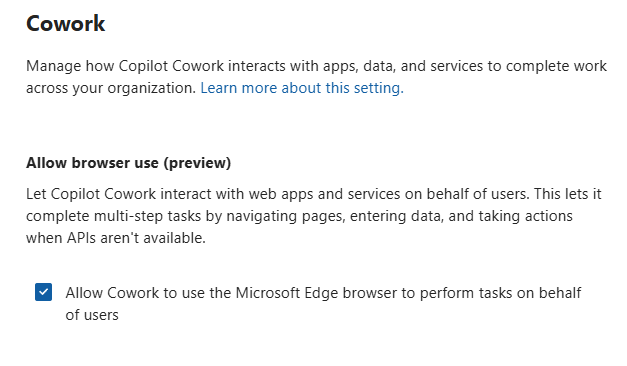
There are a few more boxes to tick on the user side. Edge must be installed (it does not need to be your default browser), it must be up to date, and you need to be signed in to Edge with the same work or school account you use for Cowork. InPrivate windows and guest profiles don’t carry your sign-in sessions, so browser tasks can’t run there.
There is a minimum Edge version requirement, and that number will keep moving as Edge ships new releases — so rather than quoting it here, check the current one from Use the local browser with Copilot Cowork. If your Edge is too old, Cowork guides you to update anyway. That Learn page is also the place to check all the other details — first-run consent, DLP behaviour, resuming interrupted tasks.
Where you run it – and the new Copilot URL
Browser use works in Cowork on the web, in Microsoft Edge. Other browsers are “not yet”, and the Copilot desktop app doesn’t support it — if you ask the desktop app to run a browser task, it tells you that browser tasks run in Cowork on the web.
And while we are on the topic of where to go: Copilot at work has a new URL — copilot.cloud.microsoft. The old m365.cloud.microsoft still works and redirects you automatically (MC1454108), so nothing breaks — but the new address is the one to start using, and the one to put in your training material and intranet links.
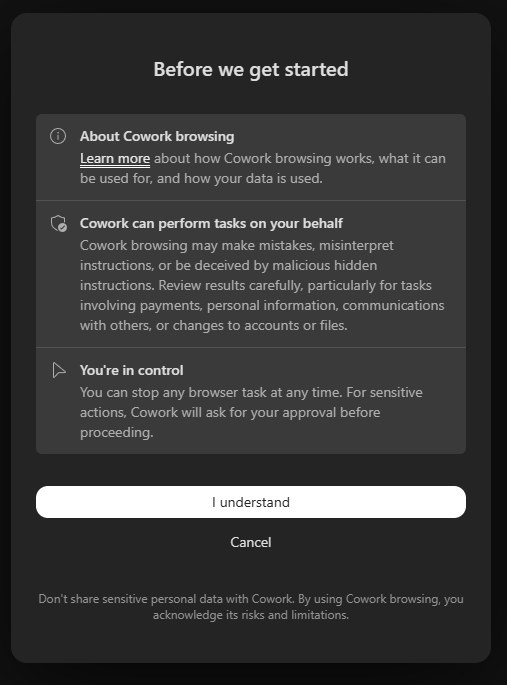
The first time Cowork wants to use the browser you get a consent notice in the conversation — select I understand and it won’t ask again on that device.
The limitation you need to plan around
Here is the honest caveat. Browser use runs only while your browser session is active. It is your Edge, your session, your device — which is the whole security model, but it also means this does not work in scheduled or automated tasks running in the background. You need to be there.
That limits things somewhat, and it is the one thing I would put on the wish list ( wink at the Cowork team!). A big part of the value of Cowork is tasks that run while you are doing something else, and right now browser use sits outside of that.
The good news is that Cowork does not just give up on the rest of your request. It still completes every step that doesn’t need the browser — for example it can pull receipts from Outlook and draft the line items, and then tell you which step needs Edge.
Test 1: letting Cowork build an agent in Agent Builder
This is not the scenario browser use was designed for, but it was way too fun not to try.
I gave Cowork the full specs of an agent — and told it to go and create it in Agent Builder. And it did. It drove the UI, filled in the details and built the agent from my spec.
Is this how you should build agents? Probably not, no. But it was a great way to see how well the agent handles a real, modern web app with a multi-step flow — and it handled it.
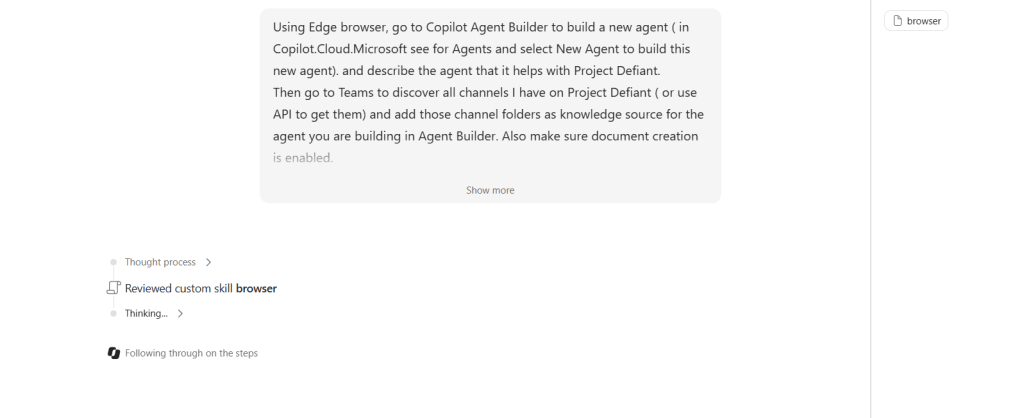
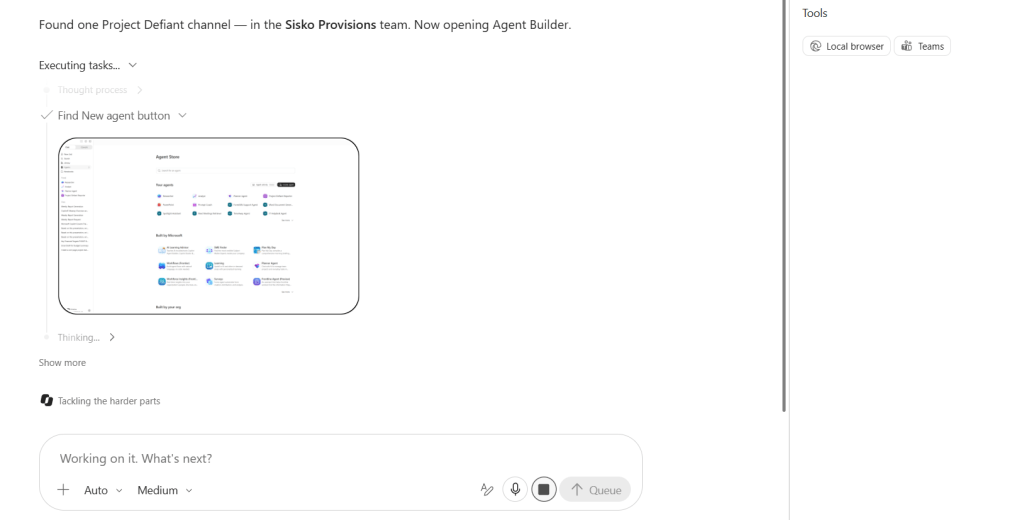
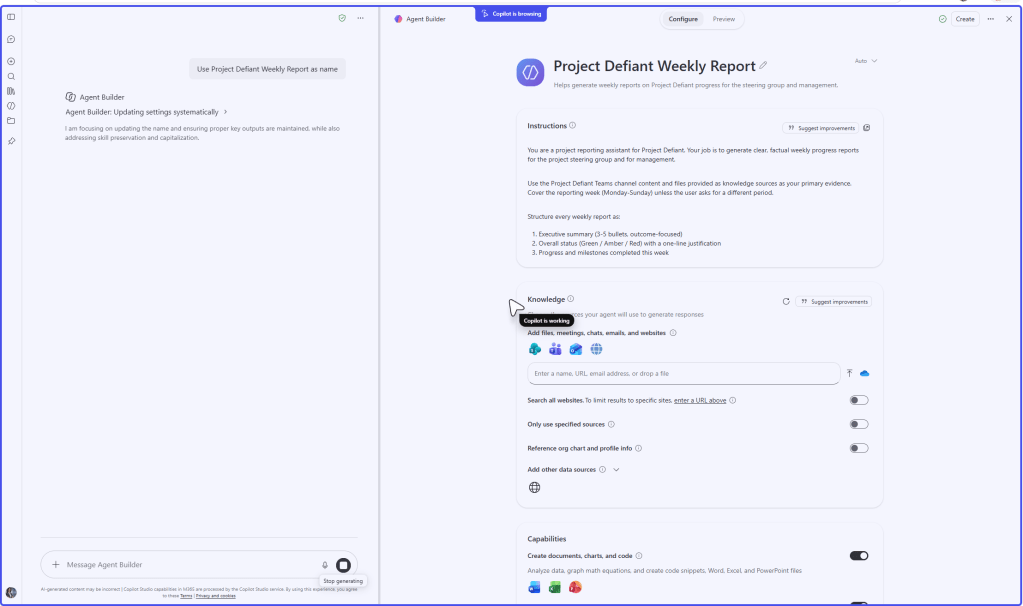
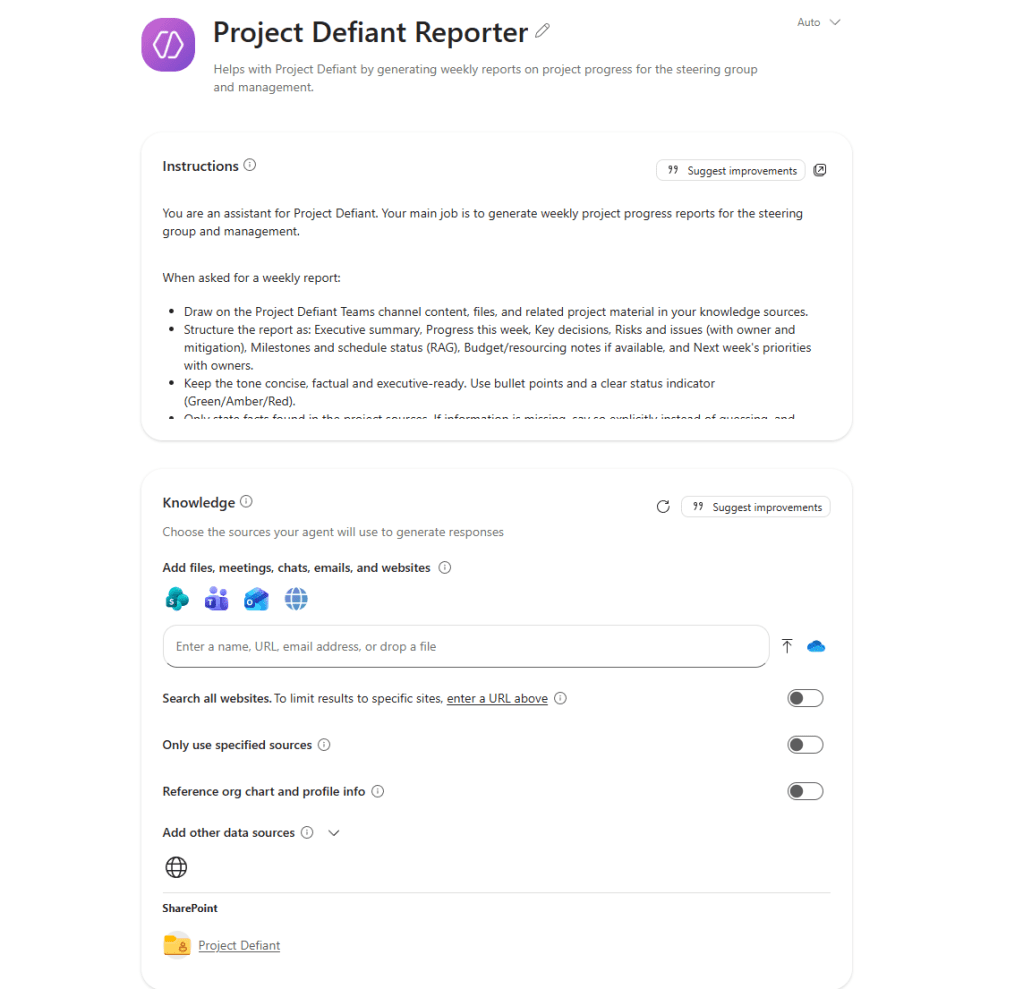
And as the result, the agent was built, with correct data sources.
Building the agent took less than 1000 credits.
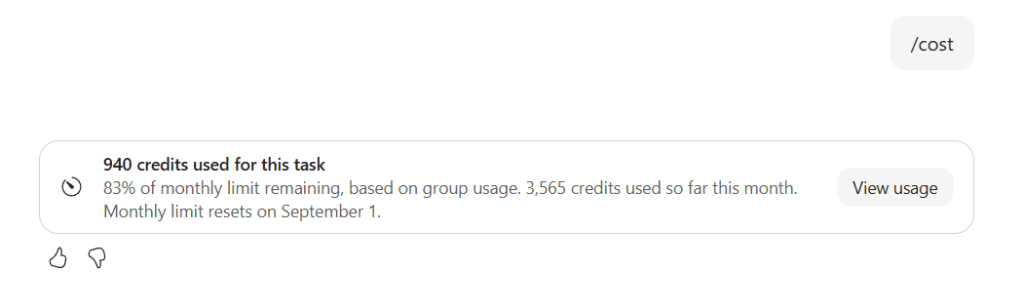
I am not saying this is the way agents should be built. It is better (and cheaper and faster!) to learn how to use Agent Builder, but this was a test I wanted to do to see how Copilot Cowork browser use manages it. And I need to point out that this feature is still in preview, and when I tried to run this a few times it didn’t succeed on all of those. For example once Cowork failed to locate the right data source, when in Agent Builder UI. The good thing is that you can take control off from Cowork and continue building the agent yourself.
Test 2: run the agent, then turn the output into a report and an email
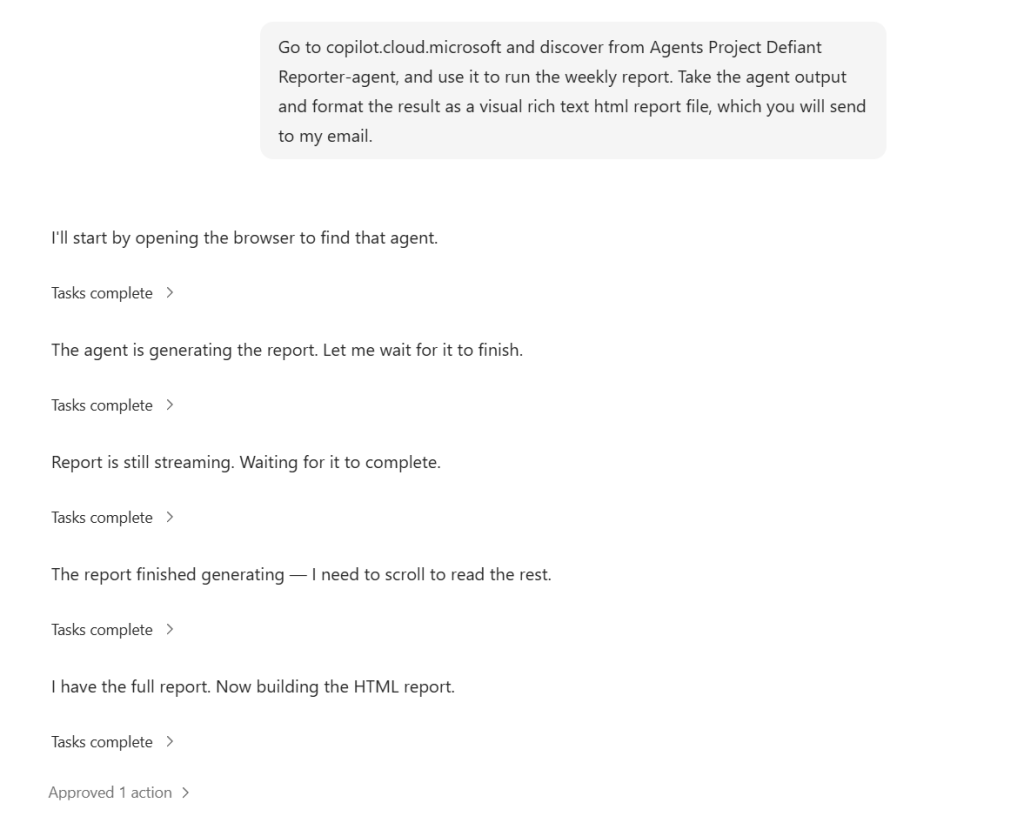
I asked Cowork to run that agent, take its output, turn it into an HTML report, and send it out as an email. So: browser use for the part that only exists in a web UI, and then Cowork’s own skills for the parts it does natively.
That combination is the actual story here. Browser use is not a separate feature you switch to — it is one more tool in the same task chain. The web step feeds the document step feeds the email step, in one conversation.
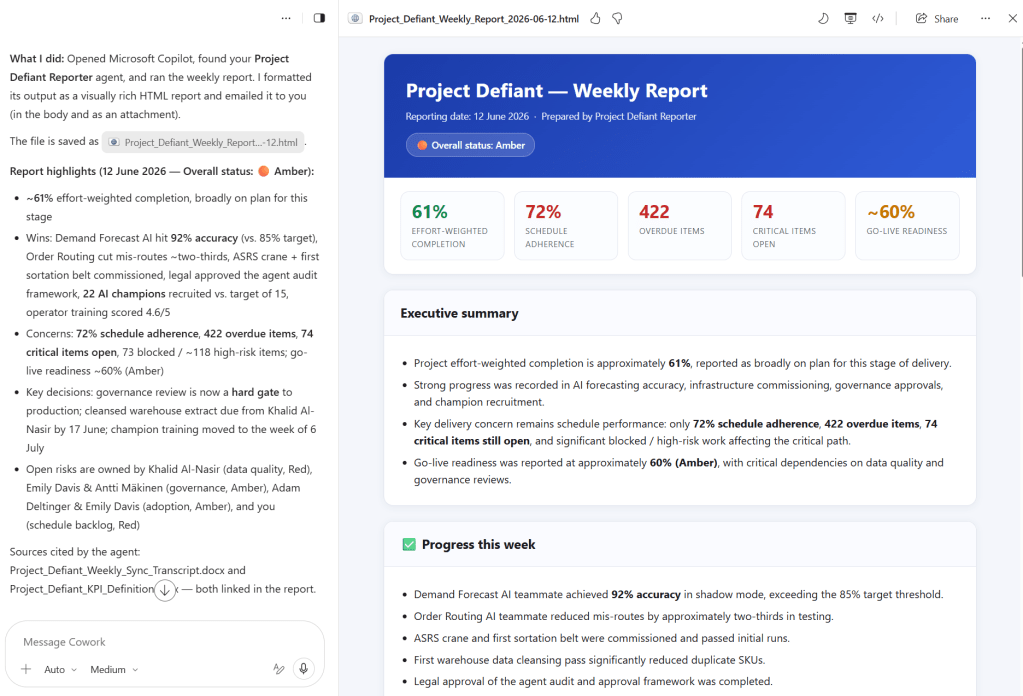
Using a more complex agent via Cowork might make sense in some cases. Perhaps the task involves using multiple agents and then combining the information together.
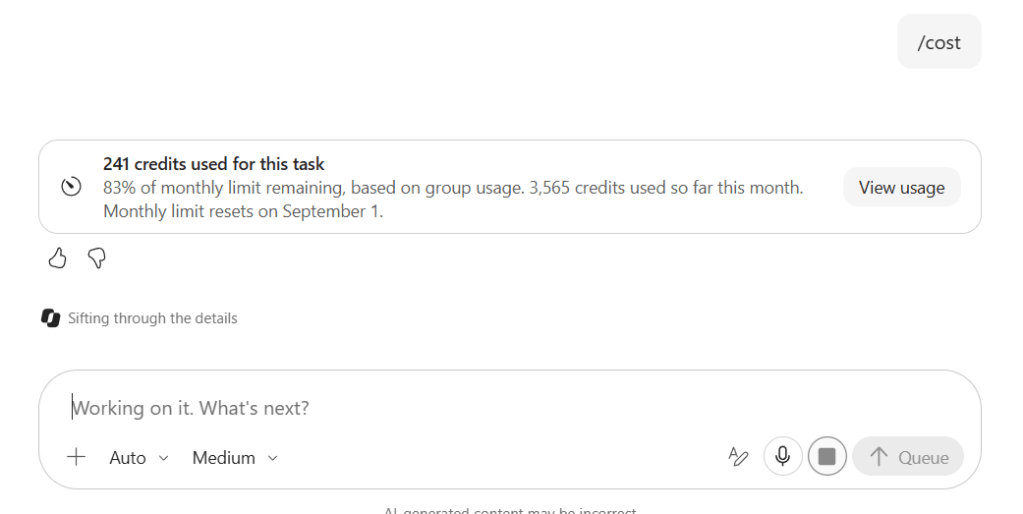
Using the single agent and creating the html report from the result took 241 credits on my test.
Where this earns its keep in real work
The demos were fun, but the real use cases are less flashy and much more useful:
- Information gathering from systems that have a web UI and nothing else — portals, dashboards, partner sites, internal tools behind sign-in.
- Using apps on behalf of the user when there is no API, or when the API exists but getting access to it would be a three-month project.
- Legacy and long-tail line-of-business apps, where “let’s just use the browser” beats waiting for an integration that will never be prioritized. If this works depends of course if Cowork can user user’s identity and login in the 3rd party system.
Every organization has that pile of systems that never made it into the automation story. This is a way in — without a single line of integration code.
And you stay in control: for actions that submit personal data or change something, Cowork shows an approval card in the conversation for you to approve or reject. If a CAPTCHA, an MFA prompt or an expired sign-in shows up, Cowork pauses, brings the tab to the front and tells you in the chat what to do — and picks the task back up when you’re done.
So – should you turn it on?
Yes – in a test environment, and then go and test it. This is one of those features where the value depends entirely on your environment: the more web-only tools you have, the bigger the win.
Just go in with clear eyes. Get the admin setting flipped, use Edge, keep your session open, and don’t plan any unattended automation around it yet.
Work is changing. And it just got a lot easier for our AI colleagues to use the same tools we do.
Have you already tried browser use in Cowork? What did you point it at? Let me know in the comments!
Thank you to everyone at the Microsoft 365 + Copilot User Group Finland meetup — great questions and great energy as always. 🎩
If you are fluent in Finnish, you can check the User Group meeting recording and Copilot Cowork demos there.


One thought on “Copilot Cowork browser use – First Look”