Have you ever sat at the far end of a meeting room table and wondered if anyone on the call can actually hear you? Or joined remotely and seen just the side of five heads around a table?
Hybrid meetings have improved a lot in the past few years. The room is still often the weakest link.
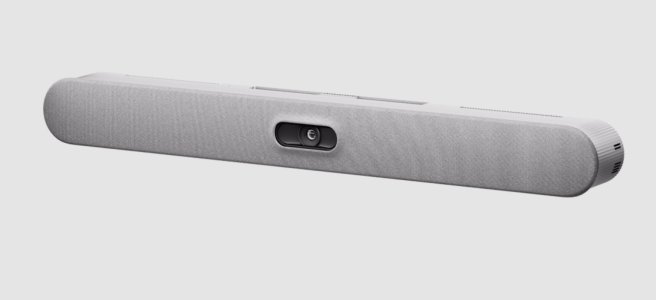
Logitech just announced the biggest enterprise launch in its history, with Rally Bar 2 leading it. I haven’t had my hands on these devices yet (but I really hope to!) so the information is from Logitech when it comes to their devices. The interesting part is not the specs. It’s what changes for people walking into a meeting room, and what happens when AI, Teams and Facilitator join the meeting with you. The room may already know who you are! And one day soon, it may even speak two languages at once.
Let’s take a closer look at a meeting from start to finish.
Walking in – the room is ready when you are
It starts at the door. Rally Bar 2 has built-in sensors, including radar, that notice when people walk in. The room system and the screens wake up right away. No more poking at a black screen and wondering if the room is even on.

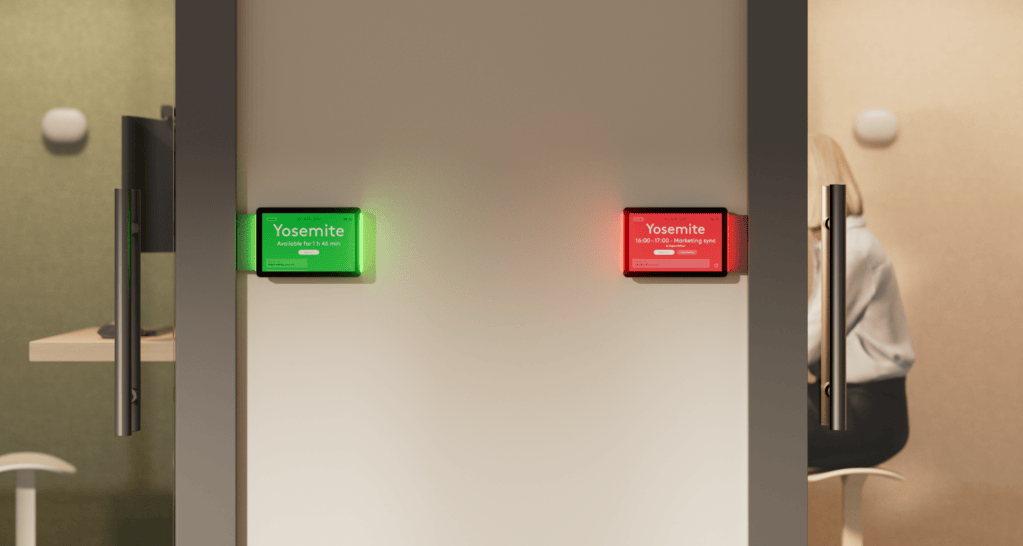
The same presence detection can also book the room when you walk in, and Logitech confirmed this works with Teams Rooms and the Teams Panel, not only with Logitech’s own booking solution. Ghost bookings and the “is this room free?” peek through the door could soon be history. Teams is doing its part too: in Windows-based rooms, you can now book the room for immediate use straight from the room console (Roadmap 548648).
Outside the room, the new Tap Scheduler 2 panel wakes up as you walk towards it. Its lights help you spot a free room from down the hallway. Inside, the Tap IP 2 touch controller also wakes up when people enter.
This matters for the quick “can we take five minutes on this?” talks. Hybrid work often loses these because finding a room and setting up takes longer than the conversation itself. Walk in, start talking. That’s how it should be.
The same sensors can also give the organization data on how rooms are really used, though those insights need Logitech’s additional services.
Heard and seen – wherever you sit
This is the part remote attendees will notice first.
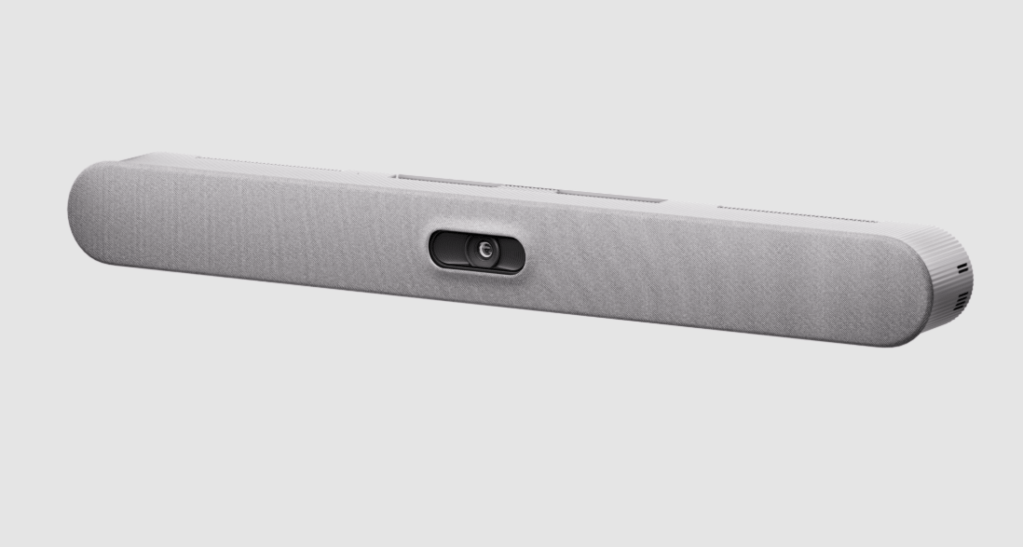
Rally Bar 2 has a new custom lens with a 1-inch sensor, 4 speakers, 6 beamforming mics and AI-powered Right Sound 3 audio. The AI is already doing practical work here. It reduces background noise like keyboard clicks and air conditioning, cuts echo in rooms with hard surfaces, and evens out voices so the person at the far end sounds as loud as the one next to the bar. Logitech told me Right Sound 3 brings fuller, crisper sound from the built-in speakers. For people, the result is simple: fewer “sorry, can you repeat that?” moments.
For big rooms, the new Sound Shape speakers aim sound toward listeners across a space up to 20 meters long with the bigger Max model. Until now, that has needed expensive ceiling speaker setups. For people, it means the person in the back row of a training room hears the same as the one in front.
On the camera side, Rally Bar 2 frames people automatically with RightSight 2: everyone gets their own tile, the whole group is in view, or the camera follows the active speaker. And there’s more coming. Logitech confirmed Rally Bar 2 will get an update to RightSight 3 in 2027. That’s when it gets really interesting: with extra cameras such as the Rally AI Camera connected through Logitech Link, the room picks the best angle from several cameras automatically. Logitech’s plan is to support this in Teams rooms too, but Microsoft may need to do some work on its side as well, so there’s no date yet.
Remote attendees see faces and reactions instead of profiles. That’s the difference between watching a meeting and being part of it.

Who said what – the room knows your name
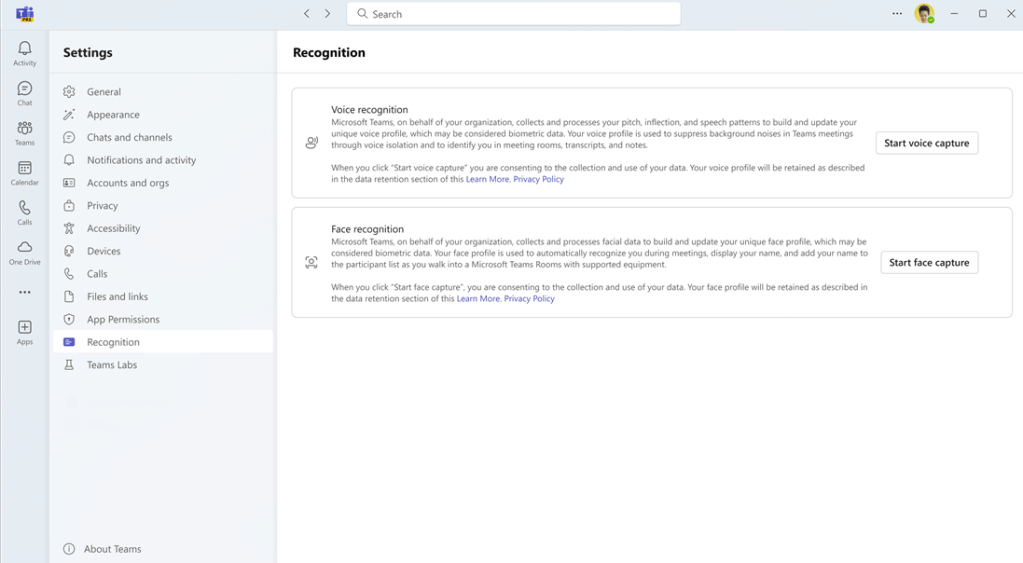
This is the part many people don’t know exists yet: Teams Rooms can already recognize people by voice and by face.
By default, people in a meeting room show up in the transcript as “Speaker 1”, “Speaker 2” and so on – or as a “Meeting Room”. When you enroll your voice and face profile in Teams, the room can recognize you. Your words are then credited to you in the transcript, the meeting recap and in Copilot. For remote attendees, this is a big deal. They know who said what, even when six people share one microphone setup. This is nothing new for Teams rooms, just very seldomly used.
What works depends on how the room is set up, and Rally Bar 2 can run either way:
- PC-based room (Teams Rooms on Windows): voice and face recognition both work, and names can appear on people’s video tiles. Logitech told me this works with all their room devices, not just the new Rally Bar 2.
- Android-based room (Teams Rooms on Android): voice recognition works today, with both the first and the new generation of Logitech devices. Name labels on video will follow once Microsoft releases the feature for Android, and Logitech devices will support it then.
More is coming on the Windows side too. New IntelliFrame people labels will show who is in the room, with a contact card when you hover over the name (Roadmap 566700, January 2027). And an enhanced IntelliFrame for certified AI-capable cameras, with video processing on the device itself, promises faster speaker framing and people recognition, even on a weaker network (Roadmap 564969, January 2027). Both need Teams Rooms Pro.
A few things to know:
- It’s opt-in. Everyone decides for themselves whether to enroll, and you can unenroll at any time.
- It needs a scheduled meeting with you on the invite. Walk-in meetings don’t get names yet.
- The room needs a Teams Rooms Pro license, and an admin needs to turn recognition on (it’s off by default).
Make sure you enroll your voice profile in Teams! Otherwise even the smartest room only knows you as Speaker 3. ( And nobody wants to be Speaker 3 or Meeting Room.)
Facilitator – your meeting’s note taker
The room hears you, sees you and knows who you are. Now the AI can do something useful with all that.
Facilitator is the AI agent in Teams that takes notes for the whole meeting. It writes collaborative, real-time notes everyone can edit, keeps track of time with reminders at the midway point and before wrap-up, answers questions, and can even create a Word document from the meeting. In a scheduled hybrid meeting with a Teams Room, the people in the room see the Facilitator chat, notes and timers on the room screens. This works today in both Windows-based and Android-based rooms.
The really interesting part is walk-in meetings, and here the news is fresh. Facilitator for in-person meetings is now on the roadmap as generally available in Teams Rooms on Windows (Roadmap 560318, October 2026), and it’s coming to Teams Rooms on Android too (Roadmap 560700, November 2026). That’s great news for Rally Bar 2 as a standalone Android-based bar!
When the room is free and someone walks in, Teams Rooms can show a banner offering Facilitator to take notes. Invite Facilitator with one tap on the room console, and it starts listening and summarizing. Notes appear on the front-of-room screen. Afterwards, the notes are available in the meeting recap if someone chooses to share them, and if no one does, they’re deleted. Nothing stays in the room. Need a remote colleague to join? You can add them from the room console mid-meeting.
This is where the devices and Teams work together. Rally Bar 2’s radar wakes the room as you walk in, and Teams takes over from there: the Facilitator invitation is Teams’ own feature. Walk in, the room is ready, and the notes write themselves. No one in the room has to be the note taker. ( never again!)
Also good to know: Facilitator only turns on transcription. The meeting audio, video or screen share is not recorded – only transcription. I do recommend starting a recording, so you can also record audio, video and screen shares.
AI notes are only as good as what the room hears. Clear audio from every seat, including the quiet colleague at the far end, gives Facilitator a better chance of getting the details right. That’s the part I’m most curious to see in action.
There are limits for now:
- Walk-in Facilitator is rolling out in steps: Windows-based rooms first, Android-based rooms planned for November 2026. Roadmap dates can still move, so check your own tenant.
- Names in walk-in meetings are limited. In the preview, only the person who started Facilitator was named in the notes, and the others were Speaker 1, 2, 3. Microsoft says full attribution will come later.
- Facilitator needs a Microsoft 365 Copilot license for the user, and walk-in use needs a Teams Rooms Pro license on the room.
A tip for Microsoft: walk-in meetings with everyone recognized by name would make the experience complete. Fingers crossed!
Two languages, one room
The feature I find most fascinating in this whole launch is hiding in the speakers. In an early preview, Logitech showed a concept where a single Rally Speaker 2 Max at the front of the room creates two language zones. People on the left side of the room hear the presentation in English, and people on the right side hear it in French. They’re only a few meters apart, and neither side hears the other’s language. No headsets, no separate speakers for each group.
Think about a training day with participants from two countries, or a customer meeting where not everyone is comfortable in English. Today, someone is always listening in their second language, or wearing interpretation headsets. With language zones, everyone just sits down and listens.
And here’s the AI connection: Logitech is working with partners to bring the Interpreter agent in Teams together with this technology. Interpreter already translates Teams meetings in real time in Teams Rooms on Windows. Put the two together, and the room could translate the meeting and play each language to the right side of the room. Interpreter supports nine languages today, and Finnish is not one of them (yet!). I can already see a Finnish–English workshop where everyone hears the session in their own language ( today I can talk in Finnish and Interpreter will translate that to one of supported languages). Microsoft is also bringing AI Interpreter to Teams town halls and webinars (Roadmap 576711, December 2026), so AI interpretation is clearly growing beyond regular meetings.
This one is still coming: the speakers arrive in summer 2027, language zones are still a concept in development, and the Teams integration is in progress. It’s still the most science-fiction thing I’ve seen in a meeting room for a while.

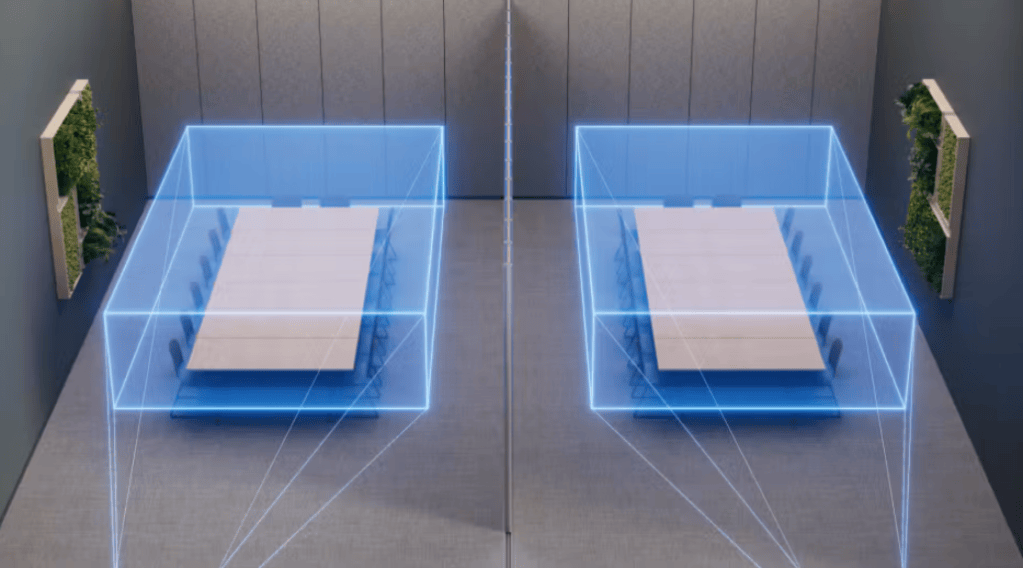
Logitech Sound Shape information.
Big rooms that change shape
Not every meeting happens in a six-person room. Town halls, trainings and rooms with movable walls have always been hard to get right, and IT spends a lot of time on these few spaces.
Rally System 2 Pro is Logitech’s answer: a modular setup with the RoomMate 2 Pro compute box (up to three 4K screens), a dual-lens Rally AI Camera Pro, new Rally Speaker 2 speakers, two mic pods and Logitech Link, which connects everything over standard network cabling. It runs as an Android room, a PC room or in BYOD mode, and several systems can be combined for rooms with movable walls.
For people, it means big rooms that just work. Everyone gets the same experience, whether the wall is open or closed and whether you’re in the front row or the back.

What to keep in mind
Not everything arrives at once:
- Available now: Rally Bar 2, Tap IP 2 and Tap Scheduler 2
- Summer 2027: Rally System 2 Pro, RoomMate 2 Pro and the Rally Speaker 2 lineup.
- 2027: the RightSight 3 update, including for Rally Bar 2, as a free software update. Multi-camera switching in Teams is planned, with no date yet.
- Language zones: shown as a concept with Rally Speaker 2 Max. The speakers arrive in summer 2027, and the Teams Interpreter integration is in progress, with no date yet.
- Tap IP 2 is for Android-based rooms. It won’t work with Teams Rooms on Windows, because Windows rooms don’t support network-connected consoles today.
- Teams side: people recognition is available today in scheduled meetings with Teams Rooms Pro. Walk-in Facilitator is generally available on Windows (Roadmap 560318) and planned for Android in November 2026 (Roadmap 560700). New IntelliFrame people labels and enhanced IntelliFrame are planned for January 2027 (Roadmap 566700 and 564969).
Microsoft timings are from the Microsoft 365 roadmap and can change. Product timing are according to Logitech’s announcement and Logitech’s answers to my questions.
The room is joining the meeting
For years, the meeting room was just a place with a screen. Now it notices you walk in, hears you clearly, knows who you are, takes care of the notes, and soon may even speak your language.
That changes how meetings feel. Fewer “can you repeat that?” moments, fewer “who said that?” questions, and nobody stuck typing notes instead of taking part.
A big thank you to Logitech for answering my questions! Hopefully I get to try these devices out soon. I’ll share my experiences when I do. Have you already used the latest Logitech room devices or voice recognition or Facilitator in your meeting rooms? Let me know in the comments.
Images from Logitech and Microsoft


