There’s a new harness in Copilot Studio! The Customer Conversation harness is built for agents that talk directly with customers – over voice and chat, in the same agent – combining predictable, controlled conversation paths with generative AI, sub-agents and built-in escalation to people.
It arrived together with Microsoft Contact Center Intelligence (CCI), announced on October 21, 2026. Most of the headlines are about the contact center, but the bigger story for makers is the harness underneath it. CCI is the application that puts this harness to work in contact centers – and the same builder is available directly in Copilot Studio.
The harness is in public preview and rolling out now.
Let’s take a closer look at what the new harness brings, how it fits next to the other harnesses, where Contact Center Intelligence comes in, and how it differs from Teams Phone Agent.
In this post:
The Customer Conversation harness – what is new
The Customer Conversation harness is the runtime for customer-facing agents in Copilot Studio. An agent built with it is called a Customer Assist Agent.
It is purpose-built for customer-facing conversations: natural, low-latency, over voice and chat. And the same builder is available both in Copilot Studio and in the Contact Center Intelligence portal – the authoring experience is identical no matter where you start.
What makes this new:
- One agent for voice and chat. Every agent supports both Speech and Chat by default. You don’t need to choose the modality up front – and you can give separate instructions for speech and chat.
- Deterministic and generative together. Topic skills bring back the topics we know from the standard harness, so critical customer journeys (payments, identity checks, compliance steps) follow a fixed path. Generative skills let AI handle the more open-ended conversation. This combination is the key thing here.
- Multi-agent by design. A primary agent greets the customer, classifies intent and routes to specialist sub-agents – billing, technical support and so on – and each has its own escalation path to a human.
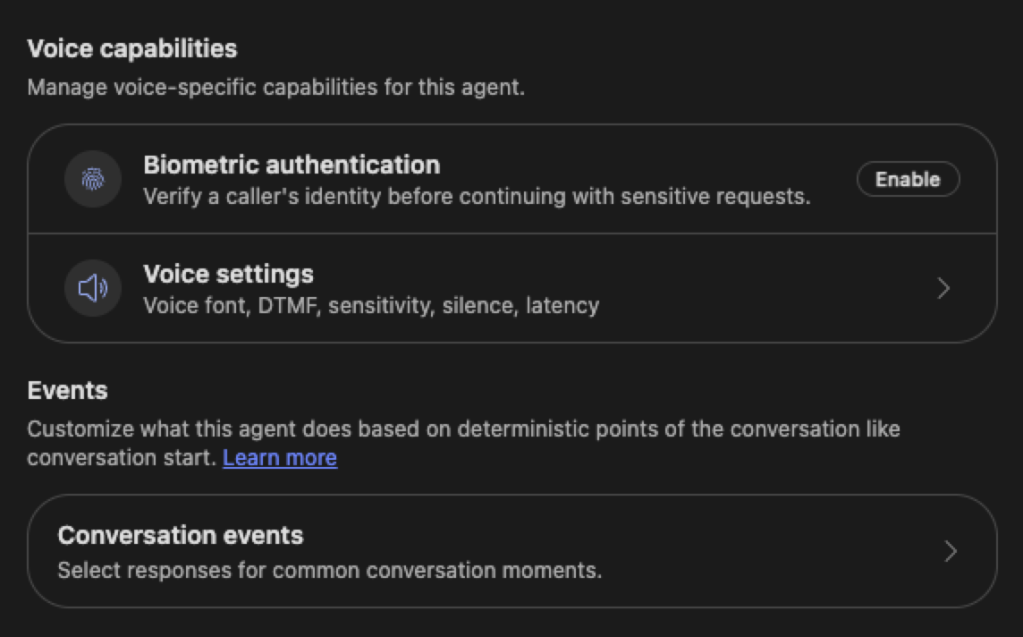
- Prebuilt contact center tools. Escalate (to Teams Phone, email or a live agent through a contact center) and Biometric Authentication (biometric authentication needs an environment with Dynamics 365 apps enabled)
- Plenty of tool options. Connectors, MCP servers, REST APIs, AI prompts, workflows and connected agents (currently Microsoft Foundry agents). Skills and memory are supported.
- Memory for returning customers. The agent can carry approved context from earlier conversations, so a returning customer doesn’t start from zero. Memory is structured, short-term (30-day retention), and with a shared contact identifier, context from a phone call is available in the next chat – and the other way around.
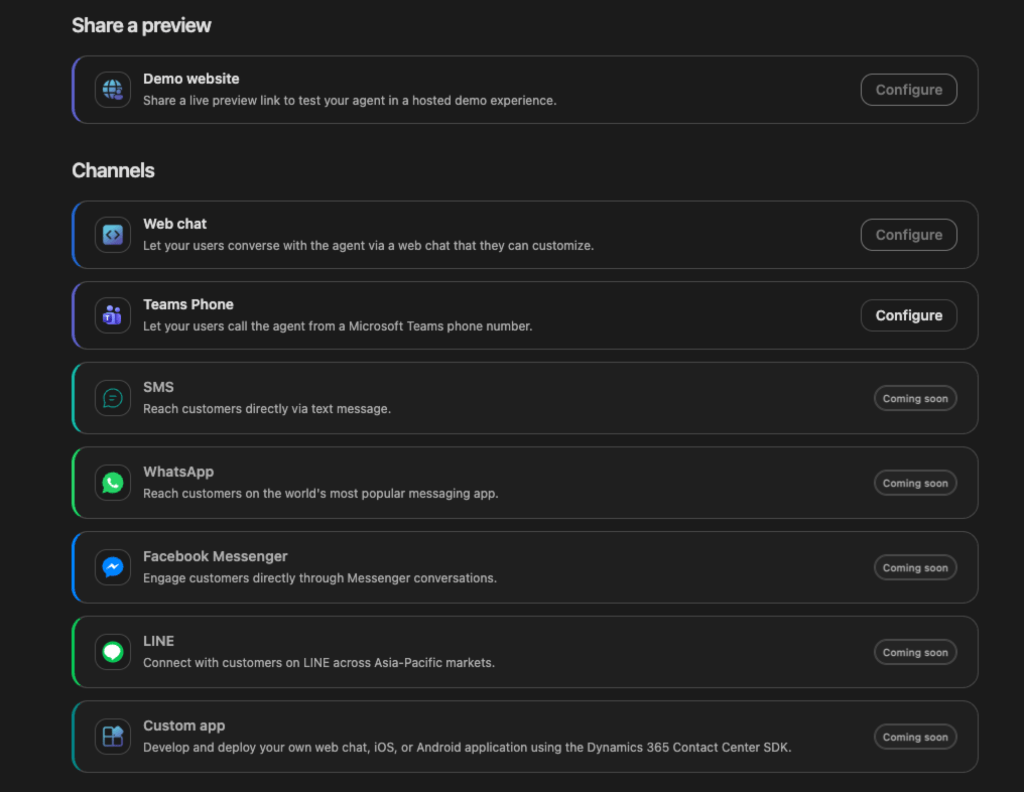
- Build, test, deploy and monitor in one place. The agent has Build, Preview, Evaluate, Deploy and Monitor tabs. When you publish, Copilot Studio automatically creates a demo website for testing.
Deployment channels range from the demo website, web chat and Teams Phone to Dynamics 365 Contact Center, Genesys or your own contact center platform. So you can start with a website or a phone number – no contact center needed.
Four harnesses in Copilot Studio – which one is which?
Copilot Studio now uses the word harness for the runtime behind every agent. It sits between what you design and the AI model: it decides when to call the model, what to send to it, and which tools to call. The harness affects what the agent can do, where you can publish it, and how it is billed.
With the Customer Conversation harness, there are now four:
| Standard | Copilot Chat | GitHub Copilot | Customer Conversation (preview) | |
|---|---|---|---|---|
| Best for | Rule-based agents and structured conversations | Extending Microsoft Copilot Chat with company knowledge | Complex, multi-step business processes | Customer service over voice and chat |
| How it works | Follows the topics and paths you build | Answers from your knowledge inside Copilot Chat | Reasons toward a goal step by step and adjusts when a step fails | Primary agent routes to specialist sub-agents; fixed topics and AI skills together |
| Audience | Employees or external customers | Employees | Employees or external customers | Website chat or a phone number |
| Billing | Copilot Studio licensing for standard harness | Consumption, or included in Microsoft Copilot licenses | Copilot Credits | Copilot Credits |
Copilot Chat harness might be a new term for many – it was for me too! The name comes from Microsoft’s own documentation: Extend Microsoft Copilot with the Copilot chat harness. In practice it is the agent for Microsoft 365 Copilot (declarative agent) that you build in Copilot Studio by selecting Microsoft Copilot on the Agents page.
Customer Conversation harness takes the predictability of the standard harness and adds the generative, multi-agent capabilities on top – built for talking with customers instead of employees.
A simple way to choose:
- An employee agent inside Copilot → Copilot Chat
- Every path should be fixed and predictable → Standard
- The agent needs to carry out a whole business process → GitHub Copilot
- The agent talks directly with your customers → Customer Conversation
Contact Center Intelligence – the harness at work in the contact center
If the harness is the engine, Microsoft Contact Center Intelligence is the application built around it for contact centers. Customer Assist Agents are built with the Customer Conversation harness, and CCI brings them – together with quality, insights and governance – on top of contact center platforms that Microsoft does not run. The idea is simple: keep the contact center platform you already have – telephony, routing, phone numbers, agent desktop – and add Microsoft’s agents, quality scoring and analytics on top of it. No rip-and-replace migration.
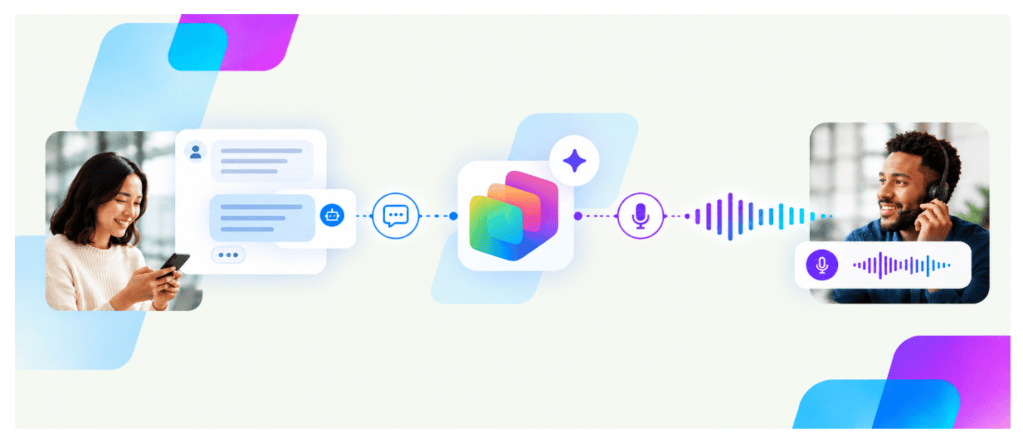
Around the agents, the initial CCI preview includes:
- Contact center integrations – connect supported CCaaS platforms with native connectors, APIs and event streams. Initial guidance covers Genesys Cloud plus a universal connector for other platforms.
- Quality and operational insights – Quality Assurance evaluation of interactions, real-time monitoring and historical dashboards. Quality scoring can evaluate up to 100% of conversations instead of a sample.
- Biometric authentication – voice biometrics to identify and authenticate callers, including consent and authentication data management.
- Microsoft platform integration – reuse agents built in Copilot Studio and extend them with Microsoft Foundry.
The CCI portal is also where an agent is connected to a live contact center: deploying to a contact center is done there by an Omnichannel Admin, along with biometric authentication setup and quality, insights and governance management.
Teams Phone Agent vs Customer Conversation agent
Both answer phone calls with AI, so they can easily look like the same thing. They are not – they do different jobs, and different people set them up.
Teams Phone Agent is the AI receptionist. It is part of Teams Phone, and a Teams admin configures it in the Teams admin center. It takes the old “press 1 for sales” auto attendant menu further with a natural conversation: it screens calls, answers common questions, manages appointments and routes the caller to the right person or call queue. Its main job is to get the call to the right place.
The Customer Conversation agent solves the case. It is built in Copilot Studio by a maker, and it is designed to handle the customer’s issue from start to finish: verify the caller, look up their orders or invoices, follow fixed steps where the process requires them, use AI for open-ended questions, and hand over to a person when needed. The same agent works in web chat and on contact center platforms too.
| Teams Phone Agent | Customer Conversation agent | |
|---|---|---|
| Role | Receptionist: answers, screens and routes calls | Service agent: solves the customer’s issue |
| Who builds it | Teams admin | Copilot Studio maker |
| Channels | Phone | Voice and chat in one agent |
| Depth | Built-in Q&A and appointments | Sub-agents, fixed topics, AI skills, connectors, MCP, workflows |
| Caller verification | – | Voice biometrics and one-time codes against customer records |
| Handover to people | Routes to people and call queues | Escalates to Teams Phone, contact center or live agent with context |
One way to think about it: the Teams Phone Agent picks up the phone; the Customer Conversation agent solves the case. An organization on Teams Phone could use Teams Phone Agent for general reception, and route billing, order or support calls to a Customer Conversation agent.
No sign-in on voice – does it mean just Q&A?
The documentation says that speech channels don’t support end-user sign-in, so knowledge sources that need the user’s own credentials work only in chat. That raises a fair question: is a voice agent then just a Q&A bot without access to real customer data?
No. It only means the caller can’t sign in to the call the way a web user signs in to a portal. The agent can still identify the caller and work with real data:
- The agent verifies the caller. With Voice authentication turned on, the agent uses biometric authentication, authentication policies and one-time code challenges. You choose what identifies the caller – phone number, account number or another identifier – and match it against customer records in Dataverse (Contact and Account tables by default). Just like a human agent asking for your customer number and a code.
- Tools fetch the data. Once the caller is verified, connectors, MCP servers, REST APIs and workflows look up that customer’s orders, invoices or cases – using the agent’s own connection, not the caller’s sign-in. Topic skills are perfect for this kind of fixed, controlled step.
- The contact center passes context. When the agent runs on a contact center platform, the caller’s number and customer record are already known, and a verified identity carries over when the call goes to a human representative.
- Chat can use real sign-in. The agent’s authentication mode controls how users sign in across the whole orchestration, so knowledge that needs the user’s own credentials still works in chat.
What does not work over voice is answering based on the caller’s own permissions – “show me the documents I can access.” That needs real sign-in, so it’s chat only.
So, on voice, the agent works like a human contact center agent: verify who is calling, then look up their data with the agent’s own access. This needs careful design – give the agent only the access it really needs, and verify before revealing anything personal.
Note: voice authentication requires an environment with Dynamics 365 apps enabled, so a plain Copilot Studio trial environment won’t be enough to demo caller verification.
B2C, B2B and inside the company
B2C
- Utilities and telecom – outage reporting, invoice questions and contract changes. Payment arrangements follow a fixed path, general questions get AI answers.
- Insurance – first notice of a claim over the phone, with voice biometrics so the caller doesn’t need to answer security questions again when transferred to a person.
- Retail and e-commerce – order status, returns and delivery changes, with sub-agents for orders, returns and products.
- Healthcare and public services – appointment booking, prescription refills, opening hours and guidance.
B2B
- Product support – technical support for business customers
- Distributor and partner desk – stock levels, order status and price checks through ERP connectors.
- Field service – technicians calling from a customer site to look up spare parts or open a service order, hands-free.
Inside the company
- HR service desk – benefits, enrollment, payroll questions and absence reporting
- IT help desk by phone – password and MFA issues, outage status, and escalation through Teams Phone to second-line support.
- Facilities and workplace – bookings and fault reports, even from a meeting room phone.
An internal service desk can also be a smart first project: no CCaaS integration needed, no external customer data, and a scenario almost every organization recognizes.
How building an agent works
Based on Microsoft’s documentation, this is what building a Customer Conversation agent looks like.
What you need
- Copilot Studio and an environment where you can create agents.
- Copilot Credits. The harness uses usage-based billing – building, testing and evaluating agents can consume Copilot Credits.
- Optional: an environment with Dynamics 365 apps enabled for voice authentication, and Teams Phone licensing with a phone number for the Teams Phone channel.
- Not needed to get started: a contact center. Connecting an agent to a contact center is done later from the Contact Center Intelligence portal, by an Omnichannel Admin.
The steps
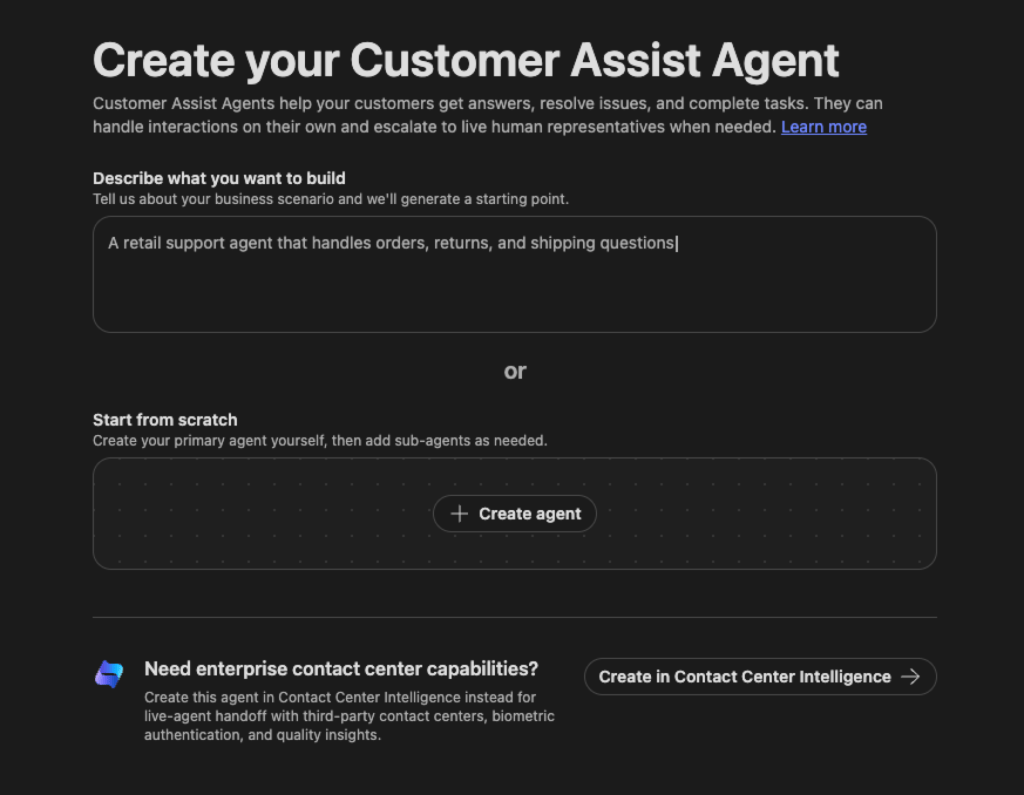
- Create – on the Copilot Studio Home page, under Other ways to build, select the Customer Conversation tile. Or go to Agents → New agent and pick the agent with the Customer Conversation badge.
- Describe – tell Copilot Studio in natural language what the agent should handle. It generates a starting primary agent with a name, description and instructions, plus suggested knowledge, tools and channels. You can refine it over several messages, or start from a blank agent.
- Instruct – check the description (max 1,024 characters, used for routing) and instructions (max 8,000 characters). The Speech and Chat tabs let you give separate guidance per modality – for example shorter answers and no lists over voice.
- Build – add knowledge, Generative and Topic skills, tools such as Escalate, events (Conversation Start, End of Conversation, On Error), and sub-agents or connected agents for focused intents like billing.
- Test – try conversations on the Preview tab and run test sets with pass/fail results on the Evaluate tab.
- Deploy and monitor – publish on the Deploy tab. Copilot Studio creates a demo website automatically, so you can try the agent like a customer would. Then add channels like web chat or Teams Phone, and follow activity on the Monitor tab
Tip for the first test: use a public website as the knowledge source. Knowledge that needs the user’s own sign-in only works in chat, while a public site works in both chat and voice.
Things to know before a pilot
- It is a preview. Documentation is prerelease and subject to change, and preview features aren’t meant for production use.
- Credits are consumed while building too. Building, testing and evaluating all use Copilot Credits, not only production conversations.
- There can be two bills. Some contact center vendors charge for API access or voice-channel licenses, and those costs are not part of Microsoft’s pricing. A pilot budget should include both.
- Voice biometrics is biometric data. Bring in legal and privacy early – consent, retention and regional rules matter.
- Design the data access carefully. Over voice, the agent fetches customer data with its own access, so least privilege and verify-before-reveal are a must.
- Web grounding leaves the compliance boundary. The “Use information from the web” setting uses Grounding with Bing Search, which can send data outside your organization’s compliance boundary.
Final thoughts
Building a good customer-facing voice and chat agent has needed many separate pieces. The Customer Conversation harness puts them together in Copilot Studio: voice and chat in one agent, fixed paths where the business needs control, AI where the conversation needs flexibility, memory for returning customers, and a person available when needed.
Contact Center Intelligence is the first big application built on it – and a strong one. But the harness itself is the part to watch. It works with a simple website or a Teams phone number, on top of the contact center an organization already has, and as an internal service desk. That makes it much easier to start small.
This is great example how to build AI empowered solutions helping in business scenarios!
Learn more
Announcements
- Microsoft Contact Center Intelligence: Transforming customer experience at agentic speed – Microsoft Dynamics 365 blog
- Introducing the Customer Conversation harness in Microsoft Copilot Studio – Copilot Studio blog, Microsoft Tech Community
- What’s new in Microsoft Contact Center Intelligence
Customer Conversation harness documentation (preview)
- Agents powered by the Customer Conversation harness overview
- Create a new agent (Customer Conversation)
- Speech and chat settings overview
- Configure agent details and security
- Sub-agents overview
- Create a skill (Generative and Topic)
- Available tools
- Memory
- Available channels
- Deploy overview
Harnesses and Teams Phone


