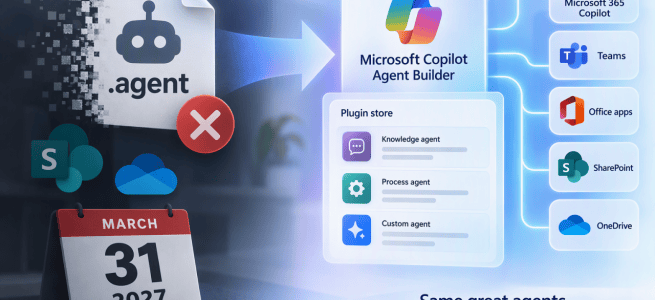
SharePoint agents aren’t going away, but the way they’re built is changing. Microsoft announced in MC1511052 that agents in SharePoint and OneDrive are moving from the .agent file format to the wider Copilot agent and plugin platform. Any .agent file in your tenant today has an expiry date.
Let’s take a closer look at what happens, who it affects and when.
What happens
New agents won’t be .agent files anymore. “Create an agent” in SharePoint and OneDrive will open the Microsoft Copilot Agent Builder, and new agents will land in the Plugin store. That’s the shared catalog used across Copilot Chat, Cowork, Autopilot, the Office apps and SharePoint.
Existing agents need to move to one of three places, depending on what they do today:
- Site questions and answers only – Copilot in SharePoint already covers this, so a separate agent may not be needed.
- A focused task for one site – convert the agent into a skill for Copilot in SharePoint.
- Content-based chat across Microsoft 365 – upgrade it to a declarative agent, or update the custom engine agent.
Two tools help with the move: an Upgrade to M365 Agent button in the SharePoint agent builder, and a convert-agent-file-to-skill skill in Copilot in SharePoint.
Timeline
- Mid-November to early December 2026 – agent creation moves to Agent Builder, and the upgrade tools roll out. You can still edit existing .agent files.
- November 2026 to January 2027 – the new Agent Chat web part (Roadmap 575298) is planned for preview in November and general availability in January. It lets page authors add any agent from the Plugin store to a SharePoint page.
- End of March 2027 – .agent support ends.
- Early to mid-April 2027 – .agent agents stop working in SharePoint, Teams and the Copilot app. This includes the Agent Link web part, the full-screen view and the SharePoint chat pane.
The shutdown rolls out over a few weeks in April, but 31 March 2027 is the date to plan around.
How it affects organizations
The transition window is about four months, which is short. A few things are easy to miss:
- Teams needs manual work. Upgraded agents must be re-added to Teams chats and channels. Nothing does this automatically, so you need to know where each agent was added.
- SharePoint pages need updating. Pages using the Agent Link web part need to switch to the Agent Chat web part. That web part only reaches general availability in January, so there is little time to make the swap.
- Governance moves. Upgraded and new agents are managed in Agent Builder, the Microsoft 365 admin center and Agent 365. Admin controls, reporting and compliance processes should be updated to match.
- Licensing isn’t covered in the notice. Check what each upgrade path means for licensing and Copilot credits before choosing it.
What to do now
- Find every .agent file and identify who owns each one.
- Sort each agent into one of the three paths. Not every agent needs to become a full agent.
- List where each agent is used: Teams chats and channels, Agent Link web parts and SharePoint pages.
- Tell site and agent owners about the deadline early.
- Test the upgrade button and the skill conversion as soon as they reach your tenant in mid-November.
Closing thoughts
This change makes sense. SharePoint agents were a separate format, and bringing them into the same platform, catalog and governance as other Copilot agents should simplify things over time. It also means more of the agent work happens in Copilot in SharePoint itself.
The deadline is close, though, so it’s worth starting the inventory now rather than in March.
Read the full notice in the Message Center: MC1511052 – Upcoming changes to Agents in SharePoint and OneDrive.


