Should this support ticket go to billing or engineering? Is this agent’s next step safe to run? Is this answer actually grounded in the source documents?
When we build agents, a big part of the work isn’t writing text at all. It’s making small, bounded decisions, over and over again. Until now, we have mostly sent those decisions to a big, general-purpose LLM. That works, but it’s slow and expensive, like hiring a novelist to sort your mail.
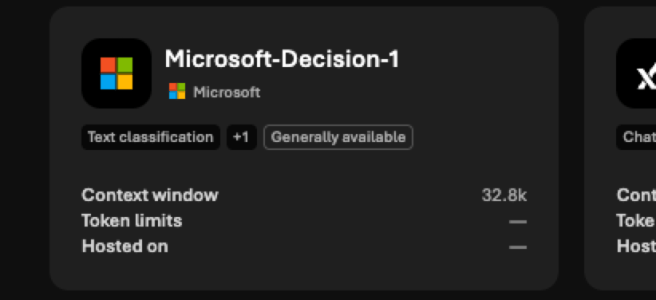
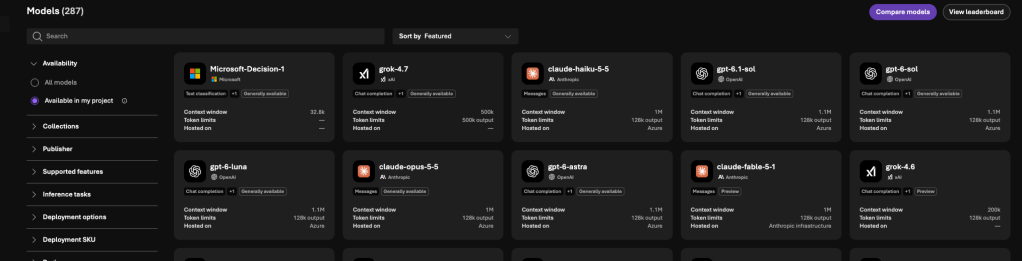
Microsoft just released a model built for exactly this: Microsoft-Decision-1, now available in Microsoft Foundry. I of course went to Foundry to take a look and deploy it. Let’s take a closer look!
What is Microsoft-Decision-1: a decision model, not a chatbot
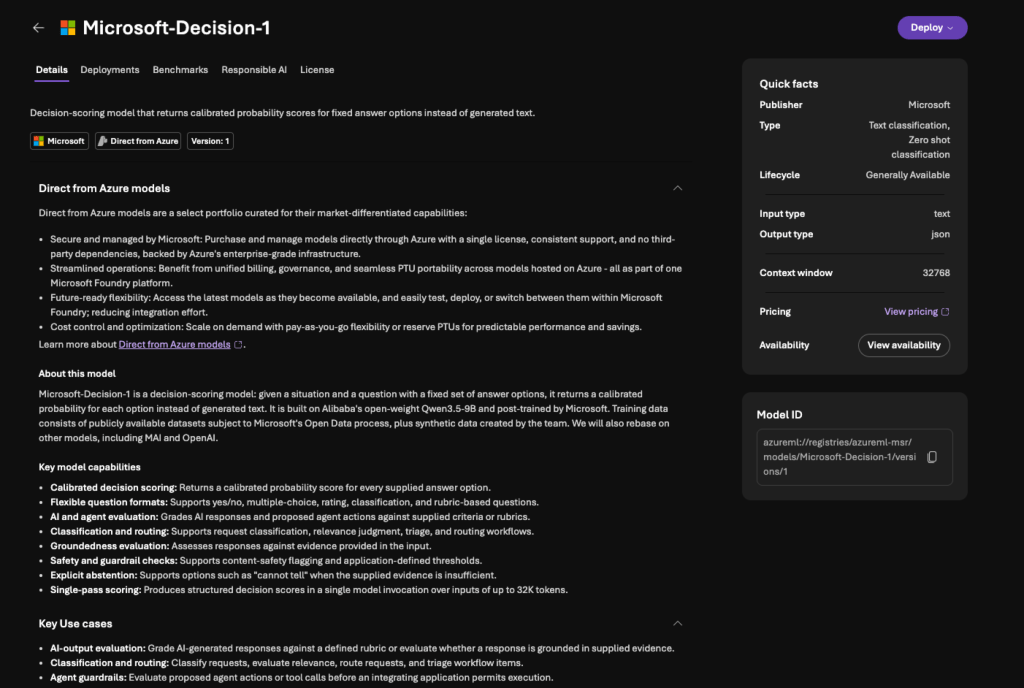
Microsoft-Decision-1 is a decision-scoring model. You give it a situation, a question and a fixed set of answer options. It gives back a calibrated probability score for each option.
No generated text. No chat. No explanations. It returns a number your application can act on immediately.
In Foundry the model card shows the basics:
- Publisher: Microsoft, in the Direct from Azure portfolio
- Lifecycle: Generally Available, version 1
- Type: Text classification and zero-shot classification
- Input: text. Output: JSON
- Context window: 32,768 tokens
Under the hood, it’s built on Alibaba’s open-weight Qwen3.5-9B model and post-trained by Microsoft. Microsoft also says it will rebase the model on other models, including MAI and OpenAI. That part is interesting. Decision-1 is clearly the start of a model family, not a one-off release.
Three question types: yes/no, which one, how much
The model handles three kinds of questions:
- Is this true? A yes/no check that returns a probability from 0 to 1. Example: “Does this reply promise the customer a refund?” These work well as gates and filters.
- Which option is it? One selected option plus a probability for every option. Example: “Which team should handle this ticket: billing, engineering or support?” This is classification and routing.
- How much? A position on an ordered scale. Example: “How severe is this incident: cosmetic, minor, major or critical?” This covers ranking and grading.
You can also combine several questions in one request. For example, route a ticket, rate its severity and check whether it’s a repeat contact, all in one call.
There’s also explicit abstention. You can add an option like “cannot tell” when the input doesn’t contain enough evidence. I really like this. Forcing a model to pick an answer when it doesn’t know is how a lot of AI mistakes start.
Why this matters for agents
Agents chain decisions. Microsoft gives a good example: add 100 milliseconds to each of 20 sequential decisions and the whole workflow is two seconds slower. Now multiply that by thousands of runs a day.
Then there’s the price: $0.042 per million input tokens, and output tokens are free. That’s not a typo. Since the model only returns scores, there’s very little output to pay for anyway.
For agent builders, two uses stand out for me:
- Agent guardrails: check a proposed agent action or tool call before your application lets it run
- Confidence-based automation: automate the clear cases and escalate low-confidence ones to a human
Microsoft also shares internal results, for example from the Copilot team using it to measure response quality, plus its own benchmark comparisons against LLMs and other decision models. These are vendor numbers, so I’d treat them as a starting point. Your own data is the benchmark that matters.
Deploying it in Foundry
Getting started is simple. Find Microsoft-Decision-1 in the Foundry model catalog, select Deploy, give the deployment a name and choose a deployment type.
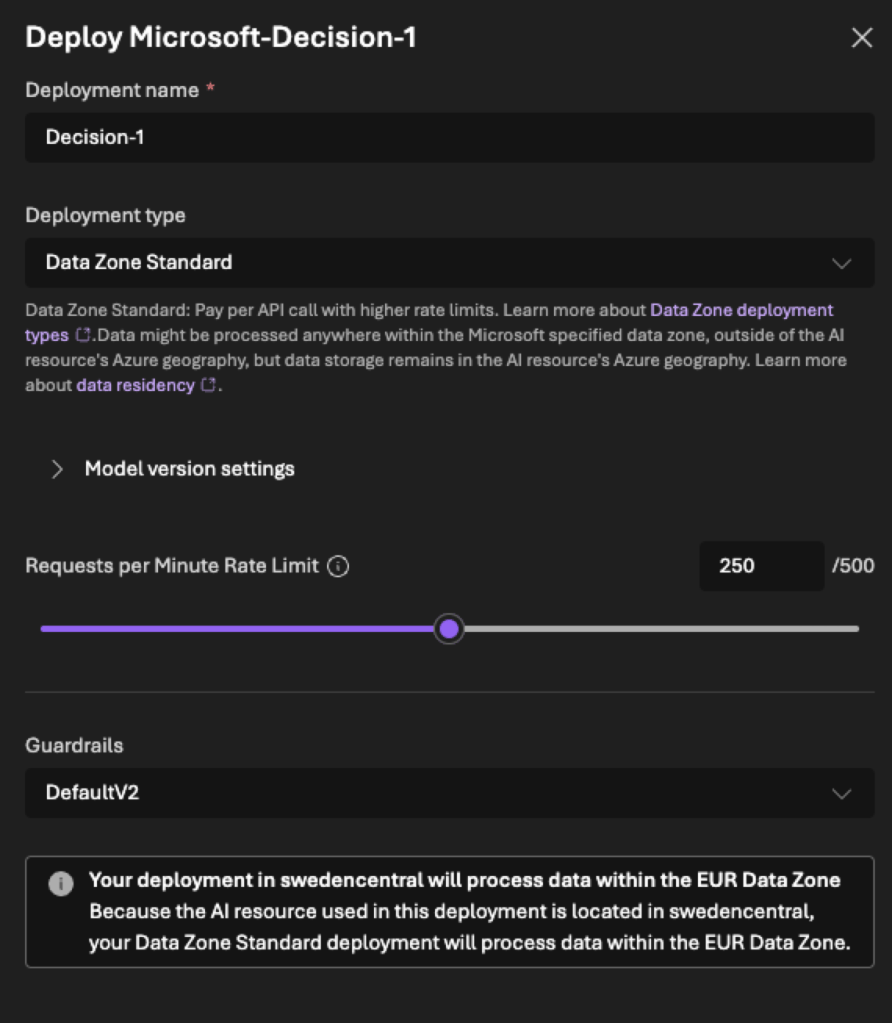
This is where it gets interesting for us in Europe. My Foundry resource is in Sweden Central, and with Data Zone Standard the dialog confirms that processing stays within the EUR Data Zone. The data might be processed anywhere in that data zone, but storage stays in the resource’s Azure geography. Good to see this option at launch!
The other option is Global Standard, where inference can be processed in any supported Azure region. For my own testing I went with Global Standard. It’s usually cheaper than models deployed to a specific data zone, and my test data does not need EU processing. For customer data, the choice is very different.
Where Decision-1 adds the most value
The simplest rule from Microsoft’s documentation: use Decision-1 when your application needs one or more bounded, typed decisions about the same input. It’s at its best in high-volume workflows where the application acts on a probability, a selected option or a score, instead of showing generated text to someone.
Based on Microsoft’s Learn, here are five areas where the model fits.
- Gates and filters: check that content meets a condition before the workflow continues. Does this tool call touch production data? Does this document contain a prompt injection? Does this support reply promise a refund?
- Classification and routing: send tickets, alerts, documents or requests to one option from a known set. Think of the service desk queue that someone sorts by hand every morning.
- Ranking and prioritization: order incidents, leads, search results or review queues on a scale you define. What should the team look at first?
- Evaluation and grading: score AI output against a rubric. This one interests me a lot. As we build more agents, we need a fast and cheap way to check their answers at scale.
- Model, tool or agent selection: choose which model, tool or agent should handle a request. In multi-agent setups this is the traffic controller.
And the other side: when you need content created, summarized, rewritten or explained, use a generative LLM. The model doesn’t write a rationale. You get a number, not a reason. If your process needs to show why a decision was made, you need something more.
The best pattern, in my opinion, is a combination. Decision-1 routes or gates the request first, and a generative model then does the actual writing only where it’s needed. Right model for the right job.
A few things I’d check before using it with real work:
- Language. Decision-1 is optimized for English and evaluated in more than 20 other languages. Finnish and Swedish aren’t on that list. The base model supports far more languages, but quality and calibration may vary. For Nordic customers: test with your own language data first!
- Wording matters. Scores can change depending on how you phrase questions and order options, and a badly framed question still returns a score. Microsoft’s own tests show the model to be stable when options are shuffled, but the documentation still recommends testing it yourself. Use clear, neutral options and check the results with your own data.
- Decisions about people. Microsoft is clear that the model shouldn’t be the only decision-maker in consequential decisions about people, such as employment, credit, healthcare or legal matters. Use it for decision support, with meaningful human review.
- Data location. Choose Data Zone Standard when your data needs to stay in the EU.
Where this goes next
I think decision models will quietly become one of the most important building blocks in agent architectures. They won’t make headlines like the next big frontier model, but they’ll make agents faster, cheaper and easier to control.
Version 1 is built on Qwen, and Microsoft already plans MAI- and OpenAI-based versions. As a tip for Microsoft: it would be awesome to see decision steps like this available directly in Copilot Studio. Imagine a “decide” node with calibrated probabilities and a built-in “cannot tell” path! ( wink at the Copilot Studio team)
Which decision in your workflows would you hand to a small, fast model first?
Microsoft sources:


