Roadmap Watch: what to expect for Microsoft Teams in January 2021?

Year 2021 is here. Microsoft Teams, and Microsoft/Office 365 is getting a big number of updates. Just looking what is scheduled for January 2021 that is a big list of interesting capabilities! Some highlights from the list. Share System Audio on Mac is showing as cancelled because there were a duplicate item. https://www.microsoft.com/en-us/microsoft-365/roadmap?searchterms=67168&filters=&searchterms=67168 (thank you … Continue reading Roadmap Watch: what to expect for Microsoft Teams in January 2021?

Teams Application highlight: Perfect Wiki

Microsoft Teams application store has a big number of applications in it. It means also that it can hold in apps that could be useful to many organizations - but they just don't know that such an app exists. I thought I check out some of them once an a while to share the information … Continue reading Teams Application highlight: Perfect Wiki

Microsoft Teams Roadmap Watch updates

Microsoft Teams roadmap seems to update weekly these days. This time there weren't that many changes but it is good to note that End of meeting notifications has rolled outHistory menu is scheduled now for February 2021Outlook is getting Meeting Options prompt when meeting invite has 40 or more participants or 10 or more distribution … Continue reading Microsoft Teams Roadmap Watch updates

Review: Jabra Evolve2 85 with Microsoft Teams

I have been testing several different audio devices for use with Teams in this blog. I can finally add Jabra Evolve2 85 to the list. Can you spot the matching colors of the headset Teams-connected light and my keyboard? 😂 Jabra Evolve2 85 is the high-end headset for work from Jabra. For it's high-end headset … Continue reading Review: Jabra Evolve2 85 with Microsoft Teams

How to use Pop out apps in Teams

Microsoft Teams recently got a new feature to Teams Desktop client: ability to Pop out application from Teams UI into a separate window. If you have the New Meeting -experience checked on in Teams Desktop Client Settings you can start utilizing this feature. This is a follow up to earlier Pop out chat -feature. If … Continue reading How to use Pop out apps in Teams

How to guide for custom Praises in Microsoft Teams

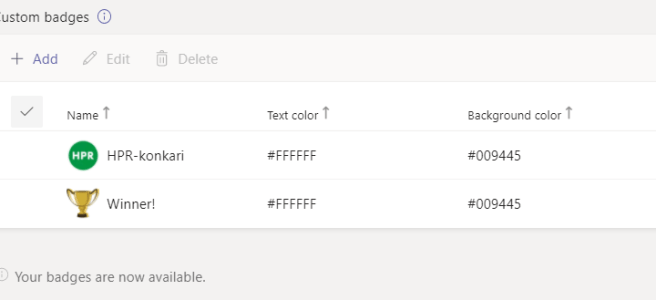
Microsoft Teams got finally Custom Praises out last week. This means you can do awesome praises / endorsements to your colleagues in your own organization theme and color. That makes praises to feel even better and sharing that Good Will & Gratitude makes even more sense. For raising spirits and increasing motivation it is a … Continue reading How to guide for custom Praises in Microsoft Teams

Roadmap watch: Large (1k) & Overflow meetings postponed to Q1/2021

The Teams Roadmap has been updated again. I can't say I am surprised that some meeting features were postponed with a few months - there hadn't been much noise about them in social media which lead me to guess they won't be out yet. But as always - Roadmap is a estimate of the schedule … Continue reading Roadmap watch: Large (1k) & Overflow meetings postponed to Q1/2021

Live Reactions, Together Mode in Teams Web and native Windows Notifications are available in Teams Public Preview

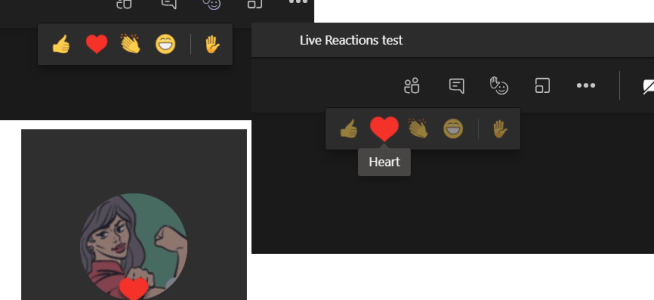
This week brought in several great features to Microsoft Teams! The Breakout Rooms was met with massive success and that might have overshadowed some other great features that came out. Custom PraisesAbility to change Together Mode scenes Teams Public Preview When you enable Teams Public Preview you get your hands on to a few features … Continue reading Live Reactions, Together Mode in Teams Web and native Windows Notifications are available in Teams Public Preview

How to use “Definite Guide” for the new Microsoft Teams Breakout Rooms

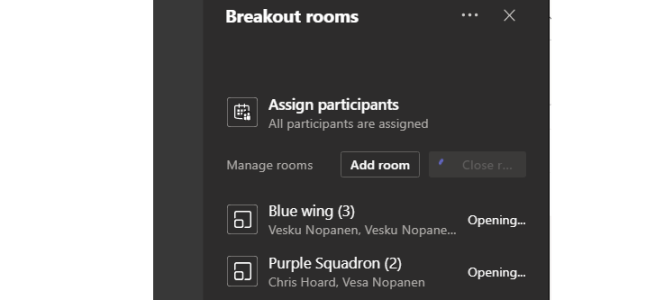
The new out-of-the-box virtual Microsoft Teams Breakout Rooms became available in December 2020! This blog post is the definite guide how to use Microsoft Teams Virtual Breakout Rooms. Blog post updated 30.9.2021 (dd.mm.yyyy) Some quick facts about Breakout Rooms You can precreate rooms in advance and move invited people to rooms before the meetingYou can … Continue reading How to use “Definite Guide” for the new Microsoft Teams Breakout Rooms

Roadmap watch: new search, video filters and large meetings in Teams delayed

When checking out the M365 I found out that there were some changes wort mentioning. New Search Experience in Teams A new search experience in Teams will make finding messages, people, answers, and files faster and more intuitive. A redesigned search results page provides better context and faster results, with AI-powered relevance based on the … Continue reading Roadmap watch: new search, video filters and large meetings in Teams delayed

How to: create and add a OneNote tab to your Microsoft Teams team channel using Power Automate + Graph API

I was asked to share how I have been adding new OneNote tabs to a team channel in Microsoft Teams using Power Automate + Graph API. If you look at the documentation it shows you this: Of course I never believed that but found earlier a way to hack OneNote into a channel as tab … Continue reading How to: create and add a OneNote tab to your Microsoft Teams team channel using Power Automate + Graph API

Roadmap watch: latest changes to upcoming Teams meeting schedules

Another day, another updates to the Microsoft Teams roadmap! While none of is happy to see schedules updating to a later month but I appreciate that they commit to the ready features and also let us know when to expect them to roll out. I would love to see them updating the dates more often, … Continue reading Roadmap watch: latest changes to upcoming Teams meeting schedules

How to: set your status duration in Teams

Currently rolling out - and appearing to tenants - is the ability to set your status duration for determined amount of time. As you already might now you can set following statuses in Microsoft Teams: And yes - you can hide yourself being even logged into to Teams by choosing Appear offline. This is useful … Continue reading How to: set your status duration in Teams

Roadmap update: What’s on the Teams roadmap for the end of year?

There are plenty of features that should be rolling out to Teams by the end of this year. I think the more recent the "last modified" date is the more accurate the release estimate will be. And vice versa: those features that haven't been updated for a couple of months risk higher chance of getting … Continue reading Roadmap update: What’s on the Teams roadmap for the end of year?

Roadmap update: externals access to Whiteboard in a Microsoft Teams meeting delayed to March 2021

Looking at the roadmap updates this got my eye: The long awaited feature that would allow Whiteboard: External access in Teams meetings Any guests, external or anonymous users in a Teams meeting can view and collaborate on the whiteboard during the meeting. They will not have continued access to the whiteboard after the meeting ends. … Continue reading Roadmap update: externals access to Whiteboard in a Microsoft Teams meeting delayed to March 2021

Review: Microsoft Surface Headphones 2

First I have to say that I love the way Surface devices look and how usable they are when you think needs of the modern work. So I was of course very thrilled to be able to test the Microsoft Surface Headphones version 2. I almost bought the first version a year and half back … Continue reading Review: Microsoft Surface Headphones 2

How to add polls to Teams meetings

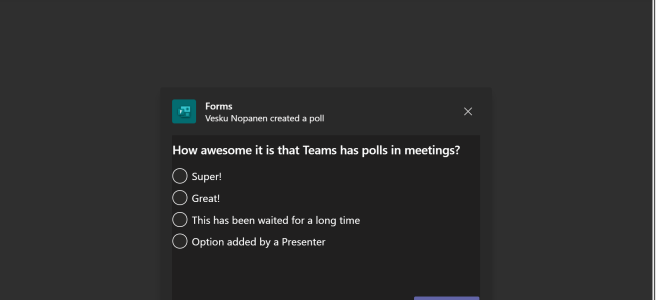
The ability to add polls (finally! Just saying..) to Microsoft Teams meetings became possible recently when the feature to add applications to Teams meetings was released to general availability. Among the first applications to add to meetings were Forms and Polly. Let's take a look how you can add polls to meetings in a step-by-step … Continue reading How to add polls to Teams meetings

How to easily use new Teams Power Automate application to increase personal and team productivity (aka creating flows without having to know how)

The old Flow application in Teams is updating to become the new Power Automate app experience. If you look into the Flow app today you can see it's content have been already updated - only the name is different. In this blog I will focus on how to use that app as average Teams user … Continue reading How to easily use new Teams Power Automate application to increase personal and team productivity (aka creating flows without having to know how)

Teams news summary of Microsoft Ignite

#MSIgnite, the Microsoft Ignite 2020 - did it again. The big and beautiful Microsoft tech and developer conference delivered again tons of announcements, news and information. In this post I am focusing on Microsoft Teams related news.. and I am not trying to list all of them but ones I see the most essential + … Continue reading Teams news summary of Microsoft Ignite

Microsoft Teams provisioning with Power Automate and Graph API

I had a privilege presenting this session of mine today at Commsverse. I was asked, again, to publish my provisioning flow to Github and this time I managed to do it! To accompany that here are a few details about the provisioning. The process follows this Get the request to a SharePoint list. The provisioning … Continue reading Microsoft Teams provisioning with Power Automate and Graph API

How to use Whiteboard in Teams meetings efficiently II

When you need to collaborate in more visual way with your team members you want to take a look at Microsoft Whiteboard that automatically available with every Teams meeting. If your collaboration with your team is more text-based then I advice to use OneNote. For more visual needs, free form planning or just because you … Continue reading How to use Whiteboard in Teams meetings efficiently II

Art of Pinning Channels III

I wrote last year two posts in this blog about Pin channels feature in Microsoft Teams. The first one was more about "what is Pin channels and how do you use it"   and the second was "what if you would turn Teams to more channel oriented". This one is more about my experiences since … Continue reading Art of Pinning Channels III

Easy Teams onboarding by welcoming new members automatically

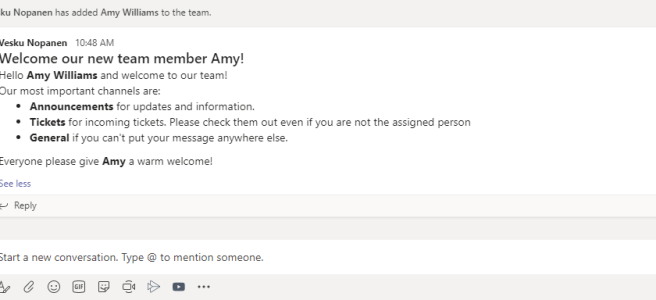
You are added to a new team and look around. While some teams are familiar from the click one, there are some that would require a bit of more knowledge. What is the team's purpose, what are those channels, are there some agreed team practices? Instead of having to ask around for these the team … Continue reading Easy Teams onboarding by welcoming new members automatically

Sharing a teams conversations using Outlook

A new feature recently rolled out to Teams. You can now choose to share a Teams conversation using Outlook. The feature is found via message's ... (three dots, ellipses) menu. This shares the message and all it's replies. Then the Outlook-style window will open up. You can add your comments, do editing of message etc. … Continue reading Sharing a teams conversations using Outlook

Jabra Elite 85h: the best modern worklife headphones I’ve had so far

I use Teams meetings and calling a lot. I also do tons of work from various other places than my home office. Some other locations are for example a train when I commute to Helsinki, when I am visiting our headquarters, occasionally in a café or restaurant, lobby, .. You name it. Simply put: I … Continue reading Jabra Elite 85h: the best modern worklife headphones I’ve had so far

Copying files to Private Channel using Graph API

I was approached with a scenario: Once I have created a Private Channel how can I automatically copy files there? Since I didn't have a direct answer it was time to open Graph Explorer and start digging. Create a Private Channel You need to have a suitable team first. /me/joinedTeams is quite a good Graph … Continue reading Copying files to Private Channel using Graph API

Teams features hidden in plain sight: right-clicks and pinning applications

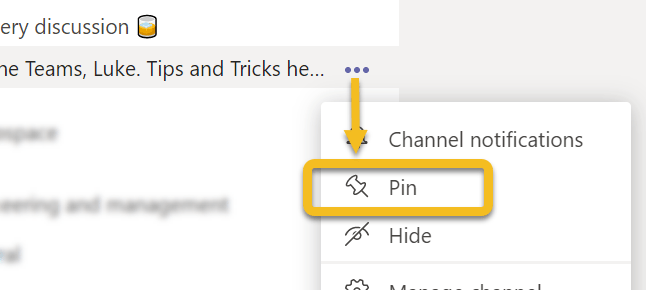
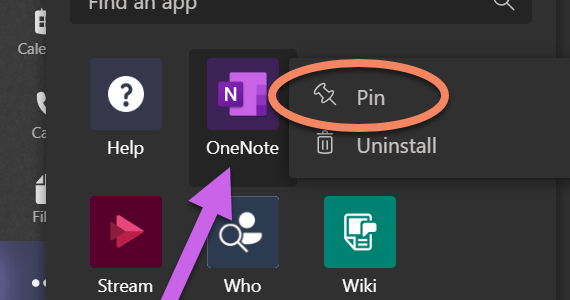
Microsoft Teams doesn't always tell you what you can do in it's interface. Since it is a kind of web application we have used to use left click around different menus. However, there are some features in Teams that will make your life easier if you right-click on them. And I am not talking about … Continue reading Teams features hidden in plain sight: right-clicks and pinning applications

Survival Guide to Microsoft Teams with multiple accounts

One very often heard challenge with Teams is that it is difficult to handle work when you have to use multiple identities (accounts). Usually you have your homebase (home tenant) where you have your work account. And I agree - using Teams  with just one account is the most simple use case. However, it is … Continue reading Survival Guide to Microsoft Teams with multiple accounts

Adding PowerApps as Teams application to Teams via Graph API

You may already be aware that you can export a PowerApps to Teams. In case you haven't heard about this part check this URL: https://powerapps.microsoft.com/en-us/blog/add-your-canvas-apps-to-teams/ However, the real interest is in what we can do with PowerApps once we have uploaded the application to Teams App Catalog. You need to figure out, before progressing, a … Continue reading Adding PowerApps as Teams application to Teams via Graph API

Looking back at 2019

2019 was a quite amazing year for me. It all started when I was honored receiver of Microsoft MVP Award on 1.1.2019. Becoming MVP was a big thing for me personally and it did gave me an access to meet lots of new people in different events and also to participate more in communities than … Continue reading Looking back at 2019

Testing Microsoft Teams Graph Presence API

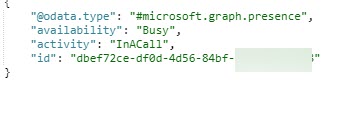
Teams Presence information is now available via Graph API beta interface. It is fairly simply to test using Graph Explorer by calling /beta/me/presence. Note: you will need to give a admin consent to these API calls. You can not do this with delegated user permissions. You may want to refer for Presence API documentation in … Continue reading Testing Microsoft Teams Graph Presence API

Microsoft Teams is also about inclusivity and accessibility

What is inclusiveness? Including different types of people and treating them all fair & equal. In other words: everything is accessible by everyone, no-one is left out. I had the base of this article in my mind for some days but it was this tweet that finally hit me to write it. Especially Situational accessibility … Continue reading Microsoft Teams is also about inclusivity and accessibility

Microsoft Teams Wikis and Meeting Notes: breakdown

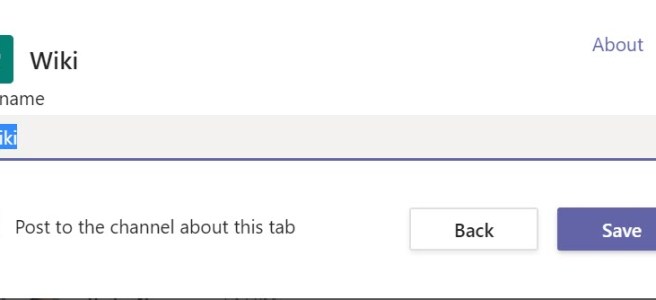
What are Teams Wiki and Meeting Notes. What you need to know about them and why you should be using OneNote instead of them. Yes, that's right. Even through this blog post gives you an overview about how Wikis look don't use them. OneNote is good. OneNote is your friend. Be a happy Teams user … Continue reading Microsoft Teams Wikis and Meeting Notes: breakdown

Microsoft Teams Spotlight: Latest features and roadmaps – watch my webinar recording

Feel free to watch my latest webinar about Microsoft Teams! The agenda: https://youtu.be/lIAxaQV6wT8 Timestamps for different parts:Private Channels: 2:55Live Events: 19:15Teams Meetings:35:50Microsoft Teams Rooms:55:18Keeping Teams noise in control: 1:02:05What's new & on the roadmap: 1:12:57

Start syncing your OneDrive for Business using Microsoft Teams

Sometimes a feature doesn't have to be a big one. Sometimes you don't use it very often - perhaps just once or a few times. But without it's existence you would might not even consider it. Yes, I am talking about a Sync button that appeared in Team's OneDrive. It gives you an easy way … Continue reading Start syncing your OneDrive for Business using Microsoft Teams