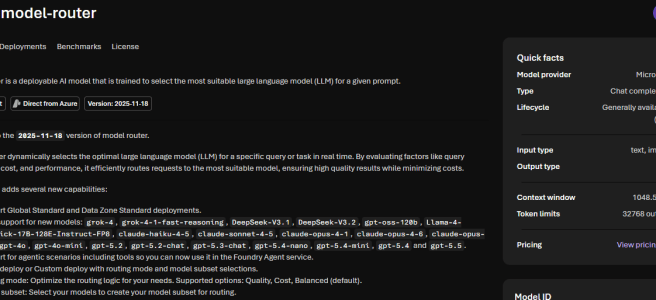
The Microsoft Foundry model catalog keeps growing — and I don’t believe I am the only one who thinks picking the right model for each task is becoming a challenge for anyone building agents. Is GPT-5.4 overkill for this prompt? Should I be using a Claude model for this reasoning step? Do I really need to wire up four different deployments just to keep my agent fast, smart, and manageable?
This is where Model Router model comes in — and it can simplify how agents utilize models in Microsoft Foundry. As a nice addition, it now routes to Claude models too, including the newest Claude Opus 4.7. In the same wave, Microsoft Foundry also brought in MAI-Image-2e, a faster and more efficient sibling of MAI-Image-2 for text-to-image generation.
Let me walk you through both.
What is Model Router model?
Model Router is a model in Microsoft Foundry that intelligently routes your prompts in real time to the most suitable large language model behind the scenes. You deploy it once — like any other Foundry model — and from then on your agent (or app) talks to a single deployment, while Model Router decides per request whether the prompt should be handled by a small, fast model or by a top-tier reasoning powerhouse.
The current version is 2025-11-18 (latest) and it is a living version — new models and capabilities are added in place, no version-bump migration needed.
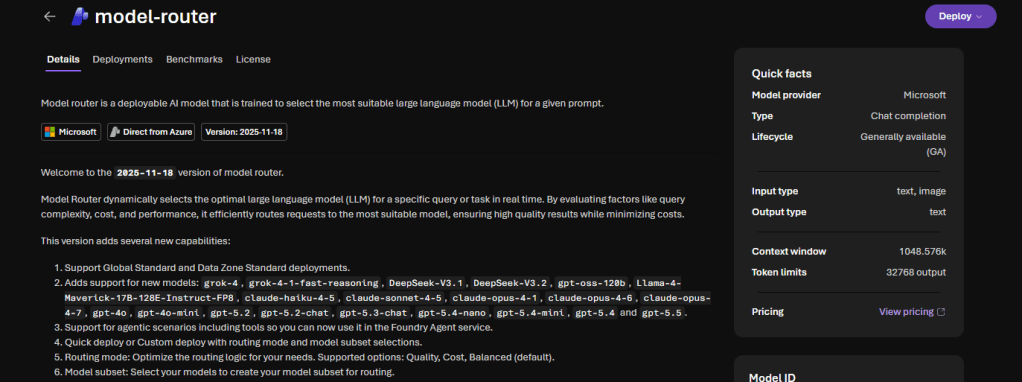
The selection happens based on prompt complexity, reasoning needs, task type, and other attributes — and it does not store your prompts. It honors your deployment data zone boundaries.
Why use Model Router in agents?
For agents, this is a meaningful shift. An agent typically does many small steps — some trivial, some reasoning-heavy — and using the same expensive model for every single one is wasteful. With Model Router, the agent calls one single model deployment, and Model Router does the dispatching:
- A simple classification step? Routed to a small model — cheap and fast.
- A complex multi-step reasoning task? Routed to a top reasoning model — accurate.
- A task where Claude is genuinely the best tool? Routed to Claude.
That makes Model Router an incredibly versatile workhorse — one model your agent calls, many models doing the actual work underneath.
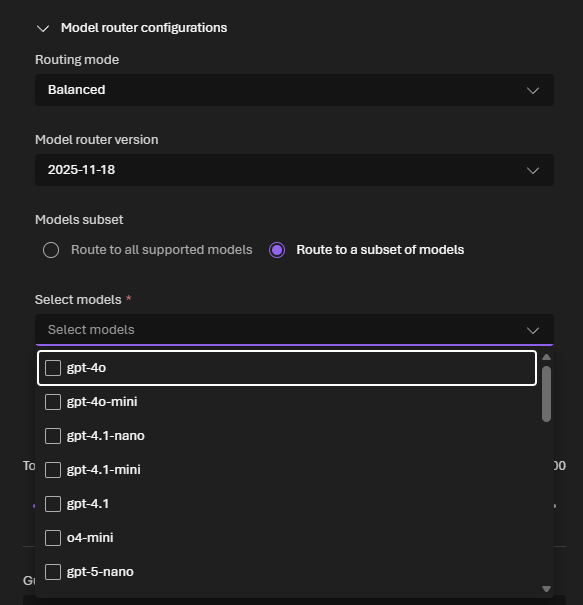
You can also pick a routing mode to bias the decision:
- Balanced (default) — considers both cost and quality dynamically. Great general-purpose default.
- Quality — prioritizes accuracy. Best for complex reasoning and critical outputs.
- Cost — prioritizes cost savings. Ideal for high-volume, budget-sensitive workloads.
And with Model subset, you decide exactly which underlying models are eligible for routing — useful for compliance, cost control, or for guaranteeing a minimum context window across the set. Built-in automatic failover is the icing on the cake — if one model has a transient issue, your request quietly falls over to the next best one.
Claude models in Model Router — including Opus 4.7 (preview)
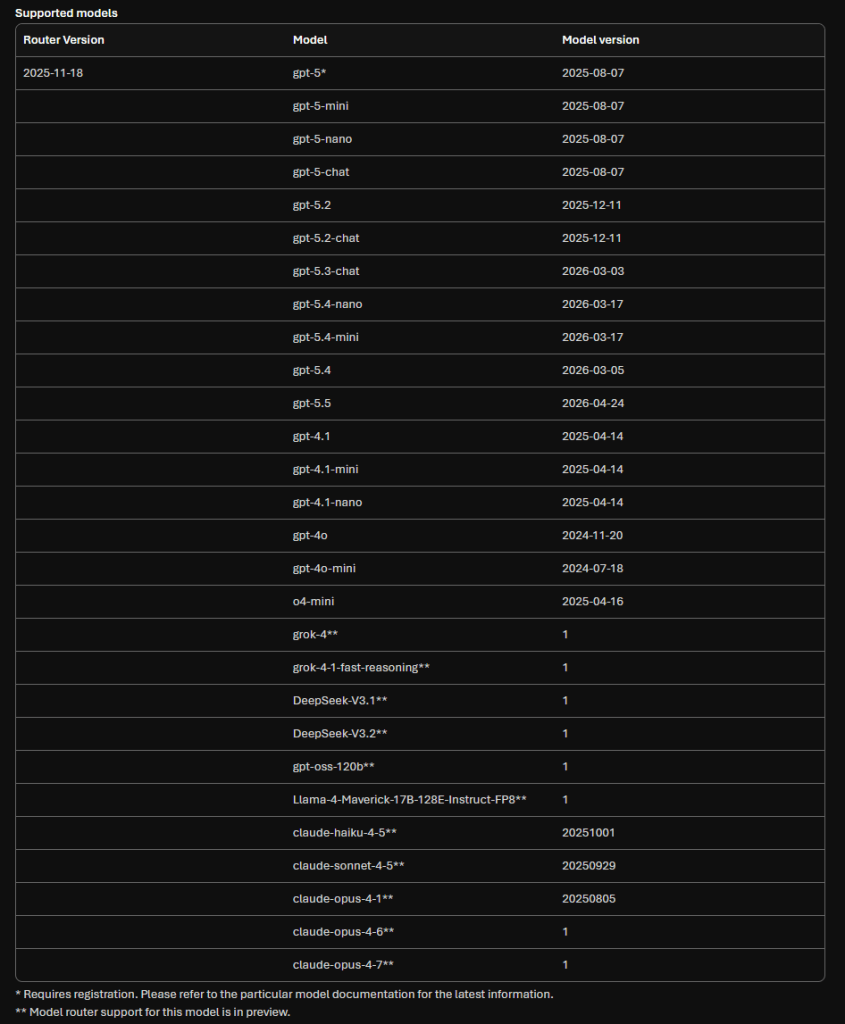
The latest Model Router version adds a fresh set of Anthropic models alongside the OpenAI, Meta, xAI and DeepSeek line-up:
- claude-haiku-4-5
- claude-sonnet-4-5
- claude-opus-4-1
- claude-opus-4-6
- claude-opus-4-7 — Anthropic’s most capable model
One important nuance — and this is the one most people miss on day one: Model Router support for the Claude family is currently in preview, and Claude models must be deployed separately from the Microsoft Foundry model catalog before Model Router can route to them. The OpenAI models in the routing set are run “from inside” Model Router and do not need a separate deployment. Claude is the exception — deploy the Claude variants you want first, then enable them in your Model Router subset, and the magic kicks in.
Worth noting that Claude is not the only one in preview. The 2025-11-18 routing set also marks DeepSeek-V3.1, DeepSeek-V3.2, gpt-oss-120b, Llama-4-Maverick-17B-128E-Instruct-FP8, grok-4, and grok-4-fast-reasoning as Model Router preview entries. The OpenAI GPT-4.x / GPT-5.x family is the GA core today — the rest is a rapidly growing preview frontier.
This is exactly the kind of setup I want for an enterprise agent — let Model Router pick between OpenAI and Claude per prompt, in Balanced or Quality mode, and let me stop arguing with myself about which model to hard-code. Just plan for it as a preview today and validate carefully before you push it into production.
Limits — still important
Here is the catch I always remind customers about: the effective context window of Model Router is the limit of the smallest underlying model. That means an API call with a very large context will only succeed if the prompt happens to be routed to a model that can handle it.
- Use Model subset to restrict routing to models that all support the context window you need.
- Shrink the prompt — summarize it, truncate to the relevant parts, or use document embeddings to retrieve only what matters.
Region-wise, Model Router is currently (when writing this article) available in East US 2 and Sweden Central, on Global Standard and Data Zone Standard deployments.
Vision inputs are accepted (all underlying models accept image input), but the routing decision itself is based on the text only. Audio input is not supported.
When would I use Model Router?
The biggest reason for me is simple — I want to give my agents a less model endpoints – even just the Model Router one. I configure one Model Router deployment, point my agents at it, and from that moment on Model Router can use whichever model in its disposal best fits the prompt — small and fast for trivial steps, top-tier reasoning for the hard ones, and even Claude models for cases where Anthropic is the right tool (as long as I have deployed Claude models separately to my Foundry first).
That single-endpoint pattern simplifies agent building. My agent code does not need to know which model is best for which step. It does not need a giant switch statement of “if reasoning task → call model X, else call model Y.” It just calls Model Router — and Model Router does the dispatching across everything I have made available to it.
And no, Model Router is not a “silver bullet” that is answer to everything. There are many cases and reasons why you want to control which model to use. There are also many cases where Model Router will just work.
Model Router adds also:
- A clean way to optimize for cost or quality without rewriting agent code every time a new model lands.
- An easy way to fold in brand-new models (like Claude Opus 4.7) — deploy them once, add them to the subset, and the agents pick them up automatically.
- Built-in failover for resilience.
Meet MAI-Image-2e — Microsoft’s faster image model
Now something almost-completely different — but still about models. The second one I want to highlight is MAI-Image-2e, one of Microsoft’s first-party image generation models in Microsoft Foundry.
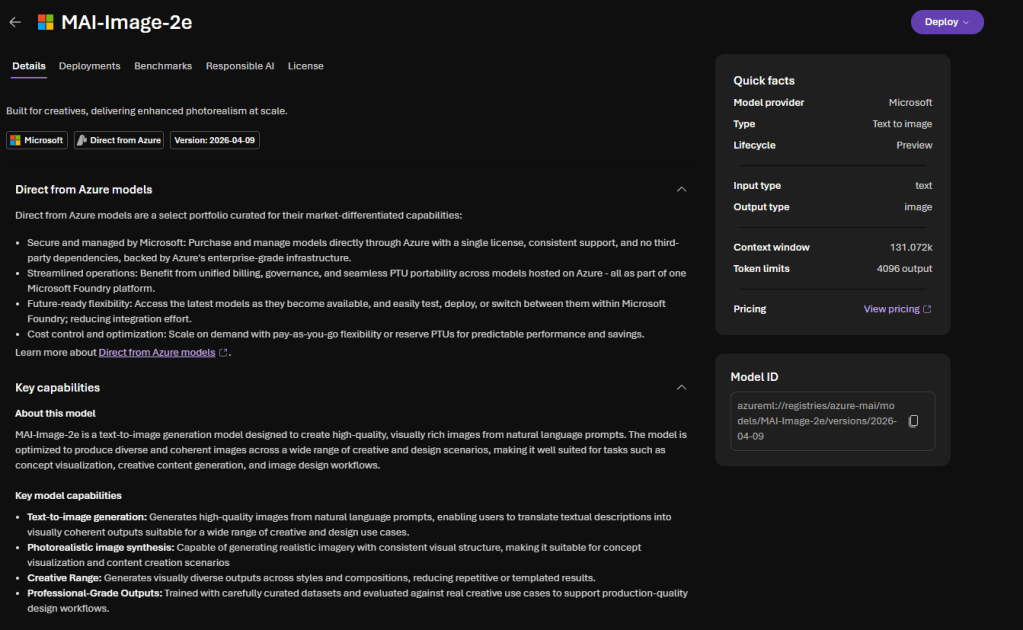
MAI-Image-2e is a text-to-image generation model that produces high-quality, visually rich images from natural language prompts. It is built on top of MAI-Image-2 with a clear promise — up to 22% faster and four times more efficient than MAI-Image-2, while keeping the same level of quality. For developers building at scale, that is the smartest choice.
Key capabilities:
- Text-to-image generation — high-quality images from natural language prompts.
- Photorealistic image synthesis — realistic imagery with consistent visual structure, well suited for concept visualization and content creation.
- Product, branding and commercial design — product imagery, marketing visuals, brand assets, and commercial creative workflows.
Specs:
- Input length: up to 32,000 tokens for the prompt.
- Output: a single PNG image.
- Image size: both width and height must be at least 768 pixels. The total pixel count (width × height) must not exceed 1,048,576 — equivalent to 1024×1024. Either dimension can exceed 1024 as long as the total stays within that budget — for example 768×1365 is fine.
- Regions: Global Standard deployment in West Central US, East US, West US, West Europe, Sweden Central, and South India.
You can deploy MAI-Image-2e like any other Microsoft Foundry model — from the Foundry portal or with a one-liner in Azure CLI — and you call it through the MAI image generation API endpoint at https://<resource-name>.services.ai.azure.com/mai/v1/images/generations, using Microsoft Entra ID or an API key. Or just experiment with it using the Playground in Microsoft Foundry.
When would I use MAI-Image-2e?
- High-volume, fast-turnaround scenarios — product imagery at scale, marketing variations, branded assets, anywhere efficiency and cost per image matter.
- Creative content generation — concept art, illustrations, and design exploration where the speed boost lets you iterate more in the same time.
- Photorealistic visuals for marketing and commercial use.
If you need the absolute highest-fidelity output and speed is not the priority, MAI-Image-2 is still in the catalog. But for most workflows I have been building lately, MAI-Image-2e is the better default — faster, cheaper, same quality bar.
A hat tip to those interested of Microsoft Foundry
Microsoft Foundry continues to evolve and gain new features — GPT-5.5 and Claude models in Model Router and MAI-Image-2e for image generation are two good examples. Model Router is the piece that makes that composition practical. MAI-Image-2e is the piece that makes high-volume image workloads sustainable.
Hat on, AI flowing — give Model Router a try, and if possible with a Claude Opus 4.7 deployment in your subset, and spin up an MAI-Image-2e deployment next to it.
Stay tuned — there is more Foundry goodness coming and here is a tip for that: Have you registered to Microsoft Build 2026? If you have not – do it now, it is happening next week! –> https://build.microsoft.com/
Sources & further reading


