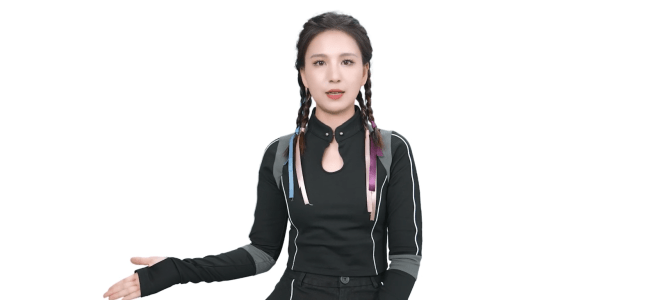
Have you ever wished to have a virtual assistant or a chatbot that can interact with your customers or audience in a more engaging and human-like way?
Microsoft launched its Azure AI Speech text-to-speech avatar creator at the Microsoft Ignite 2023 last week. This capability, currently available for public preview, allows users to create photorealistic avatars of people for use in a variety of scenarios. Some could call these deep fakes, but I don’t: deep fakes are often/always malicious. Azure AI Speech avatars are for business use and follow Responsible AI guidelines.
One of the key features of these avatars is its ability to support diverse languages and voices. This means that users can create avatars that cater to a global audience, with the ability to customize the avatar’s appearance and voice to their specific preferences and requirements.
These avatars can be used in a variety of scenarios, such as customer service and virtual assistants on screen, on mobile, in virtual reality or anywhere. By creating realistic avatars that can deliver dynamic content, businesses can provide a more engaging and personalized experience for their customers and employees.
Key features
- Convert text into a digital video of a photorealistic human speaking with a natural-sounding voice
- Use a collection of prebuilt avatars
- Text to speech is synchronized with the avatar movements to make it look natural
- Can be used for real-time or batch synthesis
- What are Azure AI Speech text-to-speech avatars?
- How realistic is Azure AI Speech text-to-speech avatar?
- Avatar use cases
- How to get started with Azure AI Speech text-to-speech avatar?
- Responsible AI
What are Azure AI Speech text-to-speech avatars?
Azure AI Speech text-to-speech avatar is a feature that enables users to create talking avatar videos with text input, and to build real-time interactive apps or bots trained using human images.Avatars are text-to-speech feature with vision capabilities, that allow customers to create synthetic videos of a 2D photorealistic avatar speaking. The Neural text to speech Avatar models are trained by deep neural networks based on the human video recording samples, and the voice of the avatar is provided by text to speech voice model.

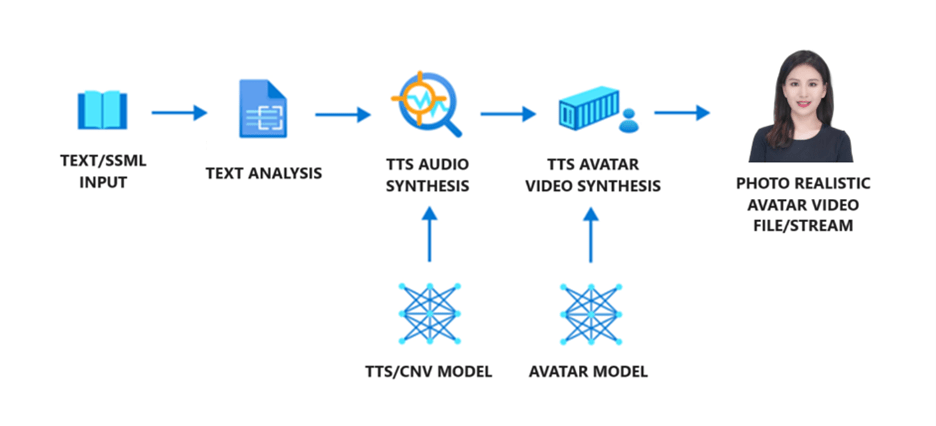
To generate avatar video, text is first input into the text analyzer, which provides the output in the form of phoneme sequence. Then, the TTS audio synthesizer predicts the acoustic features of the input text and synthesizes the voice. These two parts are provided by text to speech voice models. Next, the Neural text to speech Avatar model predicts the image of lip sync with the acoustic features, so that the synthetic video is generated.
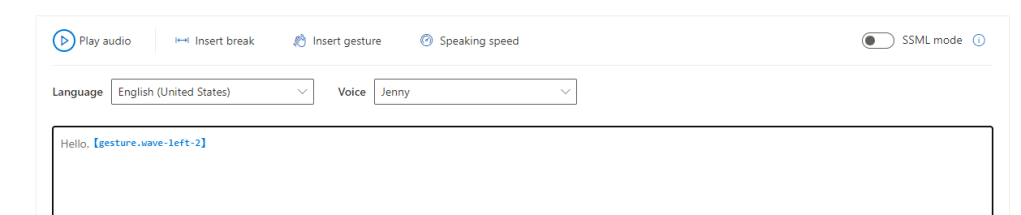
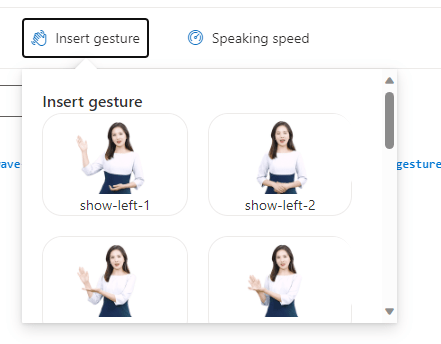
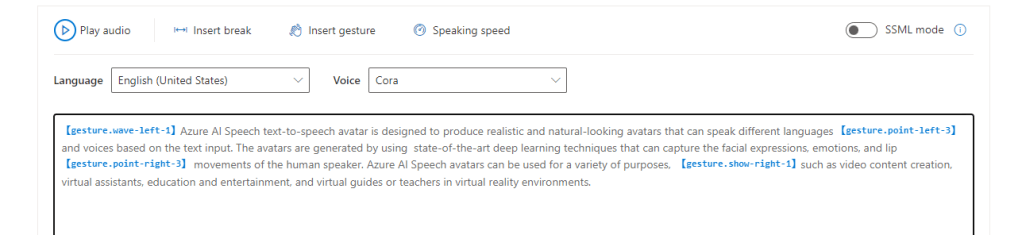
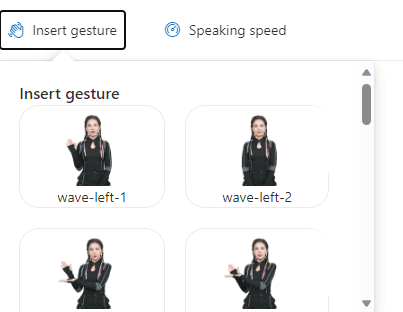
Sounds complex? No worries, it is possible to try these out by creating videos with your custom text, including inserting gestures.
How realistic is Azure AI Speech text-to-speech avatar?
Azure AI Speech text-to-speech avatar is designed to produce realistic and natural-looking avatars that can speak different languages and voices based on the text input. The avatars are generated by using state-of-the-art deep learning techniques that can capture the facial expressions, emotions, and lip movements of the human speakers.
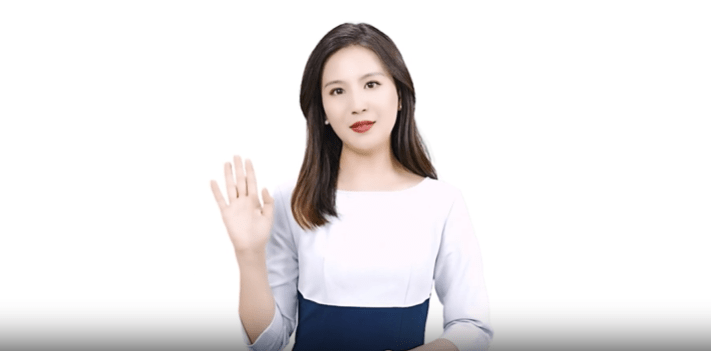
See yourself in this video:
The quality of the avatars depends on several factors, such as the quality and quantity of the training data, the choice of the voice model, and the complexity of the text input. Based on my own tests ( Sulava was part of private preview of these Avatars) it is easy to say that these avatars are of high quality and can indeed be used for various scenarios.
As with any AI-based system, there are limitations and challenges that need to be addressed, such as the ethical and legal implications of creating and using synthetic videos, the potential for misuse and abuse of the technology, and the need for transparency and accountability of the system.
Avatar use cases
Azure AI Speech text-to-speech avatar can be used for a variety of purposes, such as:
- Video content creation: Users can more efficiently create video content, such as training videos, product introductions, customer testimonials, etc., simply with text input. Customize the appearance and voice of the avatars to suit their needs and preferences.
- Virtual assistants: Users can create more engaging and human-like digital interactions, such as conversational agents, virtual assistants, chatbots, and more. Users can use the avatars to provide information, guidance, support, and entertainment to their customers or audience. These could be in virtual reality, such as Microsoft Mesh, in mobile or “anywhere” it makes sense.
- Education and entertainment: create educational and entertaining content, such as stories, games, quizzes, etc. Use the avatars to learn new languages, cultures, and skills.
- Virtual guides or teachers. Could be also a virtual reality environment, such as Microsoft Mesh.
These are just some of the examples of how these avatars can be used. The possibilities are vast, and businesses should unleash their creativity with this feature.
How to get started with Azure AI Speech text-to-speech avatar?
To use Azure AI Speech text-to-speech avatar, you need to have an Azure subscription and a Speech resource. This is available in the following regions: West US 2, West Europe, and Southeast Asia.
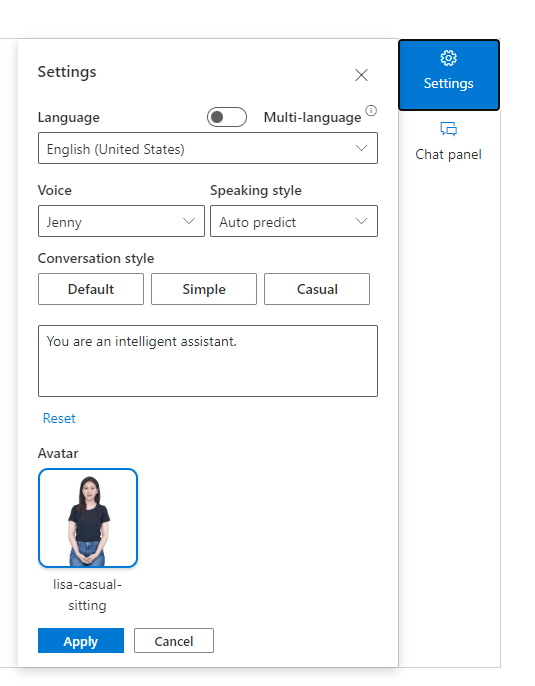
Microsoft offers two separate text to speech avatar features at this time: prebuilt text to speech avatars and custom text to speech avatar.
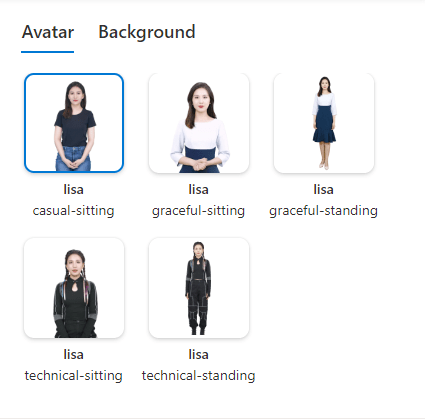
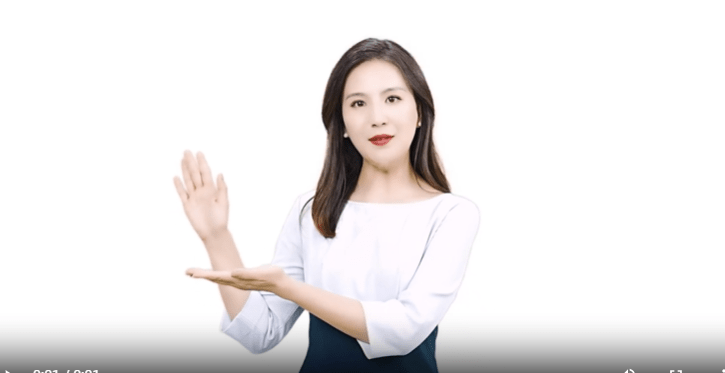
Prebuilt text to speech avatars are out of box products on Azure for its subscribers. These avatars can speak different languages and voices based on the text input. Customers can select an avatar from a variety of options and use it to create video content or interactive applications with real time avatar responses. Some prebuilt avatars also have gestures, you can insert to text to make the avatar more active. Now there are a few prebuilt avatars available.
Customers can create Custom text to speech avatars by using their own videos as training data. Customers can, eventually, use the Azure AI Speech text-to-speech avatar creator tool to upload their data, select a voice model, and generate a custom avatar. Then the custom avatar can be used to create video content or interactive applications with real time avatar responses. Currently, in preview, custom avatars are in limited preview and the data processing & model training is done manually.
At this moment, the custom avatar appears as in the training video provided for model training. Clothes, hairstyle and so on can’t be changed. If there are requirements to create several different styles, it means it is required to create multiple custom avatar training videos. Before submitting your video, make sure the avatar actor has the correct hairstyle, clothing etc so it matches your need. Using a custom voice requires training of a custom neural voice separately and then using that voice when generating avatar video.
Easiest ways to get started are to use avatar content creation tool for videos or sample code from Github. The content creation tool is very useful for trying this feature out, as you can choose the avatar, background (white or transparent) and create the video using the web UI.
Responsible AI
Responsible AI is the practice of upholding AI principles when designing, building, and using AI systems. Microsoft has developed a Responsible AI Standard, which is a framework for building AI systems according to six principles: fairness, reliability and safety, privacy and security, inclusiveness, transparency, and accountability.
Creating and using photorealistic avatars also raises some responsible AI concerns, such as protecting the rights and dignity of the individuals whose images and voices are used to train the avatars, ensuring the quality and accuracy of the synthetic videos, and preventing the misuse of the avatars for harmful or deceptive purposes.
To address these concerns, Microsoft has implemented measures to ensure that the text to speech avatar feature is used in a responsible manner, such as requiring customers to register their use cases and apply for access to the custom avatar feature, which is a Limited Access feature available only for certain scenarios.
With Responsible AI practices, Microsoft aims to empower customers to use the text to speech avatar feature in a way that is driven by ethical principles, respects the rights of individuals and society, and fosters transparent and trustworthy human-AI interaction.
Read more from Microsoft Learn.

 Vesa Nopanen - Future Work today
3 thoughts on “Photorealistic talking avatars with Azure AI Speech ”