All this information can be found at Microsoft 365 Roadmap that were added/updated during 22nd and 21st of September (Microsoft Ignite time). While looking through the Roadmap it is not always that easy to get a good summary view. To help that out here is a list of recent updates in the roadmap with their … Continue reading Microsoft Ignite 2020 Teams and Office 365 news – rollout schedules summary
Tag: Microsoft Teams
Teams news summary of Microsoft Ignite
#MSIgnite, the Microsoft Ignite 2020 - did it again. The big and beautiful Microsoft tech and developer conference delivered again tons of announcements, news and information. In this post I am focusing on Microsoft Teams related news.. and I am not trying to list all of them but ones I see the most essential + … Continue reading Teams news summary of Microsoft Ignite
Review: Jabra Elite Active 75t
I like to use wireless buds as a headset when I am outdoors, commuting or traveling (hopefully looking at the future on this part). They have lots of benefits that make them ideal for me when I am going outside. But I also have requirements for them: They and their case can't take too much … Continue reading Review: Jabra Elite Active 75t
Review: Poly Blackwire 8225
This year has been a good year for Microsoft Teams users in many ways. One of the great things how there are several Teams Certified headsets and devices already out there. I am always looking forward to "find the perfect and best device for my use" so I naturally catched the opportunity to test new … Continue reading Review: Poly Blackwire 8225
Get ready to travel the Microsoft Teams Road at Microsoft Ignite
The big big conference is just around the corner! Beginning in just TWO days it will be two days of exciting news, knowledge, keynotes, overviews and deep-dive sessions along with loads of interaction and community activities. Since #MSIgnite is virtual and free to attend this year (we all know why) Microsoft has taken extra steps … Continue reading Get ready to travel the Microsoft Teams Road at Microsoft Ignite
Create a Teams meeting easily with Power Automate
When I was looking my demo tenant to create some new Power Automate demos I found out that there were new Teams Flow Actions available! Meetings are important so I thought I better build a short Flow to see how it is really behaving. Create a Teams meeting (preview) Looking at the action it looks … Continue reading Create a Teams meeting easily with Power Automate
TeamsFest October 7th 2020 ✅
Today it is exactly one month (30 days) before TeamsFest - a fantastic free Microsoft Teams focused online event For the Community, By the Community to share the knowledge and experiences of Microsoft Teams to everyone who attends it! TeamsFest is organized by Chris Hoard, Adam Deltinger, Chris Webb and me. As an anecdote we … Continue reading TeamsFest October 7th 2020 ✅
Upcoming Breakout Rooms in Microsoft Teams: information so far
This week we have seen some info about upcoming Breakout Rooms functionality to Microsoft Teams in Twitter and in LinkedIn by Microsoft employees. Jeff Teper tweeted "Working on it... " with a picture snipped about how Breakout Rooms look in Teams https://twitter.com/jeffteper/status/1295432950675156992?s=09 And the Rish Tandon followed up with information that "up to 50 them, … Continue reading Upcoming Breakout Rooms in Microsoft Teams: information so far
The better and improved Teams Whiteboard
Microsoft Whiteboard got nice improvements to both Teams and web-version during the summer. In this post you can see what the improvements are and how they work together with the Whiteboard app. First, the most important improvements Write text anywhere in Whiteboard at Teams & webAdd & edit notes in the whiteboardMove objects in the … Continue reading The better and improved Teams Whiteboard
How to: add a task to To-Do from a selected Teams message
Teams got a huge amount of updates and new features during the summer 2020. They are all extremely interesting, but for this one I start off easy and something that can help lots of people: how to make a task out of a single Teams message. It is recommended you read the whole post before … Continue reading How to: add a task to To-Do from a selected Teams message
To a summer break!
I am going onto a summer break. Starting now. While it is a really break from the work the summer break also means more dedicated time with family. I am not saying I wouldn't be blogging or being present at social media - but I will give more priority time for family and aim to … Continue reading To a summer break!
How to create a personal “read this” task for every message added to a channel in Teams
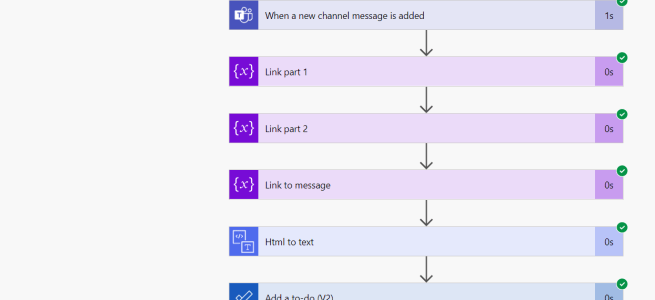
I wrote earlier about adding a ToDo or a Planner task every time you are mentioned in a specific channel. This was to cope with situations where you are being mentioned so much that you can't follow your atmention notifications anymore. Another, a bit similar but usually purely personal, matter is to keep track of … Continue reading How to create a personal “read this” task for every message added to a channel in Teams
Power Virtual Agents & You: Integrating Bots Into Microsoft Teams Without Coding
I guest blogged to AvePoint Blog about Power Virtual Agents and how to integrate lowcode/nocode bots with #MicrosoftTeams. Yes, Teams Application template bots are in the post as well. The post gives you an overview what you can do with Teams Bots (#TeamsPlatform) and some ideas how you can get started with them by building … Continue reading Power Virtual Agents & You: Integrating Bots Into Microsoft Teams Without Coding
Helping the busy BDM or manager: create ToDo tasks automatically when you are mentioned in a team channel
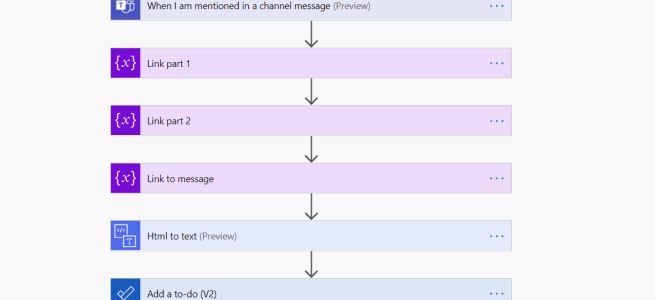
I have heard the story several times: too much teams, too much channels, too much notifications and especially: too much atmentions. Of course some of that can be taken care of by making Teams your own ( Check out my session at virtual Microsoft 365 Saturday Madrid to get Teams back to your control and … Continue reading Helping the busy BDM or manager: create ToDo tasks automatically when you are mentioned in a team channel
How to: integrate Power Virtual Agents with Teams using SSO and how to retrieve user information
Power Virtual Agents are a great platform that allows organization to create powerful chatbots in a very short amount of time. And yes, they are easy to install into Teams as well. Let's assume you have a some kind of Power Virtual Agent bot (PVA bot) ready and you want to bring that bot into … Continue reading How to: integrate Power Virtual Agents with Teams using SSO and how to retrieve user information
What’s new and happening with Teams during summer 2020?
Microsoft Teams has been flying fast in recent months - there are several new features that we all enjoy and have waited. Some examples of obvious ones: 3 x 3 gallery in Teams meetings, which increases engagement and interactivity quite nicely. This is getting to be better with confirmed 7x7 gallery view that is coming … Continue reading What’s new and happening with Teams during summer 2020?
Live Events, Whiteboards & one live OneNote.
Live Events are becoming more and more popular. They are however limited in collaboration side: you can interact with audience using Q&A functionality (they ask questions, you answer them). What about Whiteboards or OneNotes and Live Events? Note: No, you can't share OneNote to Live Event in a way that everyone could collaborate and ink … Continue reading Live Events, Whiteboards & one live OneNote.
Why to OneNote instead of Whiteboard?
I have written several articles about Microsoft Whiteboard in this blog. I really enjoy using Whiteboard for several reasons (innovative, fun, included in every Teams meeting, has great features) but there is a similar flaws in it currently than with Teams Wiki or Meeting Notes - it is not enterprise ready as a collaboration tool … Continue reading Why to OneNote instead of Whiteboard?
Tips and tricks for Teams Breakout rooms and event organization
I wrote previously about how to create and organize Breakout Rooms to Teams. This article follows it up with some good practices and tips that help to facilitate the event better and get a better attendee experience. Thank you all who commented and gave feedback about their methods which gave me the inspiration to pull … Continue reading Tips and tricks for Teams Breakout rooms and event organization
How to create and manage Breakout Rooms in Teams meetings
New Breakout Rooms to Microsoft Teams were published and rolled out on 9th of December 2020. Check out my How to Definite Guide for new Breakout Rooms here. This is a older article you may want to use this do Breakout Rooms in a manual way if Breakout Rooms don't apply to your scenario. If … Continue reading How to create and manage Breakout Rooms in Teams meetings
Testing headphones for Teams use: Plantronics Voyager 8200 UC
I have written a few headset tests earlier: Jabra Elite 85h https://myteamsday.com/2020/02/07/jabra-elite-85h/Jabra Evolve 75 & Logitech Zone https://myteamsday.com/2019/11/27/microsoft-teams-with-jabra-evolve-75-and-logitech-zone-wireless/ Poly / Plantronics headsets had been missing from my personal hands-on experience but I had heard lots of good about them. When I finally got my hands on to one set a month ago I decided to … Continue reading Testing headphones for Teams use: Plantronics Voyager 8200 UC
How to use Microsoft Whiteboard in teams and channels
Using Microsoft Whiteboard in meeting is easy and I have written a couple of blogs about that earlier: https://myteamsday.com/2019/11/19/how-to-use-whiteboard-in-teams-meetings/ and https://myteamsday.com/2020/03/21/how-to-whiteboard-in-teams-meetings-efficiently-ii/ 20.1.2021: it is now possible to add Microsoft Whiteboard to a channel as a tab. Read my blog post how to. If you want to start using Whiteboard with your team in channels you … Continue reading How to use Microsoft Whiteboard in teams and channels
Guide how to do Crisis Communication in Microsoft Teams with only out of the box features
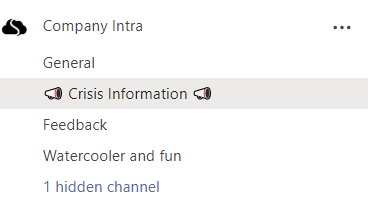
Current world-changing and wrecking Corona-crisis has raised the need for communication inside company to new frontiers and atmospheres. Employees need information for themselves (what this means to me and to my work, how we continue from now on, what changes) and for the company (how we are communicating to outside, is there a common story … Continue reading Guide how to do Crisis Communication in Microsoft Teams with only out of the box features
Creating webinar sign-ups, approvals and invitation emails sending using Forms, Teams and Power Automate (POC)
There is now more demand than ever before to create online events with Microsoft Teams. These may be training events or webinars or just a need to organize a online community meeting using Teams Meeting or Live Event. But if you don't want to share your joining link publicly in Twitter and pages (like #TeamsFest … Continue reading Creating webinar sign-ups, approvals and invitation emails sending using Forms, Teams and Power Automate (POC)
Art of Pinning Channels III
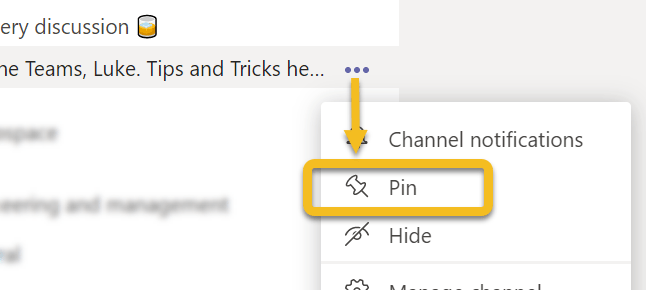
I wrote last year two posts in this blog about Pin channels feature in Microsoft Teams. The first one was more about "what is Pin channels and how do you use it" and the second was "what if you would turn Teams to more channel oriented". This one is more about my experiences since … Continue reading Art of Pinning Channels III
Easy Teams onboarding by welcoming new members automatically
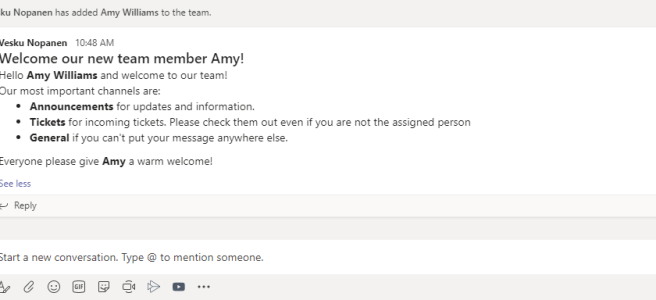
You are added to a new team and look around. While some teams are familiar from the click one, there are some that would require a bit of more knowledge. What is the team's purpose, what are those channels, are there some agreed team practices? Instead of having to ask around for these the team … Continue reading Easy Teams onboarding by welcoming new members automatically
Sharing a teams conversations using Outlook
A new feature recently rolled out to Teams. You can now choose to share a Teams conversation using Outlook. The feature is found via message's ... (three dots, ellipses) menu. This shares the message and all it's replies. Then the Outlook-style window will open up. You can add your comments, do editing of message etc. … Continue reading Sharing a teams conversations using Outlook
Jabra Elite 85h: the best modern worklife headphones I’ve had so far
I use Teams meetings and calling a lot. I also do tons of work from various other places than my home office. Some other locations are for example a train when I commute to Helsinki, when I am visiting our headquarters, occasionally in a café or restaurant, lobby, .. You name it. Simply put: I … Continue reading Jabra Elite 85h: the best modern worklife headphones I’ve had so far
Copying files to Private Channel using Graph API
I was approached with a scenario: Once I have created a Private Channel how can I automatically copy files there? Since I didn't have a direct answer it was time to open Graph Explorer and start digging. Create a Private Channel You need to have a suitable team first. /me/joinedTeams is quite a good Graph … Continue reading Copying files to Private Channel using Graph API
Teams features hidden in plain sight: right-clicks and pinning applications
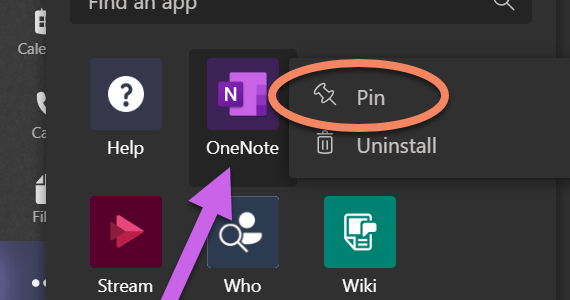
Microsoft Teams doesn't always tell you what you can do in it's interface. Since it is a kind of web application we have used to use left click around different menus. However, there are some features in Teams that will make your life easier if you right-click on them. And I am not talking about … Continue reading Teams features hidden in plain sight: right-clicks and pinning applications
Survival Guide to Microsoft Teams with multiple accounts
One very often heard challenge with Teams is that it is difficult to handle work when you have to use multiple identities (accounts). Usually you have your homebase (home tenant) where you have your work account. And I agree - using Teams with just one account is the most simple use case. However, it is … Continue reading Survival Guide to Microsoft Teams with multiple accounts
Adding PowerApps as Teams application to Teams via Graph API
You may already be aware that you can export a PowerApps to Teams. In case you haven't heard about this part check this URL: https://powerapps.microsoft.com/en-us/blog/add-your-canvas-apps-to-teams/ However, the real interest is in what we can do with PowerApps once we have uploaded the application to Teams App Catalog. You need to figure out, before progressing, a … Continue reading Adding PowerApps as Teams application to Teams via Graph API
What’s next on Teams’ radar
There are lots of interesting features of Teams that ought to come out during the first two quarters of 2020. I know we all are waiting for a few of them, like multiwindow functionality and new Tasks application. What I really look forward and hope multiwindow fulfills the need to "spread out" the meeting to … Continue reading What’s next on Teams’ radar
Approvals in Team Channel using Power Automate and Adaptive Cards
While there has been possible to create personal approvals using Power Automate, there is also a possibility to divert those requests to Team Channel and so anyone who is a member of that team can approve the request. This can create speed, transparency and flexibility into decision making - especially if there is any discussion … Continue reading Approvals in Team Channel using Power Automate and Adaptive Cards
Create a Teams Private Channel using Graph API and Power Automate (Flow)
Have you thought about creating a private channel in Teams using a API? Yes, it is possible to do so in case you were wondering is that really supported or not. Using Graph Explorer is simple, fast and easy for this testing. First you need to figure out a few IDs: Team ID (for example … Continue reading Create a Teams Private Channel using Graph API and Power Automate (Flow)