How to: initiate a document approval directly in team files tab (using Power Automate)

The new Approval application is a very useful tool for multiple use cases that requires approval. One of it's great benefits is that it brings the approval process directly onto Teams - where the users are. It simultaneously sends also the approval in email for users so they can choose where they act on the … Continue reading How to: initiate a document approval directly in team files tab (using Power Automate)

How to set up and use Task Publishing in Teams

Task Publishing was recently made available in Microsoft Teams. The general info about Task Publishing can be found in here. In this article I lay out how you can get started while following also the documentation presented here. 21.1.2021 updated this post with task list housekeeping (unpublish, duplicate, delete) Microsoft defines Task Publishing very well … Continue reading How to set up and use Task Publishing in Teams

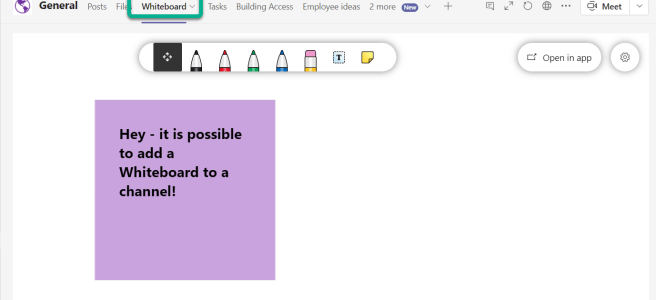
How to: adding a Microsoft Whiteboard to a team channel as a tab

Microsoft Whiteboard is a great tool in the Microsoft 365 belt: allowing innovative & visual planning while keeping the data inside the tenant. And of course one big benefit is that it is included with the license. There is still room for improvement with Microsoft Whiteboard but one of the roadmap items just completed: adding … Continue reading How to: adding a Microsoft Whiteboard to a team channel as a tab

The Ultimate How To Guide for Presenting Content in Microsoft Teams

Sharing / presenting content in Teams meeting is at the same time simple but is also has some options available that may not be known enough by everyone. This guide lets you get started and dive deeper what happens when you share your window, document or desktop in Microsoft Teams. This article will be updated … Continue reading The Ultimate How To Guide for Presenting Content in Microsoft Teams

Teams Roadmap Watch – mid January 2021

Here are some latest updates to Teams Roadmap. As usual - refer to the source for the up to date situation. One big change is the Meeting attendee registration (=webinar support) that moved from January to March 2021. FeatureIDDescriptionAddedUpdatedRelease66586Microsoft Teams: Meeting attendee registration22.9.202015.1.2021March CY202170558OneDrive: 250 GB file size support in Microsoft 36513.1.202115.1.2021February CY202170573Microsoft Teams: Large … Continue reading Teams Roadmap Watch – mid January 2021

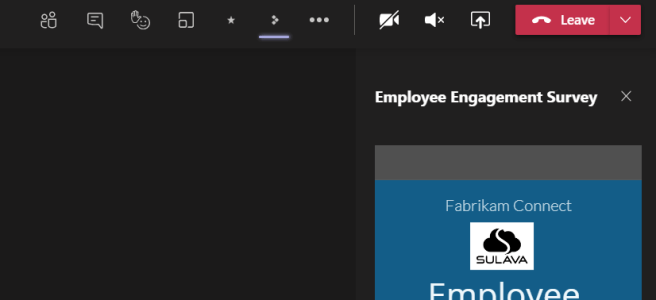
How to create your own Teams Meeting apps with Power Apps

Ability to add Forms and other apps to Meetings become possible in November 2020. When meeting apps were announced Power Apps logo was included from the start. Meanwhile we have seen more and more apps that you can add to meetings (like Polly). Today I discovered how you can add your own Power Apps to … Continue reading How to create your own Teams Meeting apps with Power Apps

How to deploy the Company Communicator (App Template application) to multitenant setup

If you are aware about Microsoft App Template's then you have come across Company Communicator. The most safe way to deploy the Company Communicator is to make sure that your Azure subscription and Office 365 are in the same tenant. But that is not always the case. In this blog post I highlight what to … Continue reading How to deploy the Company Communicator (App Template application) to multitenant setup

How to: adding the new Channel Calendar to team channel

The Channel Calendar feature made it's appearance to Microsoft Teams today in few of my tenants! This is a long-awaited feature indeed - the channel meetings won't be lost anymore!What this is: A Calendar app to channel meetings that have been scheduled in that team in that channel and to creating new onesThis is NOT … Continue reading How to: adding the new Channel Calendar to team channel

Screen recording tools 2021

This is a topic that comes forward very often: how can one record a screen video and then edit it afterwards. What options there are available and how they work in the real scenarios? There are several (plenty) tools available but let me highlight a few. I am happy to see more tools listed in … Continue reading Screen recording tools 2021

Roadmap Watch: what to expect for Microsoft Teams in January 2021?

Year 2021 is here. Microsoft Teams, and Microsoft/Office 365 is getting a big number of updates. Just looking what is scheduled for January 2021 that is a big list of interesting capabilities! Some highlights from the list. Share System Audio on Mac is showing as cancelled because there were a duplicate item. https://www.microsoft.com/en-us/microsoft-365/roadmap?searchterms=67168&filters=&searchterms=67168 (thank you … Continue reading Roadmap Watch: what to expect for Microsoft Teams in January 2021?

Teams Application highlight: Perfect Wiki

Microsoft Teams application store has a big number of applications in it. It means also that it can hold in apps that could be useful to many organizations - but they just don't know that such an app exists. I thought I check out some of them once an a while to share the information … Continue reading Teams Application highlight: Perfect Wiki

Microsoft Teams Roadmap Watch updates

Microsoft Teams roadmap seems to update weekly these days. This time there weren't that many changes but it is good to note that End of meeting notifications has rolled outHistory menu is scheduled now for February 2021Outlook is getting Meeting Options prompt when meeting invite has 40 or more participants or 10 or more distribution … Continue reading Microsoft Teams Roadmap Watch updates

Review: Jabra Evolve2 85 with Microsoft Teams

I have been testing several different audio devices for use with Teams in this blog. I can finally add Jabra Evolve2 85 to the list. Can you spot the matching colors of the headset Teams-connected light and my keyboard? 😂 Jabra Evolve2 85 is the high-end headset for work from Jabra. For it's high-end headset … Continue reading Review: Jabra Evolve2 85 with Microsoft Teams

How to use Pop out apps in Teams

Microsoft Teams recently got a new feature to Teams Desktop client: ability to Pop out application from Teams UI into a separate window. If you have the New Meeting -experience checked on in Teams Desktop Client Settings you can start utilizing this feature. This is a follow up to earlier Pop out chat -feature. If … Continue reading How to use Pop out apps in Teams

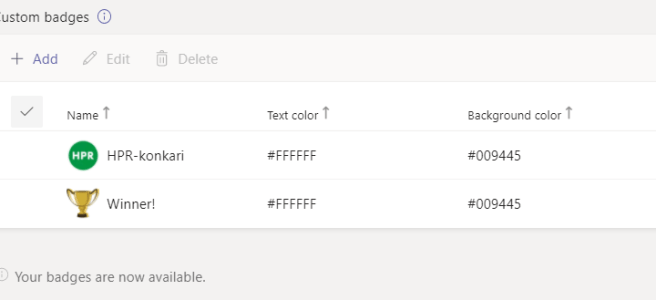
How to guide for custom Praises in Microsoft Teams

Microsoft Teams got finally Custom Praises out last week. This means you can do awesome praises / endorsements to your colleagues in your own organization theme and color. That makes praises to feel even better and sharing that Good Will & Gratitude makes even more sense. For raising spirits and increasing motivation it is a … Continue reading How to guide for custom Praises in Microsoft Teams

Roadmap watch: Large (1k) & Overflow meetings postponed to Q1/2021

The Teams Roadmap has been updated again. I can't say I am surprised that some meeting features were postponed with a few months - there hadn't been much noise about them in social media which lead me to guess they won't be out yet. But as always - Roadmap is a estimate of the schedule … Continue reading Roadmap watch: Large (1k) & Overflow meetings postponed to Q1/2021

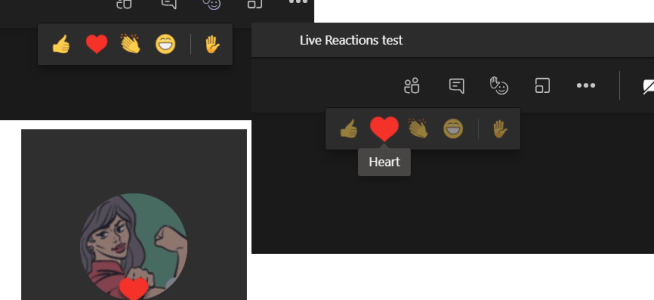
Live Reactions, Together Mode in Teams Web and native Windows Notifications are available in Teams Public Preview

This week brought in several great features to Microsoft Teams! The Breakout Rooms was met with massive success and that might have overshadowed some other great features that came out. Custom PraisesAbility to change Together Mode scenes Teams Public Preview When you enable Teams Public Preview you get your hands on to a few features … Continue reading Live Reactions, Together Mode in Teams Web and native Windows Notifications are available in Teams Public Preview

How to use “Definite Guide” for the new Microsoft Teams Breakout Rooms

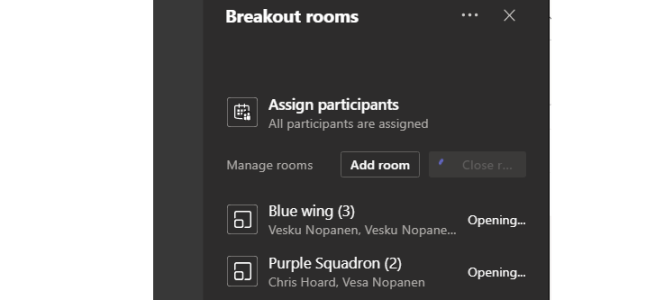
The new out-of-the-box virtual Microsoft Teams Breakout Rooms became available in December 2020! This blog post is the definite guide how to use Microsoft Teams Virtual Breakout Rooms. Blog post updated 30.9.2021 (dd.mm.yyyy) Some quick facts about Breakout Rooms You can precreate rooms in advance and move invited people to rooms before the meetingYou can … Continue reading How to use “Definite Guide” for the new Microsoft Teams Breakout Rooms

Roadmap watch: new search, video filters and large meetings in Teams delayed

When checking out the M365 I found out that there were some changes wort mentioning. New Search Experience in Teams A new search experience in Teams will make finding messages, people, answers, and files faster and more intuitive. A redesigned search results page provides better context and faster results, with AI-powered relevance based on the … Continue reading Roadmap watch: new search, video filters and large meetings in Teams delayed

How to: create and add a OneNote tab to your Microsoft Teams team channel using Power Automate + Graph API

I was asked to share how I have been adding new OneNote tabs to a team channel in Microsoft Teams using Power Automate + Graph API. If you look at the documentation it shows you this: Of course I never believed that but found earlier a way to hack OneNote into a channel as tab … Continue reading How to: create and add a OneNote tab to your Microsoft Teams team channel using Power Automate + Graph API

Roadmap watch: latest changes to upcoming Teams meeting schedules

Another day, another updates to the Microsoft Teams roadmap! While none of is happy to see schedules updating to a later month but I appreciate that they commit to the ready features and also let us know when to expect them to roll out. I would love to see them updating the dates more often, … Continue reading Roadmap watch: latest changes to upcoming Teams meeting schedules

How to: set your status duration in Teams

Currently rolling out - and appearing to tenants - is the ability to set your status duration for determined amount of time. As you already might now you can set following statuses in Microsoft Teams: And yes - you can hide yourself being even logged into to Teams by choosing Appear offline. This is useful … Continue reading How to: set your status duration in Teams

Review: Poly Calisto 5300 Speakerphone

I have been testing different audio devices for use with Teams/worklife use since the summer. First one of those I want to write a review is Poly Calisto 5300 Speakerphone. The Specs USB-C + USB-C dongle. There are also USB-A models availableUp to 16 hours of talk timeBluetooth 5.0Charge by connecting with wire to USB-C … Continue reading Review: Poly Calisto 5300 Speakerphone

How to add polls to Teams meetings

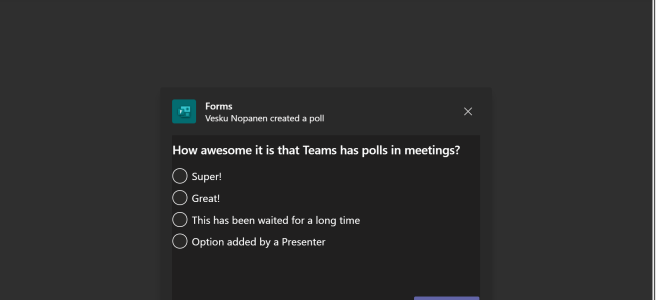
The ability to add polls (finally! Just saying..) to Microsoft Teams meetings became possible recently when the feature to add applications to Teams meetings was released to general availability. Among the first applications to add to meetings were Forms and Polly. Let's take a look how you can add polls to meetings in a step-by-step … Continue reading How to add polls to Teams meetings

Microsoft Teams Desktop: adding more than one account coming in December

Teams Desktop is getting the ability to add more accounts! Before you get too excited about this note that it means "add one personal account along with one work/school account". It is not the "add multiple accounts of all kinds" we would love to see - but it is a start. This will allow to … Continue reading Microsoft Teams Desktop: adding more than one account coming in December

How to make your Teams bots richer with markdown

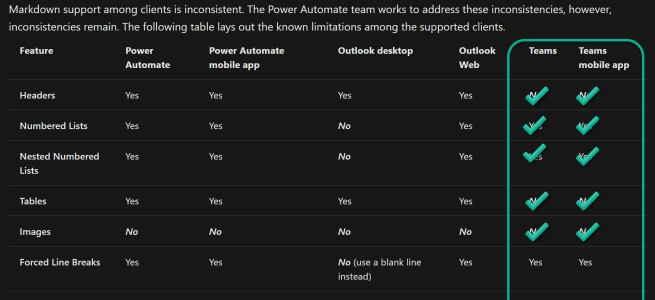
Microsoft Teams comes with excellent lowcode/nocode tool for bots: Power Virtual Agents. Project Oakdale, which is now in preview, brought these bots directly to Teams licensed users to create bots that help tackle , for example, overload on people answering routine questions. When you are creating the bot dialogue it is easy to use richer … Continue reading How to make your Teams bots richer with markdown

Teams Nation – Returning May 26th 2021

TeamsFest has been an incredible ride. Having just finished the event a few weeks ago, Chris, Adam, Chris and I had the opportunity to catch up before our monthly user group to have a look at the figures. We had over 1300 unique attendees at TeamsFest which was twice as large as our last event, … Continue reading Teams Nation – Returning May 26th 2021

Virtual Breakout Rooms to Microsoft Teams

New Breakout Rooms to Microsoft Teams were published and rolled out on 9th of December 2020. Check out my How to Definite Guide for new Breakout Rooms here. This is an old article. More information about upcoming Virtual Breakout Rooms has been shared by Microsoft to organizations via Message Center Major Change Update Notification. Since this … Continue reading Virtual Breakout Rooms to Microsoft Teams

Roadmap watch: latest modifications to Microsoft Teams Roadmap

There are again several changes in Microsoft Teams Roadmap. While the latest info is found always at the roadmap I copy here the list of most recent changes for easier big picture. One big change, affecting lots of people, is the Virtual Breakout Rooms schedule which has been updated to November 2020. So what's changed … Continue reading Roadmap watch: latest modifications to Microsoft Teams Roadmap

How to use SharePoint Spaces in Microsoft Teams

SharePoint Spaces are 3D virtual "spaces" you can create to modern SharePoint Site. They are best experienced with AR/VR Headset but you can use them with 2D displays as well. Since they are in public Preview I thought I give them a real test finally. When you think about use cases for SharePoint Spaces you … Continue reading How to use SharePoint Spaces in Microsoft Teams

It is possible to run two Teams Desktop Apps at the same time

With a kind of hacking trick it is possible to run two Teams Desktops at the same time. First I need to point out that they won't be running perfectly side-by-side all the time since some actions can affect the another one so this is not the perfect even when it is possible. For example … Continue reading It is possible to run two Teams Desktop Apps at the same time

Microsoft Teams recent Roadmap updates

I thought I take a look at the most recent roadmap updates. There has been several changes from September to October rollout but that is always to be expected: roadmap schedule is the best estimate of the time. As always it is best to check the real time situation directly from the roadmap. Feature IDDescriptionStatusLast … Continue reading Microsoft Teams recent Roadmap updates

How to use new Team Templates and how to do custom team provisioning using them as the team template

The long awaited Team Templates are starting to appear in tenants around the world. Some get it sooner and some have to wait: don't worry they will come. When they are available the Create a team function on Teams will look somewhat different. Let me first walk you through the end user experience before going … Continue reading How to use new Team Templates and how to do custom team provisioning using them as the team template

How to: create #nocode bots to teams super-easily in 5 minutes using Power Virtual Agents app in Teams

The new Project Oakdale connected Teams application preview version saw the rollout during the Microsoft Ignite 2020 last week. Now it is easier than even to create a smart bot to Microsoft Teams that can have conversations and perform actions with team members - or with everyone in the company. And all that without coding … Continue reading How to: create #nocode bots to teams super-easily in 5 minutes using Power Virtual Agents app in Teams

How to Spotlight a specific video in Teams meeting

The Spotlight-features has appeared to several tenants now. Using it an individual video feed can be spotlighted to meeting attendees. Once spotlight is active it will "lock" that video feed as primary video shown to attendees. If you are sharing content the content will take priority (the big area) over video. This is very useful … Continue reading How to Spotlight a specific video in Teams meeting