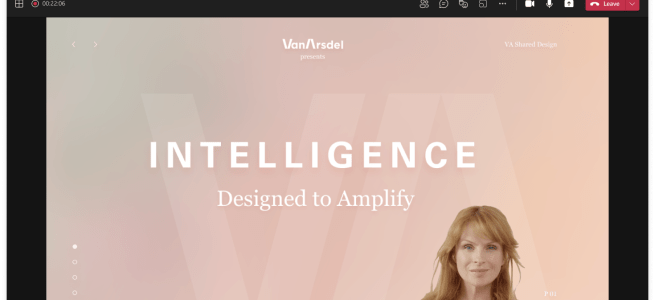
You can easily present your PowerPoint directly to Teams meeting using PowerPoint Desktop. This makes it very easy to project your presentation directly to Team meeting that is open. This is most of all about usability and an another skill in PowerPoint Live's big hat. You need to have a meeting open in Microsoft Teams … Continue reading How to present from PowerPoint desktop directly to Microsoft Teams meeting
Tag: Microsoft Teams
How to reply to a Teams message with delay
I have heard from various people, in various situations, that they would love to have a feature for Microsoft Teams that would allow them to reply to a message - but the reply would be sent later. That capability has in fact been there since last autumn, but it is now easier to add than … Continue reading How to reply to a Teams message with delay
How to use Microsoft Teams Approvals with eSign: Adobe Sign
If you are using Microsoft Teams in Public Preview then you can already try out Approvals application integration with eSign using Adobe Sign provider. It has been stated that more providers will be added in the future. However Adobe Sign is a very popular service so it is a good way to get started with … Continue reading How to use Microsoft Teams Approvals with eSign: Adobe Sign
How to create and use Approval templates in Microsoft Teams
Approval Templates are now available for testing in Microsoft Teams Public Preview. You may have to ask your administrator to enable Public Preview for you - or just wait a little longer until feature is fully tested before it rolls to generally available production. However if you are the one sharing information in your organization … Continue reading How to create and use Approval templates in Microsoft Teams
Microsoft Whiteboard in Teams meeting has new look and tools
I had a pleasant surprise a couple of weeks back to see that Microsoft Whiteboard in Teams meeting and in the web version has gotten a new look and also some new functionalities. I will highlight to you in this blog post what it is all about. When you create a Teams meeting and open … Continue reading Microsoft Whiteboard in Teams meeting has new look and tools
New content sharing experience is now in Public Preview
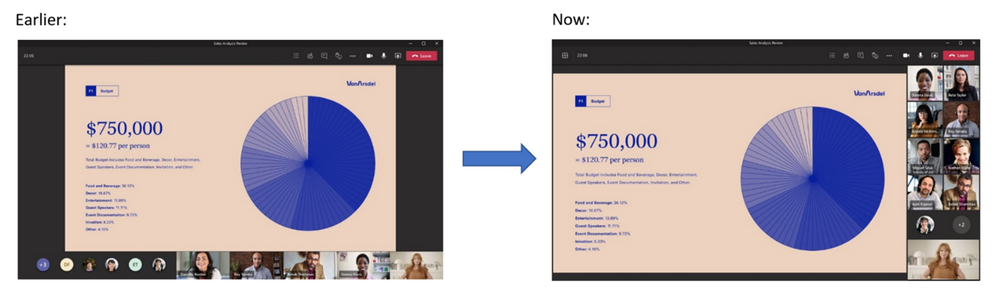
Microsoft Teams Public Preview is bringing in new features in a nice speed. Every organization should have at least few people using the Public Preview version so they can get some experience what is coming up to Teams and how they should inform and train their employees. The latest one is the new sharing experience … Continue reading New content sharing experience is now in Public Preview
Microsoft Viva Insights: Home-tab
I had a pleasant surprise today when I checked my Insights-app. It has just gotten the new Home-tab and thus more functionalities are now available with it! Looking at the app, after those couple of welcome screens, we can see four key areas there Motivational helloHow are you feeling for a quick reflectionEasy way & … Continue reading Microsoft Viva Insights: Home-tab
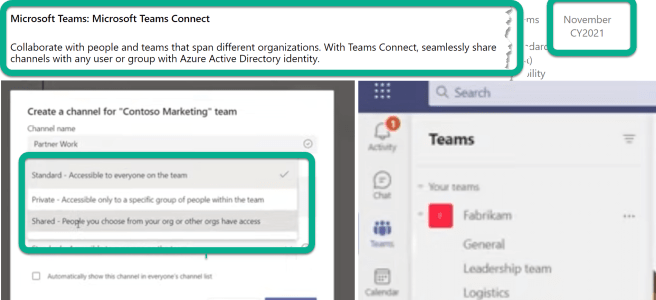
Shared Channels (Microsoft Teams Connect) : rescheduled for November 2021
When looking at the Microsoft Teams roadmap some surprises are good - some quite the opposite. What are Shared Channels?This new feature will make it possible to work with other people in a channel by invited an internal or external (in other organizations) members to a Shared Channel. The really big thing is that externals … Continue reading Shared Channels (Microsoft Teams Connect) : rescheduled for November 2021
Power Virtual Agents bot setting the Out Of Office
It is always interesting to hit the wall with limitations when you are working with Power Automate. Some limits are due to licensing but some are due to other good reasons. I was running a PoC where a person interacting with a Power Virtual Agent bot required to do actions on behalf of that person. … Continue reading Power Virtual Agents bot setting the Out Of Office
Dynamic View, Translating slideshow content and other Teams roadmap updates
There has been again some changes in the roadmap for Microsoft Teams. Let me highlight you some of them Dynamic View is now in the public preview! This means you can start enjoying the benefits of much better Teams meeting experience. I have been using that for a while already - and I have to … Continue reading Dynamic View, Translating slideshow content and other Teams roadmap updates
Creating a team and channel aware Power Apps
Dataverse for Teams has enabled lots of new possibilities how to use Power Apps with Microsoft Teams. When a new Power App (canvas) is created to a team then it gets the Teams object/ component that can be used to retrieve information like "in which team and channel this app is in". And yes - … Continue reading Creating a team and channel aware Power Apps
Microsoft Teams: recent updates
It is time to take a look at the roadmap and what has been recently added to Microsoft Teams. When talking about the roadmap "predicted release" schedule it is good to keep in mind that the given month/time is subject to change. We have seen lots of changes recently (Feb-March) but as always: I rather … Continue reading Microsoft Teams: recent updates
Get Presence Teams Graph API updated
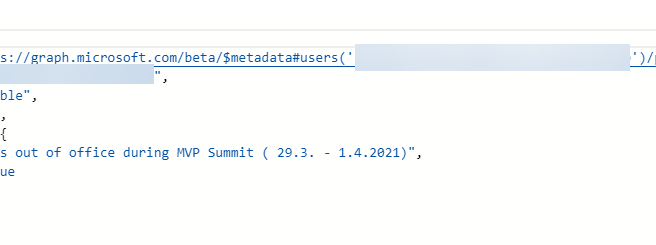
I initially tested Get Presence Graph API over a year ago and a revisit showed it has been updated recently. You can now retrieve Out of Office information along with it! To get started with it easily - and to see how it works - I recommend using Graph Explorer. It allows you to use … Continue reading Get Presence Teams Graph API updated
Join Teams meeting via a code, multiple spotlights, co-organizer meeting roles, new lobby options and other recent roadmap updates
Microsoft Teams roadmap keeps getting a lots of changes weekly - if not even daily sometimes. There are great new additions that should be taken looked at so you can start preparing your champions and users to take full advantage of those once they roll out: Join a meeting by entering a digital code will … Continue reading Join Teams meeting via a code, multiple spotlights, co-organizer meeting roles, new lobby options and other recent roadmap updates
Registration to Teams Nation May 2021 Community Conference is OPEN!
Have you heard about Teams Nation Community Conference? I felt it was important to highlight this to readers of my blog since I am one of organizers in this event. Those following me in social have hopefully heard about Teams Nation before - and in the best option you have already registered to it (Thank … Continue reading Registration to Teams Nation May 2021 Community Conference is OPEN!
How to set Out of Office in Microsoft Teams
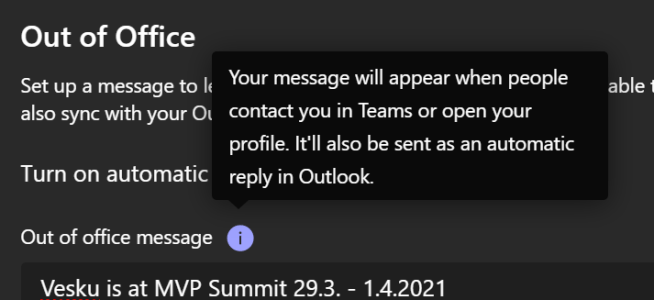
Setting your Out of Office in Microsoft Teams has become available, if you are in Public Preview. Take a look in this article and learn how you can set your Out of Office without having to open Outlook. First - you need to make sure you are in Public Preview (situation in 25.3.2021). If you … Continue reading How to set Out of Office in Microsoft Teams
PowerPoint Live / Presenter View in Microsoft Teams
The terminology is always as much fun as it is 🙄😁 but PowerPoint Live is the name for a set of presentation "skills" inside Microsoft Teams. There is still some features waiting for release like new Share content experience and Presenter Mode (standout / custom layouts). What is already out is Presenter View when sharing … Continue reading PowerPoint Live / Presenter View in Microsoft Teams
Microsoft Teams Breakout Rooms is getting new features! + other roadmap updates
When looking at Microsoft Teams roadmap today I noticed that Breakout Rooms is getting new features! Scheduled to roll out already in this month are Timer: Organizers can now set a timer for Breakout rooms from the Breakout Room settings. After timer has expired, rooms will automatically close and participants will come back to the … Continue reading Microsoft Teams Breakout Rooms is getting new features! + other roadmap updates
Microsoft Teams Meetings in Virtual Reality
At the Microsoft Ignite we saw - no, we participated - in a keynote in Virtual Reality. You were able to participate using a VR headset or your computer using an app but also you were able to view it "normally" as a broadcast. That keynote and subsequent Microsoft Ignite sessions let us know about … Continue reading Microsoft Teams Meetings in Virtual Reality
Microsoft Whiteboard in Android mobiles
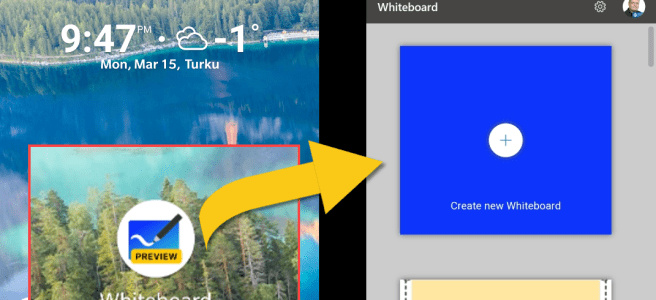
Microsoft Whiteboard Android (preview) application was recently released. Let's take a look what is can do and what features it packs! You may want to also refresh your memory with my earlier Microsoft Whiteboard articles: How to use Microsoft Whiteboard with guests in Teams MeetingsHow to: adding a Microsoft Whiteboard to a team channel as … Continue reading Microsoft Whiteboard in Android mobiles
Roadmap Watch: Latest changes to Microsoft Teams roadmap
Microsoft Teams Roadmap gets constant updates. With these posts I make it easy for readers to see what are latest changes in Microsoft Teams or related products/features roadmap. As always if you want to see the up to date situation check out the public roadmap - blog post is always a snapshot of that moment … Continue reading Roadmap Watch: Latest changes to Microsoft Teams roadmap
Creating Teams Meeting Connected Power Apps
I have earlier blogged about creating a Power (canvas) App you could add to your meetings. This time we are taking a big leap forward by making the application meeting connected and "aware"! This means that your application knows it is inside a meeting that it can be used in that particular meeting context: like … Continue reading Creating Teams Meeting Connected Power Apps
Microsoft Teams Roadmap Watch: updates of Microsoft Ignite 2021
It is always good to take a look at the Microsoft Teams roadmap and see what is changing there since Microsoft Ignite 2021 #MSIgnite. Of course roadmap dates are not exact launch dates but they can give some idea when to expect those features. Shared Channels (Microsoft Teams Connect) is scheduled for June 2021! And … Continue reading Microsoft Teams Roadmap Watch: updates of Microsoft Ignite 2021
Microsoft Teams News Summary of Microsoft Ignite 2021 March
The virtual Microsoft Ignite 2021 - #MSIgnite in the Twitter and other social media- just opened and gates of information released a big bunch of information what is going to happen in Microsoft Tech for this year. In this blog post I am going to focus mostly on news concerning Microsoft Teams or related technologies. … Continue reading Microsoft Teams News Summary of Microsoft Ignite 2021 March
How to improve File Approval process to include multiple source libraries
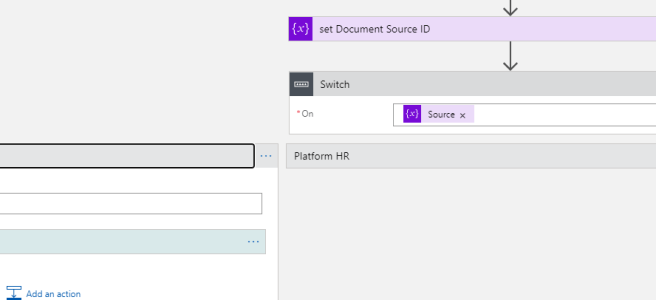
This part III article in the series of adding a file approval action directly to Teams File Tab. Following my earlier posts (How to create an improved Microsoft Teams Files approval process using Azure Logic Apps and How to: initiate a document approval directly in team files tab (using Power Automate) ) this one adds multiplexing: the … Continue reading How to improve File Approval process to include multiple source libraries
Microsoft Ignite 2021 March: See you at the event!
Tomorrow 2nd of March is the big day: Microsoft Ignite 2021 begins at 17:30 CET! It will be two (long) days of learning, networking and riding the hype. While we all would love to see in person this March event is fully virtual and thus really inclusive for everyone due to lack of travel or … Continue reading Microsoft Ignite 2021 March: See you at the event!
How to create, manage and assign Microsoft Teams team Template policies
Microsoft Teams team Templates have been in use for several months now. One of issues organizations has been having with them is the inability to choose which users get which templates. Instead everyone was seeing and was able to use all templates. That is changing with team Template policies. The documentation can be found at … Continue reading How to create, manage and assign Microsoft Teams team Template policies
Roadmap watch: what to expect for Microsoft Teams at Ignite (and beyond)
The public roadmap for Microsoft Teams is already listing a lots of features for March 2021. Since Microsoft Ignite 2021 is happening next week it is easy to assume that these features scheduled for March will be released - or at least talked about - at Microsoft Ignite. Some of these might be even start … Continue reading Roadmap watch: what to expect for Microsoft Teams at Ignite (and beyond)
How to use Microsoft Whiteboard with guests in Teams Meetings
In January became available to add a Whiteboard a team channel. It was also discovered that it allowed also guests to use the Microsoft Whiteboard in the channel via the tab app. This of course opened new possibilities for collaboration with guests. My friend & colleague Petri Jämsen kindly pointed out this week the scenario … Continue reading How to use Microsoft Whiteboard with guests in Teams Meetings
Webinar registration page and attendee dashboard are coming to Microsoft Teams
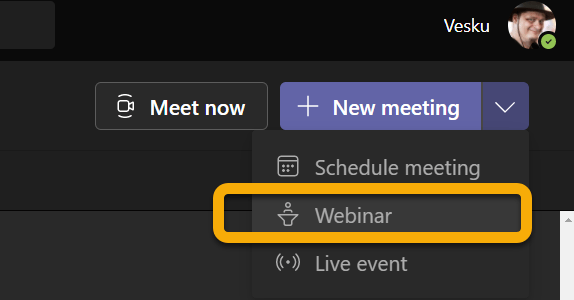
Teams webinars are rolling out as of 18th of May. I wrote a blog post how to use them. Microsoft Teams is getting the meeting registration and attendee dashboard features during March - early April. This is called "registration page for Microsoft Teams meetings" in Microsoft communication. Admin Center already has a bulletin about this. … Continue reading Webinar registration page and attendee dashboard are coming to Microsoft Teams
View only attendees are coming to Teams Meetings!
Microsoft Admin Center / Message Center got a bulletin today that view-only attendees are coming to Microsoft Teams meetings. On default these are OFF (there has been reports it is ON after all) and needs to be checked / enabled by Teams Admins. The Teams view-only experience allows attendees to: Listen to the participants in … Continue reading View only attendees are coming to Teams Meetings!
Milestones – a new Dataverse for Teams ready-to-use template application
If you have taken a look what new apps there are in Teams application store from Microsoft you may have seen Bulletins and Milestones. My good friend Chris wrote an extensive article about Bulletins so I am focusing on Milestones on this post. Blog post updated 25.3.2021 Milestones app highlights itself with this text: Stay … Continue reading Milestones – a new Dataverse for Teams ready-to-use template application
How to create an improved Microsoft Teams Files approval process using Azure Logic Apps
We are all there during some days: Flow Premium is the key to the next level but there is no way we could justify that licensing - the ROI is simply not enough. Have you thought that you could be utilizing a Azure Logic App instead? Following my earlier post ( How to: initiate a … Continue reading How to create an improved Microsoft Teams Files approval process using Azure Logic Apps
How to Disable Chat in Microsoft Teams Meeting + “hardening” the meeting with Meeting Options
Much requested feature for Microsoft Teams has been the ability to turn off meeting chat - at least for specific amounts of time during the meeting - or allow the chatting only during the meeting. This is now easy to control "Allow meeting chat" which is found via meeting options. There are several use cases … Continue reading How to Disable Chat in Microsoft Teams Meeting + “hardening” the meeting with Meeting Options
How to use the new Approvals app in Microsoft Teams
The new Approvals application emerged in Microsoft Teams everywhere mid- January 2021. While this version needs to be considered version 1, it always packs great possibilities for organizations to use. Creation of an approval request is very easy and you can also attach documents with it. Everyday, lightweight, approval requests can be for example to … Continue reading How to use the new Approvals app in Microsoft Teams