Boom! Here it is: Microsoft Ignite 2023 news! As before I have collected to my blog post the most interesting new features Microsoft has released or announced. No, we did not get away from this Ignite either without a name/brand change. There are a few of them, as well as aggregating apps to a unified … Continue reading Microsoft Ignite 2023
Tag: Microsoft Teams
Igniting the Tech Passion: My Must-See Sessions at Microsoft Ignite 2023
Are you attending Microsoft Ignite, the annual event where Microsoft highlights the latest innovations in AI, Modern & Future Work, Cloud, and more? I am and I will be joining the event online, which is free and open to anyone who wants to learn and discover what is upcoming to Microsoft ecosystem. Microsoft Ignite 2023 … Continue reading Igniting the Tech Passion: My Must-See Sessions at Microsoft Ignite 2023
Microsoft Copilot changed the way I work
Copilot is a new AI-powered tool that works with Microsoft 365 apps like Word, Excel, PowerPoint, Outlook, Teams, Loop, Whiteboard, and more. It uses big language models (LLMs (Large Language Models)) and Microsoft Graph to create, understand, and recommend content based on what I want and need. In other words, Copilot boosts my productivity and … Continue reading Microsoft Copilot changed the way I work
Review: Jabra Speak2 75
As someone who works from home, attends a lot of online meetings, and does webinars I need a device that can provide clear and reliable audio that minimizes the background noises to attendees. It doesn't happen often, but usually when I am holding a webinar or workshop there are loud machines outside such as leaf … Continue reading Review: Jabra Speak2 75
Thoughts from the Microsoft Mesh road
Ever since Microsoft Mesh was announced, two and half years ago, I have been fascinated by its potential to transform the way we work and collaborate. I have been Meshing around for half a year now. As a Principal Consultant of Metaverse and Future Work at Sulava, I have been experimenting with Microsoft Mesh and … Continue reading Thoughts from the Microsoft Mesh road
Microsoft Mesh is in Public Preview!
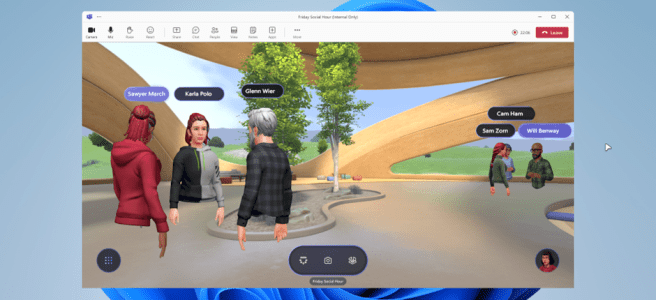
After a long wait, we finally can enjoy the Microsoft Mesh and Mesh for Teams as these new experiences hit the public preview! I have had a privilege to be part of the private preview for almost half-a-year. Now I can finally share my experiences and insights on Mesh. It has been very exciting to … Continue reading Microsoft Mesh is in Public Preview!
Supercharging Microsoft Teams with AI
AI is everywhere already and it will be even more everywhere. You can find it in our phones, our laptops, our cars, our homes, and occupy our minds. AI is not just a technology, it is a revolution. A revolution that is changing the way we work, learn, communicate, and create. AI is not only … Continue reading Supercharging Microsoft Teams with AI
Have you tried spatial audio in Teams meetings?
This is one those features, that is very visible to you when you are joining the meeting, but may just skip it easily without thinking what it is. Now, what is Spatial Audio? In Teams the i opens a short message saying "Voices will sound like they're coming from where each person is positioned on … Continue reading Have you tried spatial audio in Teams meetings?
Meshing Up with the Stars
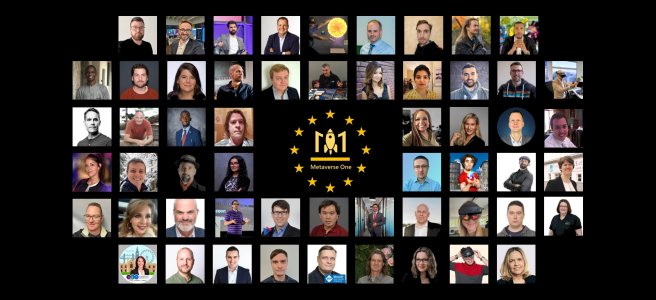
Or in other words Learn Microsoft Mesh, Copilot and much more from world-class globally known speakers, at Metaverse One 2023! If these themes and topics make you want to know and learn more about Microsoft Mesh, Copilot, Artificial Intelligence, Mixed Reality, and other Metaverse-themes then you should join Metaverse One 2023, the online community conference … Continue reading Meshing Up with the Stars
Ready, Steady, Mesh!
This autumn end-of-summer has been - and will be even more - a wild ride. During past three weeks I have been videographed, organized and run a hybrid User Group (Teams Finland) meeting, did a next episode of my very popular Microsoft Teams webinar (Microsoft Teams Spotlight), had a proper sendoff towards the next half-century, … Continue reading Ready, Steady, Mesh!
Teams AI Library – Boost your Teams bots with AI
If you are a developer, or a consultant who isn't afraid to open Visual Studio, who wants to create smarter bots for Microsoft Teams, you should be interested in the Teams AI Library, a new tool that simplifies the integration of generative AI and user intent engines into your apps. The Teams AI library is … Continue reading Teams AI Library – Boost your Teams bots with AI
Prepare for the Microsoft Mesh
We are living in an amazing time, where we witness the widespread adoption of AI, to be followed with everyday virtual & extended reality and metaverse. Thinking back in time – when I was young during 80s and 90s – this is something that was sci-fi and fantasy. 2020 was really far away in the … Continue reading Prepare for the Microsoft Mesh
Supercharging information work with AI
I am back after a few weeks break I had. It was really good to be on vacation but it is always fantastic to get back to business. This time July was exceptionally good, because I received great news regarding Microsoft MVP. I did not only renew my M365 Apps & Services but I also … Continue reading Supercharging information work with AI
A view to Microsoft Whiteboard UI refresh
Just in time before summer vacations Microsoft Whiteboard got the UI refresh that was mentioned earlier to be rolling out June. I touched this topic in my last Whiteboard blog post: Microsoft Whiteboard gets comments, an UI refresh and more to come. Now is the time to take a look at the new UI in action … Continue reading A view to Microsoft Whiteboard UI refresh
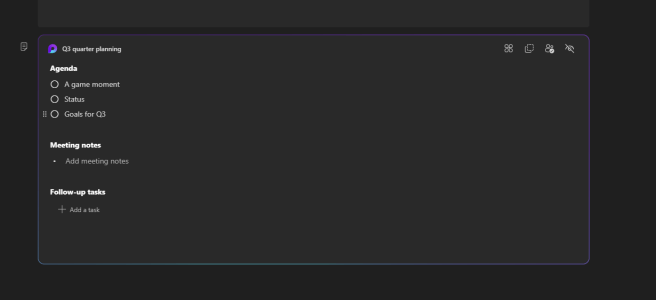
New Microsoft Teams Meeting notes are here. Loop in with this how-to-use guide!
Microsoft Teams got, after a long time of waiting, new collaborative meeting notes earlier this month. The old Wiki-notes faded away and were replaced with a modern Loop component. I have written earlier about Loop Components in Using Microsoft Loop Components in Teams, Microsoft Loops in Whiteboard, Word Online and other new features, How to use Loop … Continue reading New Microsoft Teams Meeting notes are here. Loop in with this how-to-use guide!
Metaverse is Not Dead!
"Metaverse is dead!" This has been the loud declaration of some skeptics, who argue that the virtual universe seems to have lost its way. However, such claims could not be further from the reality. Metaverse is very alive, growing and evolving strong. Yes, there was lots of news and gossip around Meta and Microsoft about … Continue reading Metaverse is Not Dead!
Introducing Logitech Rally Bar Huddle: Transforming Small Meeting Spaces
As the world continues to adapt to hybrid work environments, the need for effective and efficient communication tools is more important than ever. Traditional large meeting rooms are evolving, because organizations recognize that many employees will be attending meetings remotely. This shift has led to a rising need for agile spaces where a few ( … Continue reading Introducing Logitech Rally Bar Huddle: Transforming Small Meeting Spaces
Microsoft Build 2023 news, part 2: Copilot and Artificial Intelligence
This article, Microsoft Build 2023 Part 2,is sharing more of my picks and thoughts Microsoft announced today. Artificial intelligence was of course very prominent, and that was not a surprise. AI is accelerating digitalization and the metaverse faster than ever. It is changing how we work, and this year will be remembered the moment when … Continue reading Microsoft Build 2023 news, part 2: Copilot and Artificial Intelligence
Microsoft Build 2023, Part 1: Microsoft Mesh & Teams
Join me on these two articles to learn the most relevant, on areas of this blog scope, highlights & announcements of Microsoft Build 2023, the annual developer conference that highlights the latest innovations and technologies from Microsoft. Yes, Artificial Intelligence was the top word today, as expected, but Microsoft Mesh did pop out as well … Continue reading Microsoft Build 2023, Part 1: Microsoft Mesh & Teams
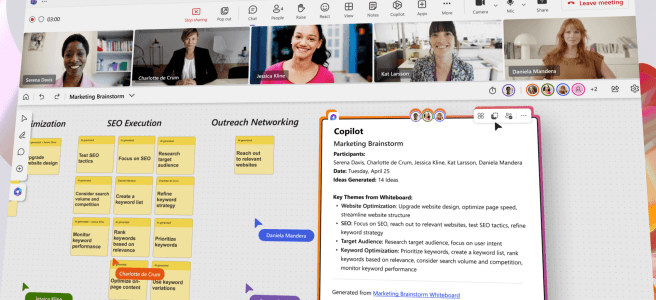
The Future of Work with Microsoft Copilot in Whiteboard, Copilot Early Access Program and 2023 Work Trend Index
Microsoft announced this week the Copilot for Microsoft Whiteboard, a tool designed to enhance brainstorming and collaboration by using AI to generate ideas, organize them into themes, create visual designs, and summarize content. This new feature is powered by Generative AI that understands and generates text and create visual designs based on ideas generated during … Continue reading The Future of Work with Microsoft Copilot in Whiteboard, Copilot Early Access Program and 2023 Work Trend Index
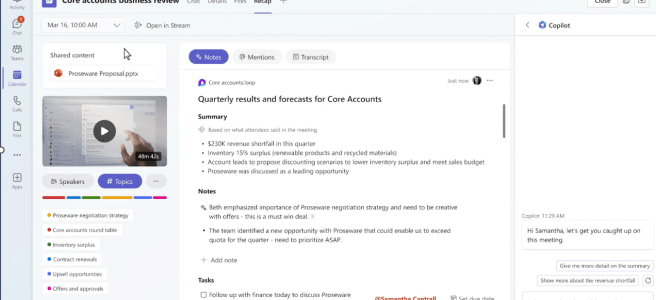
Elevating Teams Meetings with Intelligent Recap and Copilot
Have you thought how you could be in three meetings at the same time? Or skip two of them but stay up to date what that meeting was about and what is expected of you? Artificial Intelligence is bringing that to Microsoft Teams meetings with Teams Premium feature called Intelligent Recap. With Intelligent Recap you … Continue reading Elevating Teams Meetings with Intelligent Recap and Copilot
Logitech MX Master 3s for Business
It has been a hectic, busy and wonderful week at Seattle, US. MVP Summit was held hybrid this year and I traveled to Redmond to connect, learn and have great time with the MVP community. Since all content is under NDA, I can't tell anything about sessions or learnings, but I can share that I … Continue reading Logitech MX Master 3s for Business
Microsoft Audio Dock review
It is time for another cool device review! I got a loan device for Microsoft so I can try it out. In very short summary it is a great accessory that is really easy to set up and use. It works very wonderfully in Teams calls. At the end of the article I say a … Continue reading Microsoft Audio Dock review
Artificial Intelligence is transforming cameras to multipurpose devices
AI is everywhere. And it is going to be even more everywhere and help us out in various scenarios. I have written about AI and it's uses in multiple posts - and more will be coming. This time, because on rumors regarding Apple's MR/VR headset, it inspired to write my some of my thoughts on … Continue reading Artificial Intelligence is transforming cameras to multipurpose devices
How to create and use custom Microsoft Whiteboard templates
What is latest new with Microsoft Whiteboard currently is the capability to save and share your own templates. This way you can design a whiteboard template that can be used again and again. For example you could design a template for your project meetings and saving & sharing that template others can reuse your work, … Continue reading How to create and use custom Microsoft Whiteboard templates
The New Microsoft Teams client and Avatars are in public preview!
Today it was finally announced by Microsoft – the long awaited new Microsoft Teams client for work is making its first appearance to public! While we have enjoyed new Teams app on consumer side, what we really wanted is the new Teams we can use at work. I have had the pleasure to try out … Continue reading The New Microsoft Teams client and Avatars are in public preview!
Jump to Future of Work with Microsoft 365 Copilot
Recently Microsoft announced something that has been making waves in the world of productivity: Microsoft 365 Copilot. What is it and why all the buzz? Microsoft 365 Copilot is a new tool that combines the power of artificial intelligence with your data and the apps you use every day to help you do amazing things … Continue reading Jump to Future of Work with Microsoft 365 Copilot
Work with NVIDIA Omniverse using Microsoft Teams and Azure
Watching NVIDIA GTC event yesterday brought up interesting news and information. NVIDIA GTC is The Conference for the Era of AI and the Metaverse. Omniverse has been very strong with Industrial Metaverse and strong supporter for standardized Metaverse using Universal Scene Description (USD). With GTC announcements it is only strengthening its position on the field. … Continue reading Work with NVIDIA Omniverse using Microsoft Teams and Azure
Avatars in Teams for everyone + How to prepare for Loop App preview!
There has been exciting news this week! Avatars for Teams have a month when it starts to roll out for everyone, Microsoft Build dates & registration is open and also that Microsoft Loop App is coming to Public Preview - and how you can enable it to your users. Avatars for TeamsMicrosoft Build 2023Loop application … Continue reading Avatars in Teams for everyone + How to prepare for Loop App preview!
How AI is Enabling the Metaverse
The concept of the metaverse has captured the imagination of many, promising to transform the way we interact with each other and the digital world. Then we read news like Zuckerberg has quietly buried the metaverse and in the article is stated "the metaverse is dead". I disagree with that. It can be accurate for … Continue reading How AI is Enabling the Metaverse
Jabra Evolve2 Buds: review and experiences
Jabra Evolve2 Buds are true wireless earbuds that are designed for hybrid working and supporting on the go needs. Buds are certified for Microsoft Teams, Zoom and Google. In short: Evolve2 buds offer solid sound quality, comfortable fit, a range of features and are certified for Microsoft Teams. I was very impressed about how good … Continue reading Jabra Evolve2 Buds: review and experiences
Logitech Litra Beam: review and experiences
Thanks to Logitech, I got a chance to test Logitech Litra Beam light. This is a LED light with a desktop mount, that you can connect to your PC or just to USB power source - and use your computer with Bluetooth to control the light. Litra Beam is part of Creator's series, but I … Continue reading Logitech Litra Beam: review and experiences
Microsoft Presenter+ review
Thanks to Microsoft, I got finally my hands to test Microsoft Presenter+, the remote controller for PowerPoint presentations. Yes, I do like it and it does what is promises regarding being the device for Microsoft Teams meetings. Key features Microsoft Teams -certified Connected via Bluetooth Button for mute and unmute, works also in Microsoft Teams … Continue reading Microsoft Presenter+ review
Microsoft Loops in Whiteboard, Word Online and other new features
I had a great moment this week, during rainy Tuesday morning at my home. I was going through my tenants, which I do very often but especially before upcoming webinar I am presenting, to see what's new in Microsoft Teams and Microsoft 365. I have been testing Microsoft Loop + Microsoft Whiteboard combination from time … Continue reading Microsoft Loops in Whiteboard, Word Online and other new features
How to use RTMP-In with Microsoft Teams meetings
One of new Teams Premium features that is coming to Microsoft Teams is RTMP-In capability. This means that you can bring in content that is produced with external encoder, like studio equipment or OBS Studio for example, directly to Microsoft Teams meeting. This allows creation of custom meeting layouts and features to make events have … Continue reading How to use RTMP-In with Microsoft Teams meetings