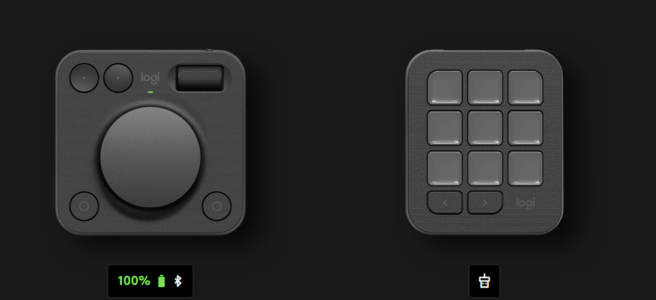
Logitech’s new device on productivity desktop tools is the MX Creative Console: a modular two-piece setup consisting of a nine-key LCD Keypad and a wireless Dialpad. It is designed to keep you “in flow” by detecting the active application and showing only the controls that matter. Unlike single-purpose devices, this console tries to be equal … Continue reading Hands on with the Logitech MX Creative Console
Tag: Microsoft Teams
Microsoft Build 2025 recap: Co‑Creating with AI and Agents
Microsoft Build 2025 was all about turning the vision of AI-Native workplace into reality. We’re no longer talking about AI in abstract terms – we’re seeing concrete features that make AI a true collaborator in our daily work. I have selected the most important announcements from Microsoft Build 2025 related to Microsoft 365 Copilot and … Continue reading Microsoft Build 2025 recap: Co‑Creating with AI and Agents
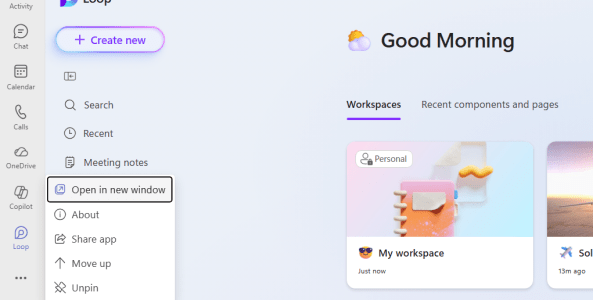
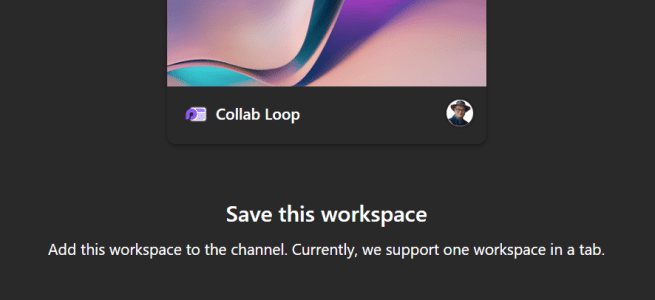
How to work with Loop Workspaces in Teams Channels
I am excited how Microsoft Loop boosts internal collaboration but I have heard that not everyone has been happy to have to manage Loop workspace permissions separately from the Teams project team. Working with externals in a Loop has been also a bit difficult. But now things are taking a step forward! It is possible … Continue reading How to work with Loop Workspaces in Teams Channels
Interpreter Agent in Teams is in Public Preview
The future is here, or at least a bit of the scifi-future is now be usable by Microsoft 365 Copilot licensed users who are using Microsoft Teams. The Interpreter Agent just hit Public Preview, and I of course I tested it out. I did not do a video how it works, but in this post … Continue reading Interpreter Agent in Teams is in Public Preview
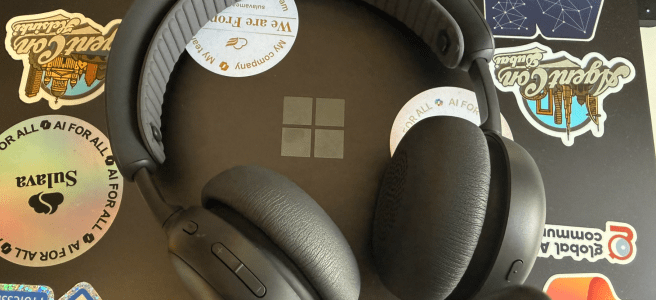
Logitech Zone 305 business headset: lightweight & affordable
Logitech has introduced the Zone 305 headset, positioned as an affordable solution designed especially for business users. But how does it stack up against higher-end models like the excellent Zone Wireless 2, and to who exactly is the Zone 305 suited for? I have written a Logitech Zone Wireless 2 in review article before, and it … Continue reading Logitech Zone 305 business headset: lightweight & affordable
How to edit your display name in Microsoft Teams meetings
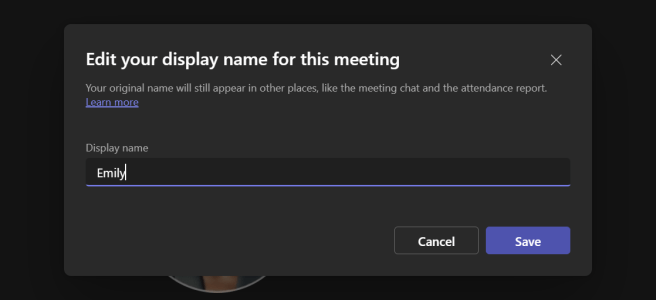
Microsoft Teams continues to evolve, and one of the recent updates allows participants to edit their own display names during meetings. I know, this isn't a big feature - just a meeting option- but for some it is a big thing. Changing you name in the meeting has been asked about for a long time, … Continue reading How to edit your display name in Microsoft Teams meetings
Ditching the dongle on Logitech Zone Wireless 2
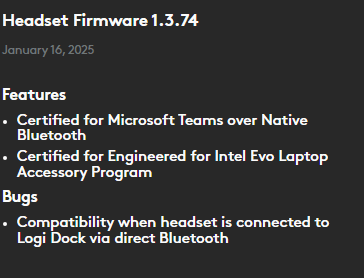
Zone Wireless 2 is certified for Microsoft Teams over native Bluetooth. Enjoy a full Teams experience without a dongle. Logitech Microsoft and Logitech have been working together to get us Native Bluetooth support for Logitech Wireless 2 headset. I wrote about Logitech Wireless 2 earlier, over a year ago. Back then (and until recently) it was required to use dongle … Continue reading Ditching the dongle on Logitech Zone Wireless 2
Upcoming feature: Copilot Interpreter Agent in Teams Meetings
This is a fascinating topic! How does that sound - enabling nearly real-time live translations in meetings? Yes, a bit like scifi but it is today a reality. We will be able to enjoy that in Microsoft Teams meetings during early this year, as Microsoft announced during Ignite 2024 conference.. No, you don't have this … Continue reading Upcoming feature: Copilot Interpreter Agent in Teams Meetings
How to enable Copilot Agents in SharePoint for non-Copilot users
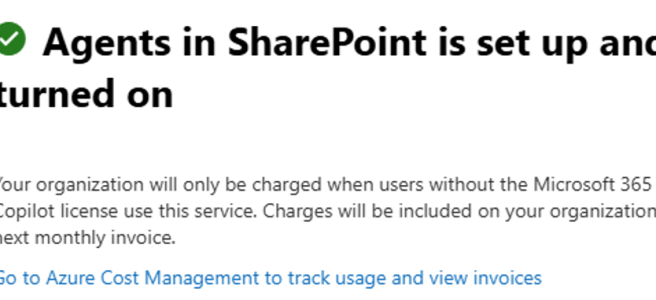
Welcome to 2025, the Year of AI Agents! Intelligent agents are one of the biggest buzzwords this year for good reason: they promise to make our work lives simpler in numerous ways. One starting benefit (ie: easy to create) is how well they handle information retrieval. We will see more active and actionable agents later … Continue reading How to enable Copilot Agents in SharePoint for non-Copilot users
Unleashing the Future of Work: Microsoft Ignite 2024 Announcements on Copilot, Agents, Teams, and AIÂ
Transforming Modern Work with AI and Copilot As Microsoft Ignite 2024 kicks off with its keynote, there is a lot of anticipation and excitement in the air. This year's event is going to be an evolution of modern work, bringing together innovations and pivotal updates that will redefine how organizations and employees harness the power … Continue reading Unleashing the Future of Work: Microsoft Ignite 2024 Announcements on Copilot, Agents, Teams, and AIÂ
How to create and use no-code SharePoint Copilot AgentsÂ
Some of us wait eagerly for new features to appear in our tech. Be it a mobile phone, tv or any of Microsoft 365 environments we use. The last one is getting new features at amazing speed – faster than ever. And we know what is getting the most love at Microsoft at the moment: … Continue reading How to create and use no-code SharePoint Copilot AgentsÂ
Engage the Copilot in Viva Engage!
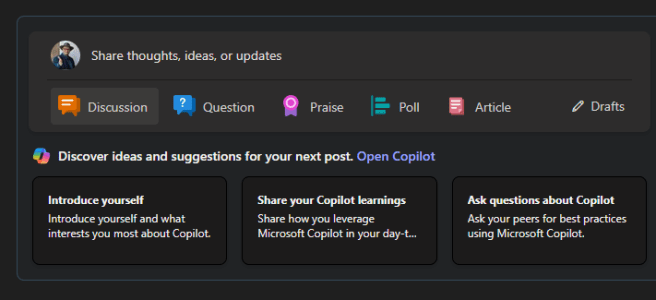
Did you know that you can use Copilot in Viva Engage to create more engaging posts, and get personalized suggestions how to improve your post? Or that you just can have a sparring conversation with AI when you are thinking about posting a message to your community? Copilot in Viva Engage can help you out … Continue reading Engage the Copilot in Viva Engage!
Supercharging Teams Meetings at Scottish Summit
I had a pleasure to visit Aberdeen, Scotland last week and speak at Scottish Summit 2024 community event. This marks my fourth in-person Scottish Summit ( 3 x the actual Summit in Scotland and one Summit on Tour at Manchester, England) where I have spoken at. It is a wonderful conference to come back to, … Continue reading Supercharging Teams Meetings at Scottish Summit
Copilot PagesÂ
Have you already tried one of the latest features to Microsoft 365 Copilot: Copilot Pages? These are dynamic, persistent canvases designed specifically for multiplayer AI collaboration ( = working together with others in the same Page in real time). This feature can be used to make spontaneous, AI-generated content durable, editable, and shareable. That’s what … Continue reading Copilot PagesÂ
Microsoft Teams team updates: General channel
All Microsoft Teams teams have the General-channel. That's what it has been since Teams emerged. But it is not the case anymore. Recently we entered the new era, where we don't have to have a channel named General anymore. This change is impacting everyone who is creating new Teams teams, so you want to share … Continue reading Microsoft Teams team updates: General channel
Microsoft Mesh: the roadmap news
Yes, Microsoft Mesh finally made it to the M365 Roadmap. It's entries are listed there under Microsoft Teams. So, let's jump to see what's in there. To see the live situation, use this URL to jump directly to the Mesh roadmap. There are some pretty big items in the list, that will help to utilize … Continue reading Microsoft Mesh: the roadmap news
Improved sense of time to Copilot in Teams
Those who have been using Copilot in Teams actively on chats and channels, have very likely hit this issue when Copilot doesn’t seem to understand when asked about messages in a specific time frame that was further in history. For example, asking Copilot to summarize key action items from last week worked without issues, but … Continue reading Improved sense of time to Copilot in Teams
Up to speed with Copilot and Teams
After a month-long hiatus, I find myself back in the familiar yet ever-evolving landscape of technology. My time away was a precious opportunity to disconnect, recharge, and spend time with family and close relatives. To my surprise, I spent less time on LinkedIn during my vacation. It's in these quiet interludes that are needed and … Continue reading Up to speed with Copilot and Teams
A Day in Life with Copilot
Welcome to a day in life with Copilot. From the moment you sip your morning coffee to the last email you send out at night, Copilot is there, making tasks smoother and goals more attainable. Read on to know how this innovative tool transforms an ordinary day into an extraordinary one. This post become a … Continue reading A Day in Life with Copilot
What’s next for Microsoft Mesh: summer 2024 feature improvements
Microsoft just released an article, where several upcoming features to Microsoft Mesh was highlighted. I am extremely pleased to see what kind of progress Mesh is doing - and also showing publicly what is coming out the next. As Mesh is not yet in the Microsoft 365 public roadmap, articles like this are very important … Continue reading What’s next for Microsoft Mesh: summer 2024 feature improvements
How to connect your Copilot to a SharePoint list with Copilot Studio and Power Automate
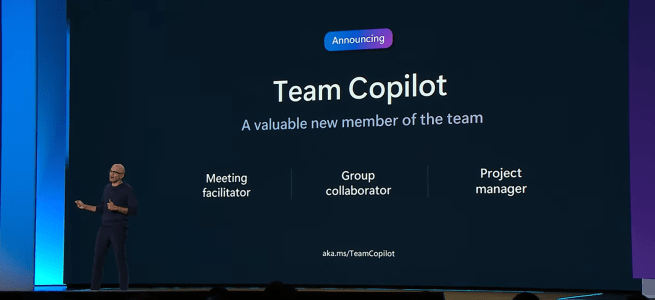
There were cool announcements about Copilot for Microsoft 365 at Microsoft Build 2024 a few weeks ago. We heard about upcoming team level Team Copilots, how to create super-easily a light-weight Copilot out of selected files/folders from a SharePoint and Copilot Agents were also announced. The future looks interesting, but we still need to wait … Continue reading How to connect your Copilot to a SharePoint list with Copilot Studio and Power Automate
How to use Teams meeting annotations
Did you know that when you share a screen in a Microsoft Teams meeting, you can annotate with another on anything that is on your screen? It could be a marketing ad, new visuals, budget – even any app running on your desktop. Annotating is basically inking on top of your screen. The cool thing? … Continue reading How to use Teams meeting annotations
Build 2024 Future Work highlights Â
Microsoft Build's theme this year was expected: focused on Copilot & AI and how they are transforming our work scenarios now and in the future. Out of all announcements and news, I selected ones that are the most relevant to Future Work. Â Microsoft Teams and Teams Premium received several enhancements that will enrich the … Continue reading Build 2024 Future Work highlights Â
A special interview of Microsoft Mesh Product Group leadership members @ M365Conf
First, I want to say I am sorry for being more quiet than usual with my blog. It has been one of busiest times I recall. Yes, you guessed it. Microsoft Copilot has been keeping me busy with customers. While that is of course a good thing (I am a consultant, after all, and do … Continue reading A special interview of Microsoft Mesh Product Group leadership members @ M365Conf
How to work with guest users using Microsoft LoopÂ
Are you already using Microsoft Loop? Have you been waiting for the opportunity to use Loop with people who are external to your organization?  Microsoft Loop is used to create Loops, which are flexible and fluid documents that can contain text, images, videos, charts, tables, lists, and more. You can also embed these fluid Loop … Continue reading How to work with guest users using Microsoft LoopÂ
Logitech MX Brio 705 for Business in reviewÂ
As a consultant who works on modern work and digital transformation, I rely a lot on Microsoft Teams as the video conferencing tool to communicate and collaborate with my clients, colleagues, and community. That's why I was very interested in trying out the Logitech MX Brio 705 for Business, a 4K webcam that claims to … Continue reading Logitech MX Brio 705 for Business in reviewÂ
Supercharging Teams with AIÂ Â
Or should I say Team x AI x Copilot Studio. Just recently I presented this topic at CollabDays Poland @ Microsoft Warsaw. This is the same topic I have already given a few times, but this session is always different since Azure OpenAI Studio and Copilot Studio are evolving at a very rapid pace! When … Continue reading Supercharging Teams with AIÂ Â
The New and the Next of CopilotÂ
As technology continues to evolve, so does Copilot. This powerful tool is constantly being updated with new enhancements, including new languages and features, to boost productivity and possibilities where it can be used. I thought I would take a short view to explore what the near future holds for Copilot and how it will continue … Continue reading The New and the Next of CopilotÂ
What You Need to Know About the Upcoming Change to Presenter Role Permissions in Microsoft TeamsÂ
A heads-up at how the upcoming update will make your meetings more secure and productive It is time to look at something coming to Microsoft Teams soon. I and millions – hundreds of millions – others have been enjoying Teams meeting since it was introduced, and we saw the explosive growth of Teams during COVID-years. … Continue reading What You Need to Know About the Upcoming Change to Presenter Role Permissions in Microsoft TeamsÂ
Teams Nation is back! Join us 21st Feb 2024!Â
Yes, Teams Nation Community Conference is back! And it is just a few weeks ahead, so let me tell you a bit about the event. It is happening Wednesday 21st February 2024, 09:00 – 20:00 CET (Central European Time) (UTC+1). In it you will find 60+ sessions that are delivered by Microsoft MVPs, Regional Directors, … Continue reading Teams Nation is back! Join us 21st Feb 2024!Â
Microsoft Mesh is now Generally Available!Â
Microsoft Mesh and Mesh in Teams (Immersive Spaces) are two innovative solutions that bring virtual connections to life and enable people to connect and collaborate in immersive and engaging ways – something that is required in the hybrid world. Microsoft Mesh is a virtual reality platform that allows users to have shared experiences no matter … Continue reading Microsoft Mesh is now Generally Available!Â
How to use Azure OpenAI GPT-4 Turbo with Vision to describe images
Let’s explore the Azure OpenAI GPT-4 Turbo with Vision model and how it can be used to describe image contents. The GPT-4 Turbo with Vision model is a large multimodal model (LMM) developed by OpenAI that can analyze images and provide textual responses to questions about them. It incorporates both natural language processing and visual … Continue reading How to use Azure OpenAI GPT-4 Turbo with Vision to describe images
Updates to Azure OpenAI Functions in the latest API
Microsoft is constantly evolving and improving its AI services, and the Azure OpenAI is probably one of the fastest services to evolve. There is now support for GPT-4 Turbo with Vision, DALL-E3, enhanced content filtering and it keeps on improving. Azure OpenAI Functions is something that various AI apps are utilizing – and no wonder, … Continue reading Updates to Azure OpenAI Functions in the latest API
How to create Loops in Microsoft Teams channels and in Whiteboard Â
I am so happy to share with you two of the newest features that have been integrated to the Microsoft Loop: Ability to create Loop components in Microsoft Teams Channels and in Microsoft Whiteboard. If you are not familiar with Microsoft Whiteboard, it is a Microsoft app that lets you collaborate with others on an … Continue reading How to create Loops in Microsoft Teams channels and in Whiteboard Â
Boosting Teams screen sharing performance Â
You might have faced a problem with the video quality when you share your screen or window in Microsoft Teams meeting. The share may seem to lag, stutter, or drop frames for the other attendees, making it hard to view. This can occur when you share content that needs a higher frame rate, such as … Continue reading Boosting Teams screen sharing performance Â