GPT-5.2 in Microsoft 365 Copilot and in Microsoft Foundry

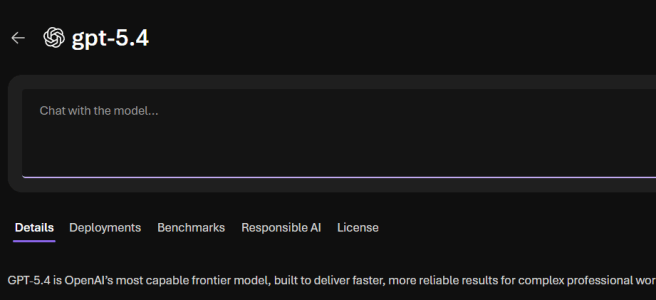
Microsoft keeps moving fast, and this time the update is significant: GPT‑5.2 is available for testing in Microsoft 365 Copilot and it is available for deployment through Microsoft Foundry. This matters more than it might first sound. It is not just a model update. It is a signal of how Microsoft is aligning Copilot experiences, … Continue reading GPT-5.2 in Microsoft 365 Copilot and in Microsoft Foundry

Ignite Spotlight: Copilot Pages Agent Mode & Notebooks

Introduction Microsoft Ignite has set the stage for the next era of AI-native work with Agent Mode in Copilot Pages. This breakthrough turns Copilot into a proactive, context-aware agent that doesn’t just respond—it manages entire workflows, keeps context across tasks, and drives collaboration without constant user input. In this post, created using Agent Mode itself, … Continue reading Ignite Spotlight: Copilot Pages Agent Mode & Notebooks

Multi‑Agent Workflows in Microsoft Copilot Studio

Microsoft Ignite 2025 in San Francisco was an great experience — energy, innovation, and a huge leap forward for Frontier Firms, Digital Employees and Agentic AI. This year I had the privilege of presenting “Multi-Agent Workflows in Microsoft Copilot Studio” as a theater session (not recorded). Because many asked for the slides I wanted to … Continue reading Multi‑Agent Workflows in Microsoft Copilot Studio

Microsoft Ignite 2025 recap

Microsoft Ignite 2025 is one of the highlights of the year for anyone interested about the future of work—and this year was no exception. I’m attending Microsoft Ignite in person in San Francisco. The conference theme centers on AI at every layer: from the cloud and security powering AI to the everyday tools where we … Continue reading Microsoft Ignite 2025 recap

Researcher Agent with Computer Use in Microsoft 365 Copilot

Microsoft 365 Copilot has already transformed how we work. Its newest step in the AI-evolution—Researcher with Computer Use—takes things to a completely new level. This capability, available now through the Frontier program, enables Copilot’s Researcher agent to go beyond reading and reasoning. It can actually use a computer. That means navigating websites, interacting with online … Continue reading Researcher Agent with Computer Use in Microsoft 365 Copilot

When Copilot Sees Your Screen: Copilot Vision

It’s been a while since my last blog post. After the summer, life accelerated — projects, travels, events, and family time have kept me fully occupied. Sometimes the best way to keep balance is to pause something you love doing for a while — in my case, writing. The autumn has been busy with events, … Continue reading When Copilot Sees Your Screen: Copilot Vision

Ray-Ban Meta Wayfarer Smart Glasses experiences

I jumped on the smart glasses rocketship, thanks to the Sulava Gulf who decided to gift to us all employees with smart glasses to embrace the AI-Native work! About two weeks, one conference in Paris, visit to our office at Dubai, and countless “Hey Meta…” moments later, here’s my take. Before continuing, here are key tech … Continue reading Ray-Ban Meta Wayfarer Smart Glasses experiences

Hands on with the Logitech MX Creative Console

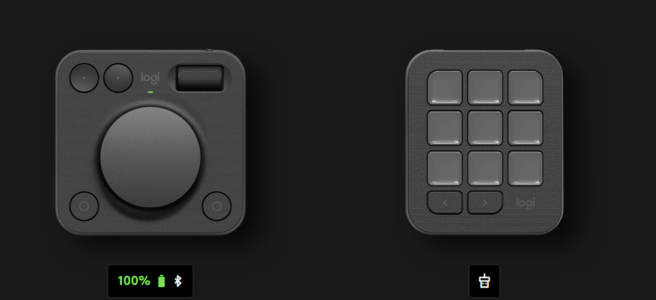
Logitech’s new device on productivity desktop tools is the MX Creative Console: a modular two-piece setup consisting of a nine-key LCD Keypad and a wireless Dialpad. It is designed to keep you “in flow” by detecting the active application and showing only the controls that matter. Unlike single-purpose devices, this console tries to be equal … Continue reading Hands on with the Logitech MX Creative Console

Microsoft Build 2025 recap: Co‑Creating with AI and Agents

Microsoft Build 2025 was all about turning the vision of AI-Native workplace into reality. We’re no longer talking about AI in abstract terms – we’re seeing concrete features that make AI a true collaborator in our daily work. I have selected the most important announcements from Microsoft Build 2025 related to Microsoft 365 Copilot and … Continue reading Microsoft Build 2025 recap: Co‑Creating with AI and Agents

AI-First Future with Microsoft 365 Copilot

Work is changing. Imagine a workday where AI seamlessly integrates into every task, transforming the way we operate. This is not a distant future; it's happening now with Microsoft 365 Copilot. Recently, I’ve been to Microsoft 365 Community Conference and listened to keynotes and sessions about what’s next such as Microsoft’s new M365 Copilot app, … Continue reading AI-First Future with Microsoft 365 Copilot

How to work with Loop Workspaces in Teams Channels

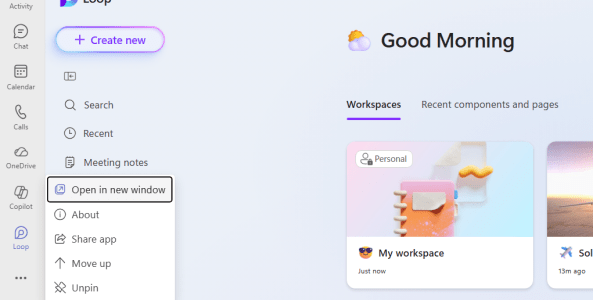
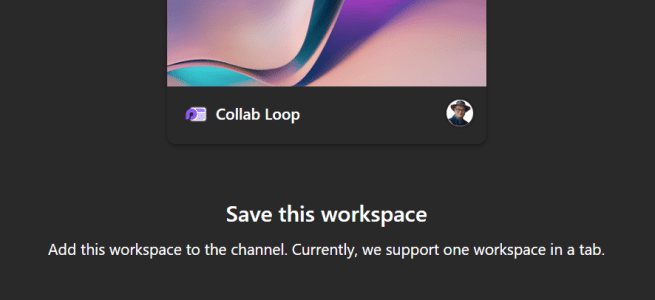
I am excited how Microsoft Loop boosts internal collaboration but I have heard that not everyone has been happy to have to manage Loop workspace permissions separately from the Teams project team. Working with externals in a Loop has been also a bit difficult. But now things are taking a step forward! It is possible … Continue reading How to work with Loop Workspaces in Teams Channels

GPT-4.1 is now available at Azure AI Foundry

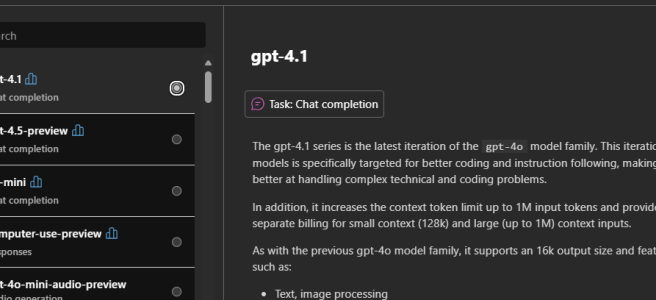
Azure AI Foundry and AOAI (Azure OpenAI Services) keeps on getting better all the time! The latest addition in Azure AI Foundry (as of April 14, 2025, yesterday) is the GPT-4.1 model, that has a generous 1M context window and cutoff day for June 2024! 1 million tokens understanding "memory", which translates to roughly 1500 … Continue reading GPT-4.1 is now available at Azure AI Foundry

Photorealistic Azure Avatars for the Enterprise

The ability to generate a realistic video of a person speaking any text might still sound like science fiction, but it’s reality with Azure AI’s text-to-speech (TTS) avatars. This technology creates photorealistic digital humans that can speak with natural voices in multiple languages. In this article, I’ll dive into what Azure’s AI TTS avatars are, … Continue reading Photorealistic Azure Avatars for the Enterprise

Interpreter Agent in Teams is in Public Preview

The future is here, or at least a bit of the scifi-future is now be usable by Microsoft 365 Copilot licensed users who are using Microsoft Teams. The Interpreter Agent just hit Public Preview, and I of course I tested it out. I did not do a video how it works, but in this post … Continue reading Interpreter Agent in Teams is in Public Preview

Logitech Zone 305 business headset: lightweight & affordable

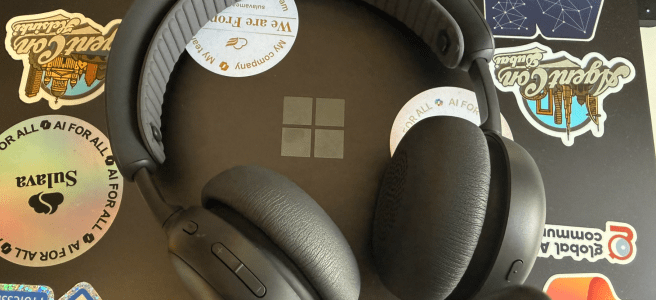
Logitech has introduced the Zone 305 headset, positioned as an affordable solution designed especially for business users. But how does it stack up against higher-end models like the excellent Zone Wireless 2, and to who exactly is the Zone 305 suited for? I have written a Logitech Zone Wireless 2 in review  article before, and it … Continue reading Logitech Zone 305 business headset: lightweight & affordable

Understanding the Business Potential of Computer-Using Agents and Responses API

AI technology and Azure AI continue to evolve rapidly, bringing innovations and options that can be applied to business operations. Two recent announcements in the Azure AI Foundry —Microsoft's Responses API and the Computer-Using Agent (CUA)—are set to enable Agentic AI to help with workflows, boost productivity, and eventually reshape business processes, workflows and even … Continue reading Understanding the Business Potential of Computer-Using Agents and Responses API

How to edit your display name in Microsoft Teams meetings

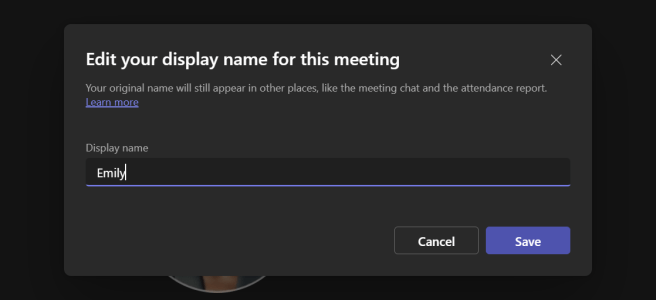
Microsoft Teams continues to evolve, and one of the recent updates allows participants to edit their own display names during meetings. I know, this isn't a big feature - just a meeting option- but for some it is a big thing. Changing you name in the meeting has been asked about for a long time, … Continue reading How to edit your display name in Microsoft Teams meetings

SoundPEATS POP Clip: good for music, not so much for work meetings

Recently, I had a chance to early-access and test out the SoundPEATS POP Clip earbuds, which just came out last night. As someone who often tries different audio devices and how they work especially during Microsoft Teams meetings, I wanted to see how these earbuds perform in daily use. It is good to note that … Continue reading SoundPEATS POP Clip: good for music, not so much for work meetings

Ditching the dongle on Logitech Zone Wireless 2

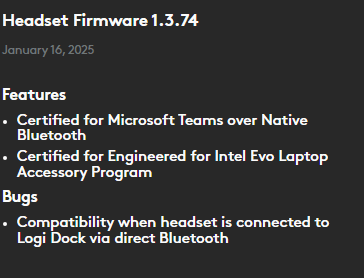
Zone Wireless 2 is certified for Microsoft Teams over native Bluetooth. Enjoy a full Teams experience without a dongle. Logitech Microsoft and Logitech have been working together to get us Native Bluetooth support for Logitech Wireless 2 headset. I wrote about Logitech Wireless 2 earlier, over a year ago. Back then (and until recently) it was required to use dongle … Continue reading Ditching the dongle on Logitech Zone Wireless 2

GPT-4.5 preview is available in Azure AI Foundry

Microsoft just released the information that GPT-4.5 preview model is available for deployment at Azure AI Foundry! Not everyone can yet use this, but it requires a registration before it can be used. I, of course, placed in my application for the model but at this point I am still waiting for the registration result. … Continue reading GPT-4.5 preview is available in Azure AI Foundry

Upcoming feature: Copilot Interpreter Agent in Teams Meetings

This is a fascinating topic! How does that sound - enabling nearly real-time live translations in meetings? Yes, a bit like scifi but it is today a reality. We will be able to enjoy that in Microsoft Teams meetings during early this year, as Microsoft announced during Ignite 2024 conference.. No, you don't have this … Continue reading Upcoming feature: Copilot Interpreter Agent in Teams Meetings

SoundPEATS PearlClip Pro: Low price buds with a bold clip-on design

I’ve been testing the new SoundPEATS PearlClip Pro earbuds for a some weeks now. These launched in January 2025, and SoundPEATS kindly provided me with a pair to try out. I was initially curious (and more than slightly skeptical I admit) about their “Clip-On” design. Can a low-price buds work in the modern work and … Continue reading SoundPEATS PearlClip Pro: Low price buds with a bold clip-on design

Azure AI Agents are in the Public Preview

AI agents are becoming a key enabler for businesses looking to streamline processes, automate repetitive tasks, and empower their employees to work more efficiently. In Microsoft 365 Copilot, we’ve already seen a lot of solutions that focus on improving productivity for individuals. Yet, the potential for AI-driven automation goes much further when you can connect … Continue reading Azure AI Agents are in the Public Preview

Getting started with DeepSeek R1 at Azure AI Foundry

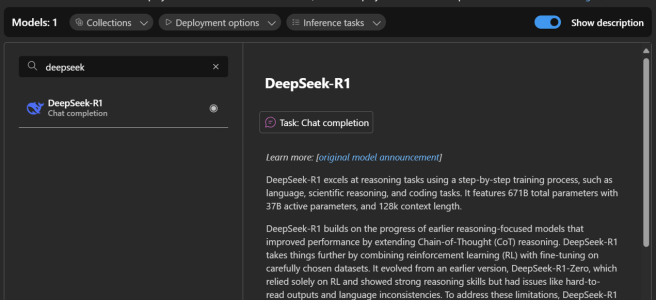
DeepSeek R1 has been everyone's radar recently. Last night I heard Microsoft released it in the Azure AI Foundry. Today, I've been testing it—deploying it, trying some prompts with it, and noticing just how heavily it filters certain topics. This was not a surprise by any means. With the official announcement that DeepSeek R1 is … Continue reading Getting started with DeepSeek R1 at Azure AI Foundry

Rolling Into the Future with Rally Board 65 and Logitech Spot

Hybrid work is here to stay. We all know that our meetings need to be flexible, our office spaces need to be versatile, and technology should handle the heavy lifting when it comes to getting people together—whether they’re connecting in from home or brainstorming around a shared table. Logitech has just announced two devices that … Continue reading Rolling Into the Future with Rally Board 65 and Logitech Spot

How to enable Copilot Agents in SharePoint for non-Copilot users

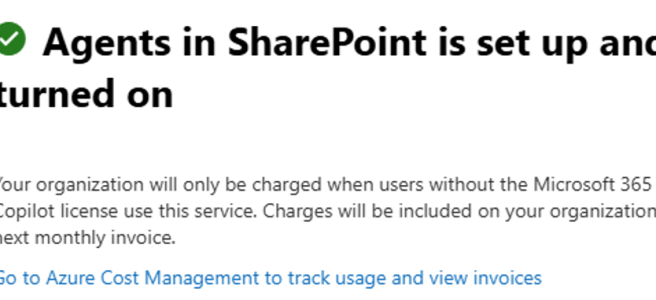
Welcome to 2025, the Year of AI Agents! Intelligent agents are one of the biggest buzzwords this year for good reason: they promise to make our work lives simpler in numerous ways. One starting benefit (ie: easy to create) is how well they handle information retrieval. We will see more active and actionable agents later … Continue reading How to enable Copilot Agents in SharePoint for non-Copilot users

Bye 2024, Welcome 2025!

As the year draws to a close, I find myself reflecting on what an incredibly eventful time it has been—especially in the realms of AI and Microsoft 365 Copilot. The pace of evolution in these areas is faster than ever before, and witnessing how Copilot is reshaping the way we work has been nothing short … Continue reading Bye 2024, Welcome 2025!

Unleashing the Future of Work: Microsoft Ignite 2024 Announcements on Copilot, Agents, Teams, and AI 

Transforming Modern Work with AI and Copilot  As Microsoft Ignite 2024 kicks off with its keynote, there is a lot of anticipation and excitement in the air. This year's event is going to be an evolution of modern work, bringing together innovations and pivotal updates that will redefine how organizations and employees harness the power … Continue reading Unleashing the Future of Work: Microsoft Ignite 2024 Announcements on Copilot, Agents, Teams, and AI 

The New Chat & Channels Experience in Microsoft Teams! 

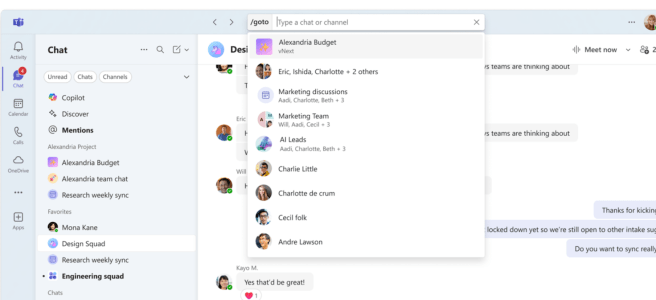
Having had the privilege of using the new chat and channels experience in Microsoft Teams for several months, I am excited to share my insights and reflections. This update has changed the way I communicate and use Teams, and it's poised to make a significant impact on how we all work together. Everyone will be … Continue reading The New Chat & Channels Experience in Microsoft Teams! 

How to create and use no-code SharePoint Copilot Agents 

Some of us wait eagerly for new features to appear in our tech. Be it a mobile phone, tv or any of Microsoft 365 environments we use. The last one is getting new features at amazing speed – faster than ever. And we know what is getting the most love at Microsoft at the moment: … Continue reading How to create and use no-code SharePoint Copilot Agents 

Engage the Copilot in Viva Engage!

Did you know that you can use Copilot in Viva Engage to create more engaging posts, and get personalized suggestions how to improve your post? Or that you just can have a sparring conversation with AI when you are thinking about posting a message to your community?  Copilot in Viva Engage can help you out … Continue reading Engage the Copilot in Viva Engage!

Supercharging Teams Meetings at Scottish Summit

I had a pleasure to visit Aberdeen, Scotland last week and speak at Scottish Summit 2024 community event. This marks my fourth in-person Scottish Summit ( 3 x the actual Summit in Scotland and one Summit on Tour at Manchester, England) where I have spoken at. It is a wonderful conference to come back to, … Continue reading Supercharging Teams Meetings at Scottish Summit

Copilot Pages 

Have you already tried one of the latest features to Microsoft 365 Copilot: Copilot Pages? These are dynamic, persistent canvases designed specifically for multiplayer AI collaboration ( = working together with others in the same Page in real time). This feature can be used to make spontaneous, AI-generated content durable, editable, and shareable. That’s what … Continue reading Copilot Pages 

Microsoft’s Vision for Copilot: A New Era of AI Companionship

Have you ever thought how and when Microsoft Copilot will be a true assistant and provide you a new kind of support? With the latest updates to Microsoft Copilot this vision is getting closer to reality. Announced on October 1, 2024, the refreshed Copilot vision aims to revolutionize our interaction with technology by focusing on … Continue reading Microsoft’s Vision for Copilot: A New Era of AI Companionship

Microsoft Teams team updates: General channel

All Microsoft Teams teams have the General-channel. That's what it has been since Teams emerged. But it is not the case anymore. Recently we entered the new era, where we don't have to have a channel named General anymore. This change is impacting everyone who is creating new Teams teams, so you want to share … Continue reading Microsoft Teams team updates: General channel