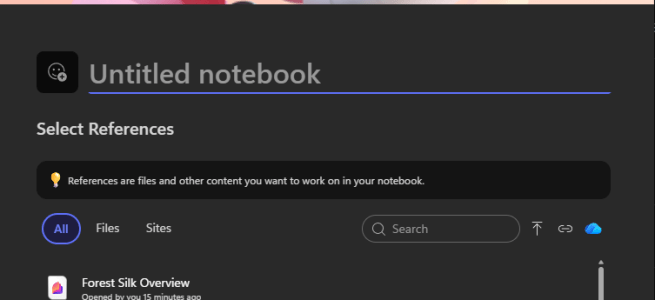
If you’ve been following the evolution of Microsoft 365 Copilot, you know that Copilot Notebooks has emerged as one of the most compelling features in the suite. It’s the answer to what I call “the grounding problem”—how do you get AI to reason over your specific project context instead of discovering relevant sources from all Microsoft 365 data you can access ( without building an agent or tagging your resources to the prompt every time)?
Starting March 23, 2026, Microsoft is rolling out seven significant new capabilities to Frontier ( Copilot public preview ) tenants. They will be an expansion of what you can do with Copilot Notebooks—turning it more and more towards knowledge work environment.
This information is based on Microsoft Admin Center Message ID MC1254552.
- What’s Changing
- Why this update matters?
- What This Means for Different Roles
- Preparing for the Rollout
- Building with Context
- Resources
What’s Changing
The rollout starts March 23 – 28 for Frontier Public tenants, and all features will reach General Availability between early April and early May 2026. No admin action is required—these capabilities will be enabled by default.
Here’s the complete feature breakdown:
| Feature | Frontier Public | General Availability (estimated schedule) | What It Does |
| Chat and Page Interactivity | March 23, 2026 | Mid-April 2026 | Edit and create pages in your notebook directly through chat—no switching contexts |
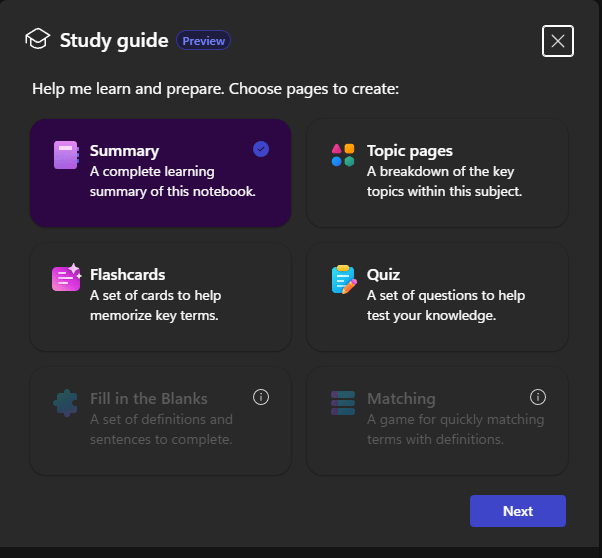
| Study Guide | March 23, 2026 | Late April 2026 | Auto-generates quizzes, flashcards, and topic pages from notebook content |
| SharePoint Sites and Folders Grounding | March 23, 2026 | Early April 2026 | Add entire SharePoint sites and folders as references for broader context |
| PowerPoint Agent | March 23, 2026 | May 2026 | Create presentations using notebook content and references in a few clicks |
| Word Agent | March 23, 2026 | May 2026 | Generate Word documents directly from notebook content and references |
| Sharing to Microsoft 365 Modern Groups | March 23, 2026 | April 2026 | Share notebooks directly with M365 Groups for team-wide access |
| Mind Map | March 23, 2026 | Early May 2026 | Interactive visual map of key topics, themes, and relationships in your notebook |
Don’t forget that Notebooks will also allow adding weblinks to Notebook, and utilize content from links to grounding. Currently it is possible add weblinks, but they are not used for ground. This should change by the end of March, about the same times as these other updates are rolling to Copilot Notebooks!
What Message Center ID MC1193414 says about weblinks
We’re introducing the ability to add public web links as references in Microsoft Copilot Notebooks. This enhancement allows users to ground Copilot responses on specific public web pages, expanding the types of content that can be used to inform and contextualize their work.
What else should be appearing at Notebooks are Video Overviews. They don’t have a new date yet, but these did not appear with the schedule given in Message Center ID MC1208690. I am looking forward for these, as they will be cool – and a very useful knowledge sharing tool for teams!
Video Overviews in Copilot Notebooks enable users to automatically generate short, narrated video summaries of their Notebook’s content. These videos combine key insights, visuals, and voiceover to create an engaging, visual overview of the entire Notebook.
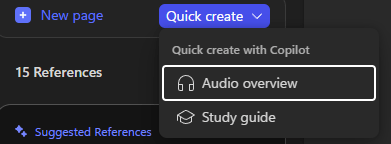
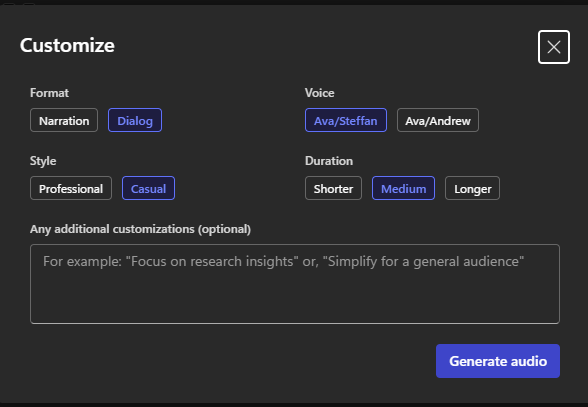
Meanwhile you can already generate Audio Overviews, and utilize customization options.
Why this update matters?
The grounding engine gets smarter
The addition of SharePoint sites and folders as grounding sources is bigger than it sounds. Previously, you had to manually add individual files to a notebook. Now you can point Copilot at an entire SharePoint site—say, your project workspace—and it reasons across everything in that location. This means your notebook stays current as new files are added to the site, without manual updates.
Chat becomes content creation
Chat and Page Interactivity fundamentally changes the workflow. Instead of chatting with Copilot, manually copying insights, and pasting them into a Copilot Page, you can now tell Copilot to create or edit pages directly through conversation. “Take the three key risks we just discussed and add them to a new page called Project Risks” should just work.
Learning gets operationalized
The Study Guide feature transforms Copilot Notebooks into a learning platform. Add your training materials, product documentation, or onboarding content, and Copilot generates quizzes, flashcards, and topic summaries automatically. This isn’t just for students—it’s for any team ramping up on complex information quickly.
Visual thinking arrives
Mind Maps bring a completely new interaction model. Instead of reading through linear text or chat responses, you get an interactive visual representation of how concepts in your notebook relate to each other. You can explore nodes, view summaries, and use notebook chat to dive deeper. In Frontier Public, Mind Maps are private to the creator and retained for 30 days; sharing and permanent storage will arrive before GA.
I am really looking forward seeing Mind Maps!
Content creation gets integrated
The PowerPoint and Word agents close the loop between research and deliverables. You’ve gathered your references, asked questions, captured insights—now you can turn all of that directly into a presentation or document without leaving the notebook environment. This is the “one workspace for the entire project lifecycle” vision becoming real.
What This Means for Different Roles
For Change Managers and Adoption Leads
You will have a clearer story to tell about why someone should use Copilot Notebooks:
- Persistence: Unlike chat, which disappears, notebooks create a reusable knowledge base
- Grounding: Responses are based on curated project context, not generic AI knowledge
- Collaboration: Teams can now share notebooks with M365 Groups for collective intelligence
- Artifacts: Study guides, mind maps, and document generation turn research into tangible outputs
Your action items:
- Update your Copilot training materials to emphasize notebooks as the primary workspace for complex projects
- Develop scenarios showing the difference between generic Copilot chat and grounded notebook responses
- Plan a “Copilot Notebooks Week” campaign once GA hits in April-May
For IT Admins and Governance Teams
The compliance news is straightforward: existing Microsoft 365 permissions and access controls are respected. Copilot can only reason over content that users already have access to. There are no new data storage changes, and all existing Purview controls (retention, DLP, Conditional Access, eDiscovery) continue to work as expected.
Your action items:
- Inform helpdesk teams about the new capabilities—expect support questions starting March 23
- Review SharePoint site permissions to ensure appropriate access is in place (since sites can now be grounded as references)
- Monitor early usage patterns in Frontier Public to identify power users who can become internal champions
- Prepare messaging for users: “No action required; new features enabled by default”
For Product Owners and Power Users
These features unlock new workflows you couldn’t do before:
Deal/project war rooms: Create a notebook for every major deal or project. Add the SharePoint site where all materials live, ground Copilot on the full context, and use the Word/PowerPoint agents to generate status updates and executive briefings.
Knowledge capture: Use Mind Maps to visualize complex processes or product architectures. Export the map as a starting point for documentation.
Recurring reporting: Set up a notebook for weekly or monthly reporting. Add new data sources as they arrive, ask Copilot to highlight what’s changed, and use the Word agent to draft the update.
Your action items:
- Experiment early in Frontier Public (if you have access) and document what works
- Share “before and after” examples showing the difference notebooks make
Preparing for the Rollout
Today – March 22: Get ready
- Identify pilot users in Frontier Public tenants who can test features early
- Prepare internal communications: “New Copilot Notebooks features arriving in April-May”
March 23-28: Frontier Public launch
- Monitor early feedback from Frontier users
- Document real-world use cases and success stories
- Refine internal guidance based on what actually works
April-May: GA rollout
- Launch broader awareness campaigns
- Host lunch-and-learn sessions showing the new capabilities
- Create role-specific guidance (sales, marketing, project management, HR)
- Collect feedback and iterate on internal best practices
Building with Context
What ties all features together is the principle of contextual grounding. Generic AI responses sound intelligent but often miss the mark because they lack specific knowledge. Copilot Notebooks solves this by letting you define a custom boundary—the set of information Copilot reasons over for a specific project or topic.
The new features make that grounding easier (SharePoint sites), the interaction more natural (chat-based page creation), the outputs more useful (agents, study guides, mind maps), and the collaboration more seamless (M365 Group sharing).
A Microsoft 365 Copilot license is required to use Copilot Notebooks.
Resources
- Microsoft Admin Center Message ID MC1254552
- Official Microsoft documentation ( will be updated before GA rollout)
- Study Guide documentation
Have you started using Copilot Notebooks yet? What use cases are you most excited about? Let me know in the comments or reach out—I’m always interested in hearing how organizations are approaching this.

 Vesa Nopanen - Future Work today