
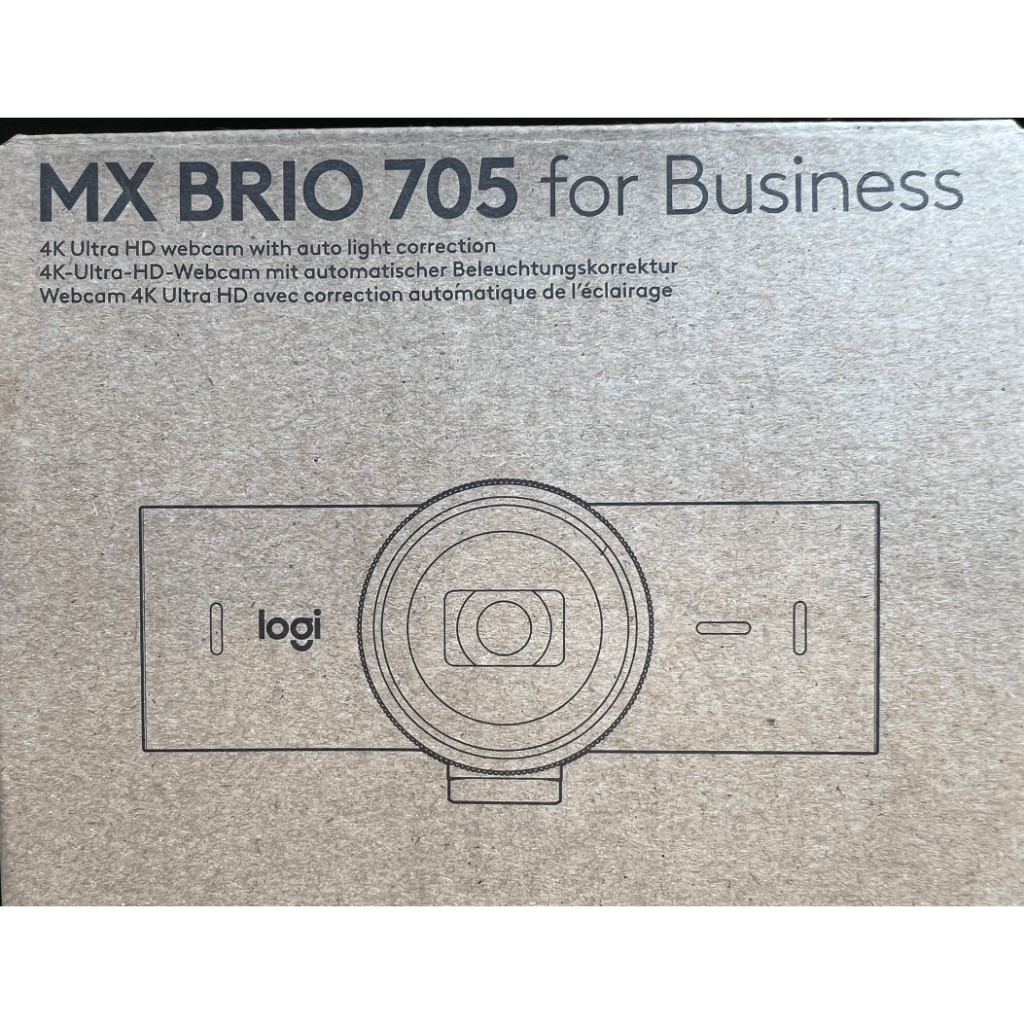
As a consultant who works on modern work and digital transformation, I rely a lot on Microsoft Teams as the video conferencing tool to communicate and collaborate with my clients, colleagues, and community. That’s why I was very interested in trying out the Logitech MX Brio 705 for Business, a 4K webcam that claims to offer an outstanding video experience for professional use.
Logitech Finland kindly sent me one MX Brio 705 for testing. I have been using it for several weeks now, and I have been quite impressed with the device’s performance and features. The webcam delivers high-quality video and has some smart and innovative features that make video conferencing even better.

Technical details
As I often do, let’s look at specs first. The MX Brio 705 for Business is an advanced webcam that offers 4K ultra-HD video quality to the professional work environment. It has the largest image sensor in Logitech’s range (as of today), the 8.5MP Sony STARVIS, and a specially designed lens, ensuring that every video call has outstanding clarity and detail. AI-powered RightLight 5 auto light correction with HDR and face-based image enhancement provides a more natural image and ensures the user’s face is brightly lit in challenging lighting conditions. Most of users don’t really need to know the tech details list, but for those who are interested it shows that this cam has a lot of latest technology packed into it.
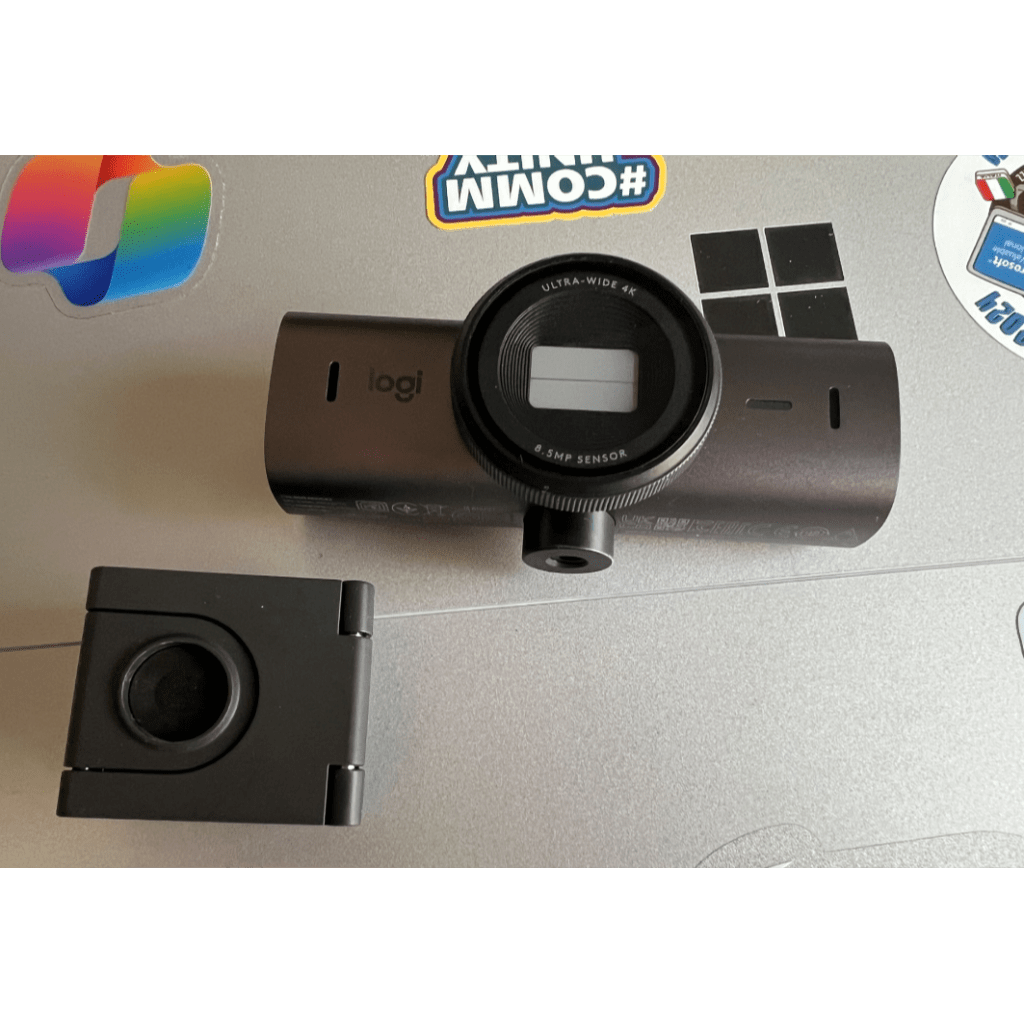
The size of the cam isn’t the smallest one – it is larger than the previous Brio 4k cam but it is still not a huge one. I would say it is quite compact, compared to capabilities.
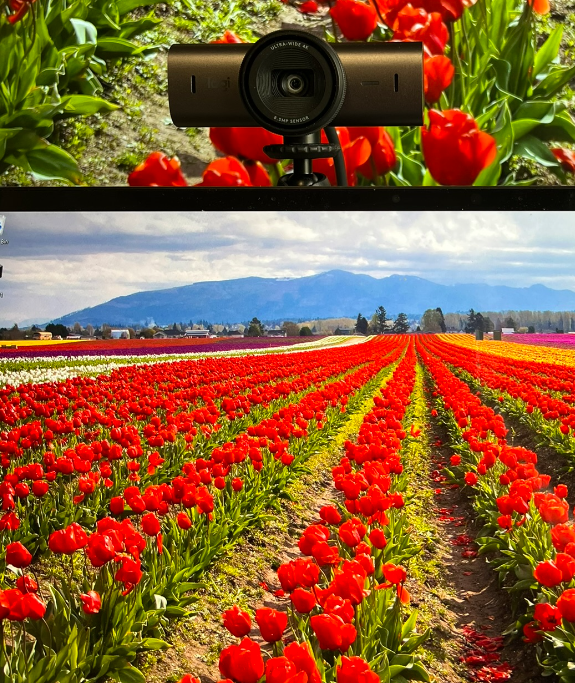
The MX Brio 705 has RightSight auto-framing technology that keeps the user in the center and in focus during video calls, following their movements. Camera enables easy sharing of physical objects on a call by moving / tilting the camera down. On the audio, the dual beamforming microphones are made to block out background noise, ensuring that conversations are clear, even in loud settings. The audio isn’t bad at all – I love how the continuously improving tech makes audio easier every year. I haven’t used my big mic (Blue Yeti) in years now because Surface laptops, cams, headsets and docks have excellent beam-forming mics that reduce the background noise.
According to Logitech, the MX 705 is made with sustainability in mind. It is built with low-carbon aluminum and contains at least 82% post-consumer recycled plastic, lowering its carbon impact. Logitech is putting a lot of effort to reduce their carbon footprint and be more sustainable. For more information, you can check their sustainability impact report here https://www.logitech.com/en-us/sustainability/reports-and-resources.html

The webcam works with leading operating systems such as Windows and macOS and is certified for Microsoft Teams, Zoom, Google Meet. Logitech also claims that this webcam also works with Chromebook. I only tested the camera with Windows PC using Microsoft Teams and it works wonderfully with it.
It starts to look that tech specs on webcams matter less than before, as AI is “everywhere” and in online meetings there are different requirements than making a video in a studio. AI automatically takes care of a lot of details and uses cam’s capabilities for effect. In the end what matters is the consistent quality in changing and even challenging environments.
Video quality
My first impressions with this cam were “ok, now we are talking”. In short: The video quality is good, and it shines when conditions are worse. The cam saw a lot of real use and for this article I took a few examples.
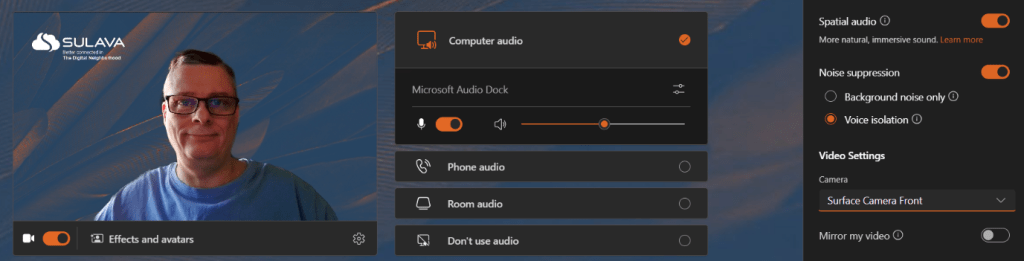
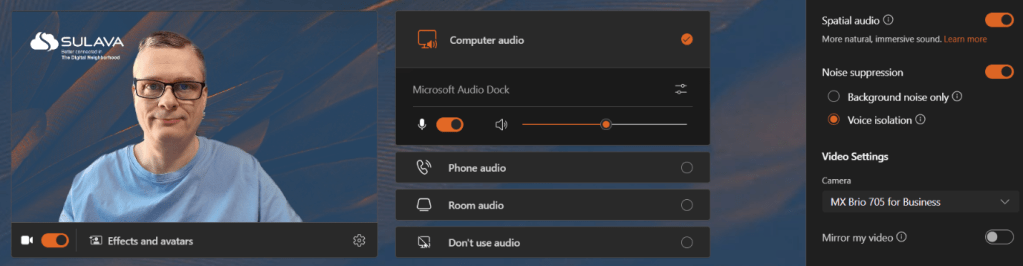
The easy start: typical lighting conditions, with light coming a lot from a window on the side. MX Brio 705 does a good job balancing the image.

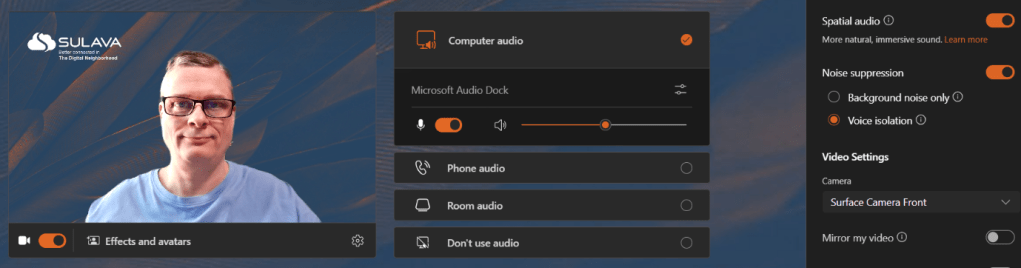
Surface Laptop Studio 2 front camera isn’t bad either, but in these conditions got some color distortion -which doesn’t always happen.
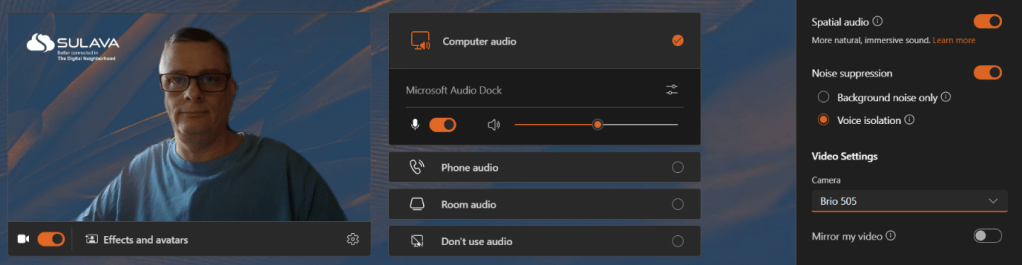
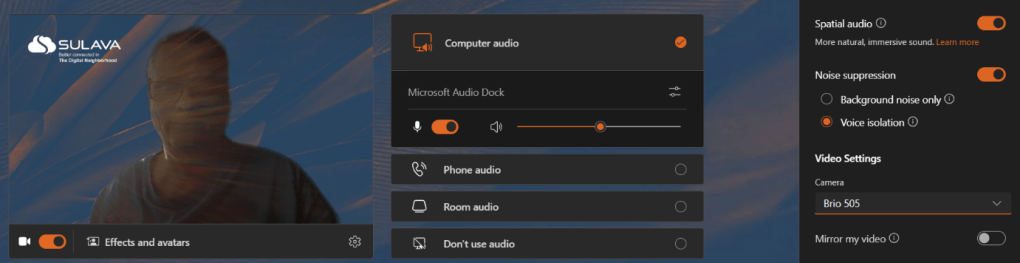
I also used Brio 505 as a comparison. It has issues managing and balancing the light.
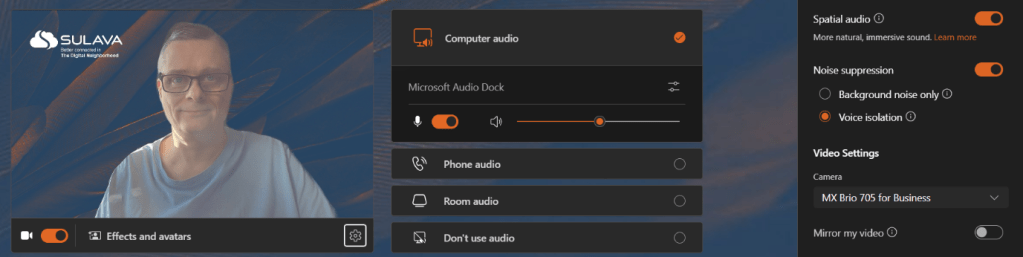
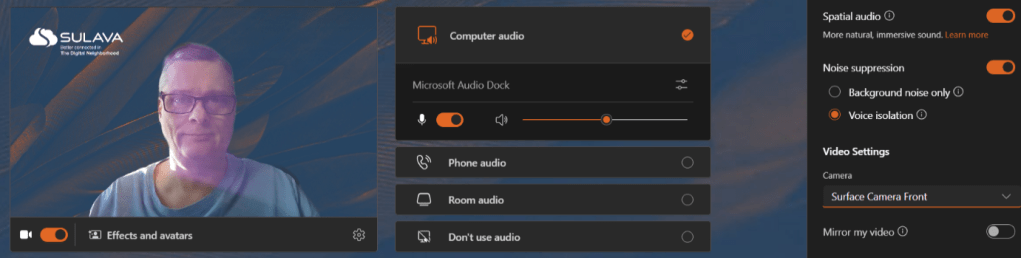
Then I amped up the difficulty, by setting cams to the don’t-do-it setup: strong side/back light, so light is hitting the lens in an angle. As the result Brio 705 has a washed out (too much light) result in the image. While this is not something I would like to see for the webinar host, it would still be quite ok in a standard meeting.
And exposing Surface and Brio 505 cams to the same conditions reveals the difference. Note that these conditions are not 1:1, but just a quick test with about similar positions and lighting. Surface isn’t too bad but Brio 505 is unusable.
Going back to the more normal setup, using a couple of key lights shows that Brio 705 has more natural colors compared to the Surface cam. Light is also more balanced in overall.
My thoughts
I have been using the MX Brio 705 for a few weeks now and I must say that I am quite happy about it. It is a significant upgrade especially from the Logitech Brio 505. Comparing to Brio 4k Stream camera I would say the biggest bonus are AI features.
Some highlights:
- Magnetic attachment to the base: This makes it easy to remove and reattach the webcam to my monitor, laptop, or other suitable surface. The mounting also has a standard attachment, so I can use it with a tripod, or any other camera stand if I want to change the angle or height of the webcam.
- RightSight auto-framing technology: This is a very smart feature that keeps me in the center and in focus during video calls, even if I move around or change my posture. It also automatically zooms in or out depending on how many people are in the frame, which is useful for group meetings or presentations. I find that this feature does not distract others or myself.
- Great video quality for Teams meetings: The 4K ultra-HD video quality of the MX Brio 705 is outstanding, and it shows every detail and nuance of my face – perhaps even in too detail.. The webcam also works well with Microsoft Teams, which is the main platform I use for work communication and collaboration. The video is smooth and crisp, and there is no lag or distortion. The cam is certified for Teams, but you can use it with other popular applications as well.
- Excellent performance in different lighting conditions: One of the challenges of working from home is that the lighting in my room is not always ideal for video calls. Sometimes it is too bright or too dark, or there is a window next to me that creates a glare. However, the MX Brio 705 handles these situations very well, thanks to the AI with HDR, which smartly adapts to bright and low-light environments, providing a more natural picture and showing skin tones accurately. I have noticed a big difference in the quality of the video compared to the Brio 505, which easily struggled with harsh or insufficient light.
- Good audio: The MX Brio 705 has dual beamforming microphones that are designed to block out background noise and capture my voice clearly and loudly, even in loud settings. Microphones did a great job of focusing on my speech. The sound quality is also very good.
- Privacy shield: This is a simple but effective feature that allows me to control when the webcam is on or off. By twisting the ring around the lens, I can open or close the privacy shield, which also protects the lens from dust and scratches. I like this feature because it is intuitive to use.

While I almost didn’t have any issues to report, there is one that started to appear during my testing period. The camera “reboots” itself in Teams meetings occasionally. What happens it kind of stops working for a moment (light goes off) and then comes back to life by itself. In a meeting this is seen as my video feed freezes for a short while. This somehow feels like a software bug, as it isn’t about cam’s temperature. While the issue is annoying (there shouldn’t be anything like this) it does not happen many times during one meeting.
Generally, I think the MX Brio 705 is a great webcam for business use, and it is a worthy successor to the Brio 4K Streaming version, which is still a valid and great camera. The MX Brio 705 has several features that make it stand out from other webcams on the market, such as the magnetic mounting, auto-framing, HDR, and the privacy shield. It also has a sleek and elegant design, and it is made with sustainability in mind, using low-carbon aluminum and recycled plastic.
If you are looking for a new webcam, I encourage that you put the MX Brio 705 on your testing list if you are looking for a high-quality, versatile, smart webcam for work, and you have the budget for this one – this one is around $200. It is not the cheapest one but it delivers a lot of high quality features for its price.

 Vesa Nopanen - Future Work today
One thought on “Logitech MX Brio 705 for Business in review ”